EasyManua.ls Logo

Union Instruments CWD 2005 - User Manual

Union Instruments CWD 2005
121 pages
Print Icon
To Next Page IconTo Next Page
Loading...
Users Manual
CWD 2005
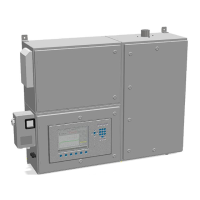
Combustion Calorimeter
For high speed measurement of fuel gases

Table of Contents

Questions and Answers

Union Instruments CWD 2005 Specifications

General IconGeneral
Operating temperature-10°C to +50°C
Power supply230 VAC, 50/60 Hz
Protection classIP54
Resolution0.1 %
Temperature CompensationAutomatic
Accuracy±1% of full scale
Response time< 5 seconds
Output signal4-20 mA
Measuring rangeCH4: 0...100 vol.%; CO2: 0...100 vol.%; O2: 0...25 vol.%; H2S: 0...2000 ppm
CommunicationRS-232, optional RS-485
Measurement RangeCH4: 0-100%; CO2: 0-100%; O2: 0-25%; H2S: 0-2000ppm

Summary

Users Manual CWD 2005

CWD 2005 Combustion Calorimeter

Introduction to the Union CWD 2005 Combustion Calorimeter.

For high speed measurement of fuel gases

Specifies the primary application of the CWD 2005 as high speed fuel gas measurement.

Important Information

1.1. Safety Instructions

Critical safety warnings and precautions for operating the CWD 2005.

Introduction

2.1. Output values

Describes the different output signals the instrument can provide.

2.2. Available measurement ranges

Details the various measurement ranges the analyzer supports.

2.3. Response times

Specifies the dead time and response times of the analyzer.

Analyzer Overview

3.1. Dimensions, weights

Physical specifications including height, width, depth, and weight.

3.2. Gas connections

Details on connecting process and calibration gases to the unit.

3.3. Gas consumption

Information on the typical gas consumption rates.

3.4. Electrical power supply

Specifies the power requirements and consumption of the CWD 2005.

3.5. Measurement ranges

Details the available measurement ranges and options.

3.6. Ambient temperature limits

Defines the recommended ambient temperature range for operation.

Installation

4.1. Shelter requirements

Guidelines for installing the calorimeter in a suitable shelter.

4.2. Room ventilation

Requirements for adequate room ventilation.

4.3. Exhaust gas discharge

Proper procedures for exhausting combustion gases.

4.4. Electrical power connection

Instructions for connecting the electrical power supply.

4.5. Gas connections

General guidelines and considerations for gas connections.

4.5.1. Process gas filters

Details on selecting and using process gas filters.

4.5.2. Pressure Regulators

Information on recommended pressure regulators for stable measurements.

4.5.3. Sample gas pump

Guidance on installing a sample gas pump if needed.

4.5.4. Carrier gas Support

Details on providing support using carrier gas for combustion.

4.5.5. Fast Loop connection

Explanation of the fast loop connection for improved response time.

4.6. Interfaces

Description of available interfaces for external devices.

Commissioning

Software

6.1. Screen and Keypad layout

Overview of the instrument's display screen and keypad layout.

6.1.1. Menu keypad

Explanation of the functions of the menu keys.

6.1.2. Trend display

Description of how to view and interpret trend data.

6.1.3. Numeric display

Details on the numeric display for measured values.

6.1.4. Information field

Information provided in the instrument's info field.

6.1.6. Start;Stop

Functionality of the Start/Stop key for the system.

6.1.13. Menu Navigation

Guidance on navigating through the software menus.

6.2. Menu Overview

Provides a visual overview of the software menu structure.

6.2.1. Options

Access to various configuration and setting options.

6.2.1.1. Input;Output I;O

Configuration of instrument inputs and outputs.

6.2.1.1.1. Analog outputs

Setup and configuration of analog output signals.

6.2.1.1.2. Relay output

Configuration of the instrument's relay outputs.

6.2.1.1.3. Display mA

Displays the current mA output values of modules.

6.2.1.1.4. Digital inputs

Configuration of digital inputs for control functions.

6.2.1.1.5. Display

Options for configuring the instrument's display.

6.2.1.2. Calibration

Detailed process for calibrating the CWD 2005 instrument.

6.2.1.2.1. Configure Calibration gas

Setting up the parameters for calibration gases.

6.2.1.2.2. Automatic calibration

Explanation of the automatic calibration procedure.

6.2.1.2.3. Calibrate

Initiating and performing the manual calibration cycle.

6.2.1.2.4. Store Basic Calibration

Procedure for storing the basic calibration data.

6.2.1.2.5. Calibration Limits

Setting limits for deviation during calibration.

6.2.1.3. System

Access to basic analyzer configuration parameters.

6.2.1.3.1. General

General system settings for operation and transition.

6.2.1.3.2. Ignition

Configuration options for the ignition process.

6.2.1.3.3. Update

Procedure for updating the instrument's software.

6.2.1.3.4. Load factory configuration

Restoring the instrument to factory default configuration.

6.2.1.3.6. Hold Signal on..off

Function to switch analog output signals on or off.

6.2.1.3.7. Settings

Access to various basic configuration settings.

6.2.1.3.7.1. Time;Date

Setting the system's current time and date.

6.2.1.3.7.2. Language

Options for selecting and changing the display language.

6.2.1.4. Service

Access to service menus for technical staff.

6.2.1.5. Customer specific application

Options for customer-specific application configurations.

6.2.1.5.1. Air conditioning room temperature

Settings for controlling room temperature via PID controller.

6.2.1.5.2. Serial Printer

Configuration for connecting and using a serial printer.

6.2.2. Trend Display

Functionality for viewing and analyzing data trends.

6.2.2.1. Move cursor

How to move the cursor within the trend display.

6.2.2.2. Change time

Adjusting the time scale for displaying trends.

6.2.2.3. Change “y” values

Modifying the Y-axis values shown in trend graphs.

6.2.2.4. Change signals

Changing the signals displayed in the trend graphs.

6.2.2.5. Change units

Modifying the units displayed in the trend graphs.

6.2.3. Event List

Logging and viewing of system events for diagnostics.

6.2.4. Device Info

Displaying important instrument specific data and settings.

Maintenance

7.1. Safety instructions for maintenance or repair

Essential safety precautions before performing maintenance.

7.2. Periodic maintenance

Schedule and procedures for routine instrument maintenance.

7.3. Consumables

List of essential consumable parts for operation.

7.4. Replacement I;O Boards

Instructions for replacing internal input/output boards.

7.5. Spare parts packages

Recommendations for spare parts packages based on usage.

Troubleshooting

8.1. Event list

Using the event list to diagnose operational issues.

8.2. Unstable readings

Common causes and solutions for unstable measurement readings.

8.3. Drift in readings

Troubleshooting causes and corrections for measurement drift.

8.4. Incomplete ignition

Diagnosing and resolving issues with incomplete ignition.

8.5. Software troubleshooting

Guidance for resolving common software-related problems.

Measurement principle

9.1. Heating Value measurement, an overview

General explanation of the heating value measurement process.

9.2. Thermopile measuring system

Detailed explanation of the thermopile measuring system.

9.2.1. Specific Gravity measuring cell

Description of the specific gravity measurement cell.

9.2.2. Operational overview of the measuring cell

How the specific gravity measuring cell operates.

9.2.6. Testing and calibration

Procedures for testing and calibrating the specific gravity cell.

Circuit diagrams

10.1. Input-Output card: E;A internal

Schematic diagram of the internal E/A input-output card.

10.2. Input-Output Card E;A external

Overview of the external E/A input-output card.

10.2.1. Input-Output Card E;A external Type _06

Specific details of the E/A external Type _06 card.

10.2.1.1. Relay outputs

Description and specifications of the relay outputs.

10.2.1.2. Analog outputs

Description and specifications of the analog outputs.

10.2.1.3. Digital; Relay contact inputs

Description and configuration of digital/relay contact inputs.

10.2.1.4. Open collector drives or mA outputs

Specifications for open collector drives and mA outputs.

10.2.1.5. Serial interface RS232 (Option)

Details on the RS232 serial interface for remote communication.

10.2.1.6. Profibus-DP Interface

Information on the Profibus-DP interface option.

Appendices

11.1. Spare parts list

List of recommended spare parts for 1 and 2-3 years operation.

11.2. Pressure regulators

Recommended pressure regulators for stable operation.

11.3. Low sample pressure

Handling and requirements for low sample pressure conditions.

11.4. Gas conditioning

Methods for conditioning process gases like Coke Oven and Blast Furnace.

11.5. Gas connections

Details on gas connections and recommended regulators.

11.5.1. Adjust pressure regulator

Instructions for adjusting the pressure regulator.

11.5.2. Calibration gas connection

Guidelines for connecting calibration gas.

11.5.3. Process gas connection

Details on connecting process gas, including filter requirements.

11.6. Double Range

Explanation of the double range functionality for extended measurements.

11.7. Carrier Gas

Details on the use and configuration of carrier gas.

11.8. Fast loop

Explanation of the fast loop connection to improve response time.

11.9. Air Consumption (Option)

Information on measuring air consumption.

11.9.2. Air Consumption with CO measurement

Measuring air consumption using CO detection.

Spare parts

12.1. Spares electronics

List of electronic spare parts for the instrument.

12.2. Spares Electric

List of electrical components and spare parts.

12.3. Spares gas

Spare parts related to gas handling and regulation.

12.4. Spares measurement system

Spare parts for the core measurement system components.

12.5. Spares burner

Spare parts specifically for the burner assembly.

12.6. Spares air

Spare parts for air filters and related components.

12.7. Spares enclosure

Spare parts for the instrument enclosure and sealing.

Technical Data

Related product manuals