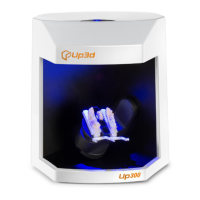
Software Package: UP3D DentalSystem 2018-version number.exe
DentalManager、CAD、Viewer、DongleManager etc.
Software Package: UP3D Scanner 2018-version number.exe
Include: UPSCAN
(2)
Double-click the setup, and the language selection dialog box pops up. Select the installation
language
UP3D DentalSystem support multiple languages
:
Chinese, English, Russian, Korean, Italian,
Bulgarian, Turkish etc.
(
3
)
Click the ok button to enter the installation guide
(4)Click next, select the installation location. The default location is C:\UP3D...(Make sure
there is enough free space to install)
(5)Click next, check the part you want to install, which defaults to full selection.
(
6
)
Click next, add shortcut.
(7)Click next, create a desktop icon.
(
8
)
Click install and start the installation.
(9)finish the installation.
After the installation, the shortcut of UP3D DentalSystem and relative software would be created on
the desktop
1.4 Device Diagnostics
Used to diagnose working status of scanner and components
Diagnostic Method
:
(1)connect the scanner, and turn on the scanner.
(
2
)
Below the start menu-->UP3D-->Scanner, click the device diagnostics, enter the diagnostic
interface. There are two methods:



 To Next Page