UP3D TECH CO.,LTD
35
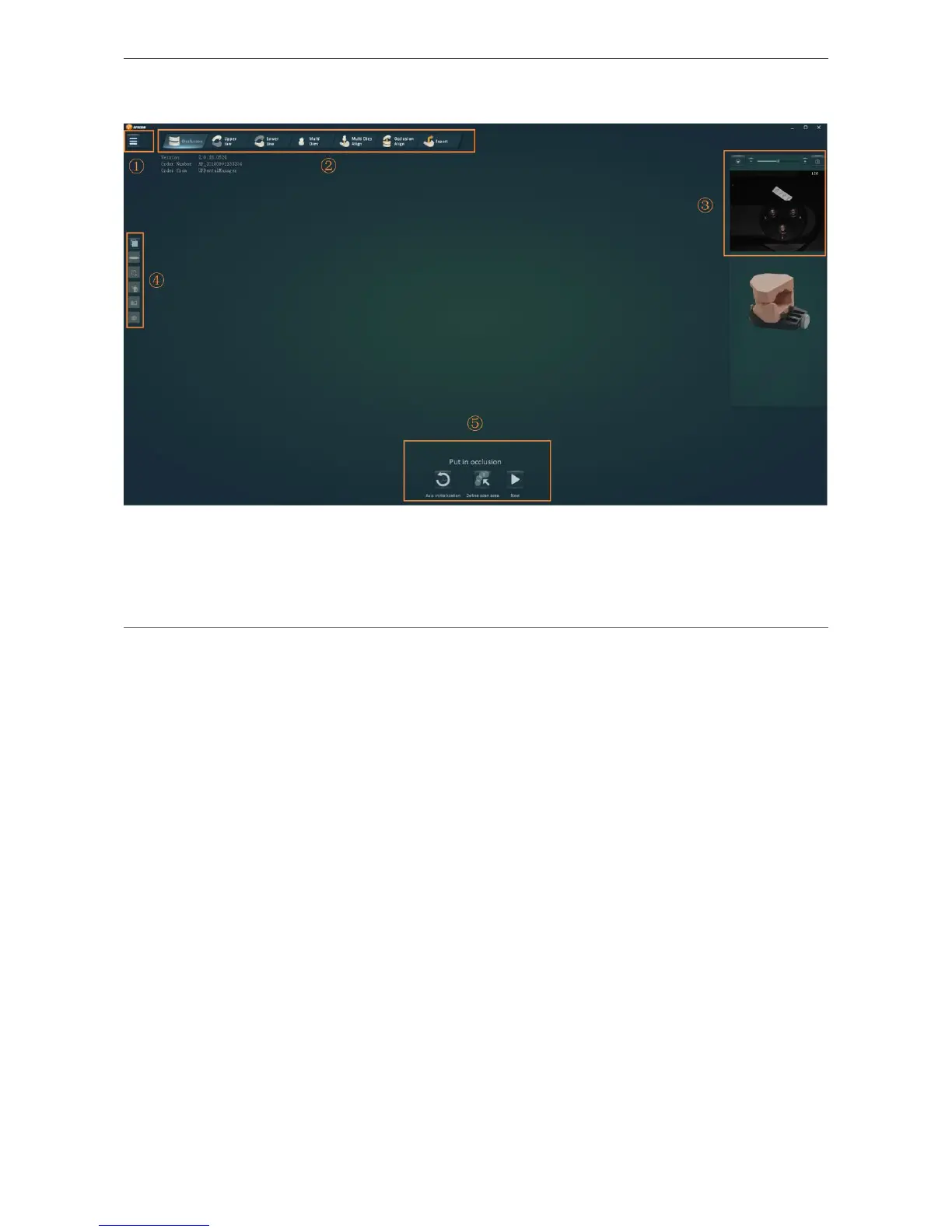
4.3 Main interface
Figure4-1
Main interface components:
①
Advanced setting
②
Navigation
③
Camera panel
④
Tools
⑤Application panel
4.3.1 Application panel
Different buttons are displayed in different scanning steps in Application panel, including
previous, next, scan, and add scan.
(1) 【previous】
Function: Switch to the previous step
Operation: Click
【
Previous
】
or press the
【
Backspace
】
button to return to the previous step.
(2) 【next】
Function: Go to next step
Operation: After prompted to put into the model, click 【Next】or press the Enter key to start
scanning. Click 【Next】or press the Enter key to proceed to the next process after the scan is
completed.
(3) 【Stop】
Function: Stop the ongoing scan
Operation: Click【Stop】



 To Next Page