UP3D TECH CO.,LTD
24
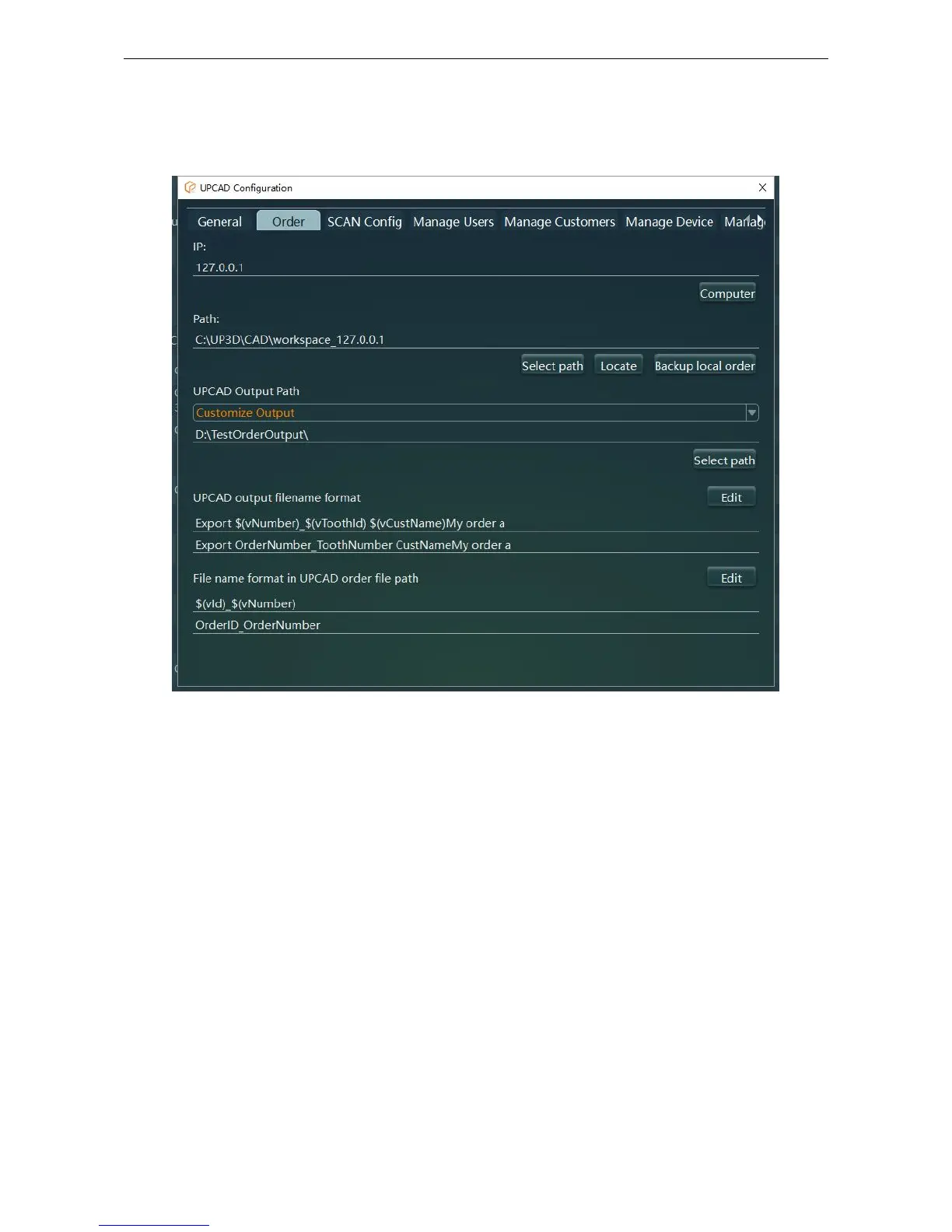
2.3.2 UPCAD Configuration
Figure 2-9
(1) Order serve IP address: When using orders in this computer, click current computer. If you need
sharing orders function, please input a IP address of computer that providing orders (IPv4);
Reference: Checkout function.
(2) Orders storage path: The folder location of the scanned and designed model.
(3) UPCAD output path: The folder location of designed model.
Default Output Order: outputs in <orders storage path:\OutputFile>.
Custom Output: The output location of designed model is defined by the user.
(4) UPCAD output filename format: The file name used to personalize the output model (Figure 2-
10). You can type the file name directly, or double-click in the list to select the information
contained in the output file name.
Note: When modifying, please make sure that the folder name does not conflict with the same name



 To Next Page