UP3D TECH CO.,LTD
26
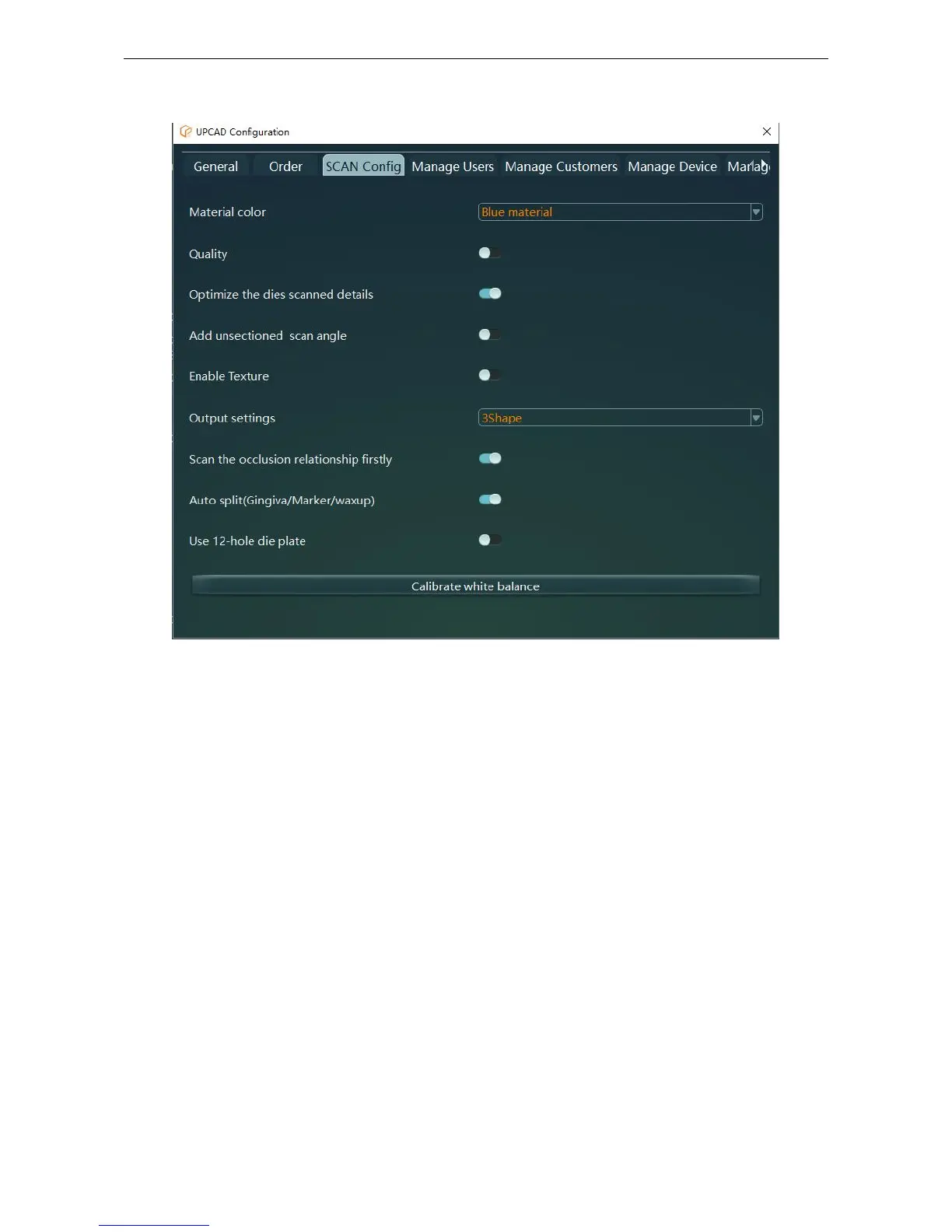
2.3.3 UPSCAN Configuration
Figure 2-12
Used to configure the scanning and output parameters of the scanner.
(1) Material color: You can choose different projecting colors depending on your model color.
When the model can not be scanned of current projecting color (because of reflection-the blue light
can not scan the blue area of the model),you can choose different projecting color to scan the
different color models. Now there is 3 projecting colors available: blue light, red light and white
light.
When scanning arch and occlusion we suggest you open the ‘quality’.
The default status is off. After ‘quality’ is on, it will get more accurate data.
(3) Optimize the scanned details
When scanning the multi-dies, if you turn it on, it will enhance data quality of feature areas such as
the neck region;The default status is on.
(4) Add unsectioned scan angle
Whether to add the scan angles when scanning an unsectioned model;The default status is off
(5) Enable Texture



 To Next Page