Select one of the calibration methods to calibrate, please select AF (automatic calibration),
MF (manual calibration) is generally used in expert mode.
(
4
)
Select automatic calibration method
:
click
【
AF
】
to start calibrate
【AF】automatic calibration: calibrate automatically
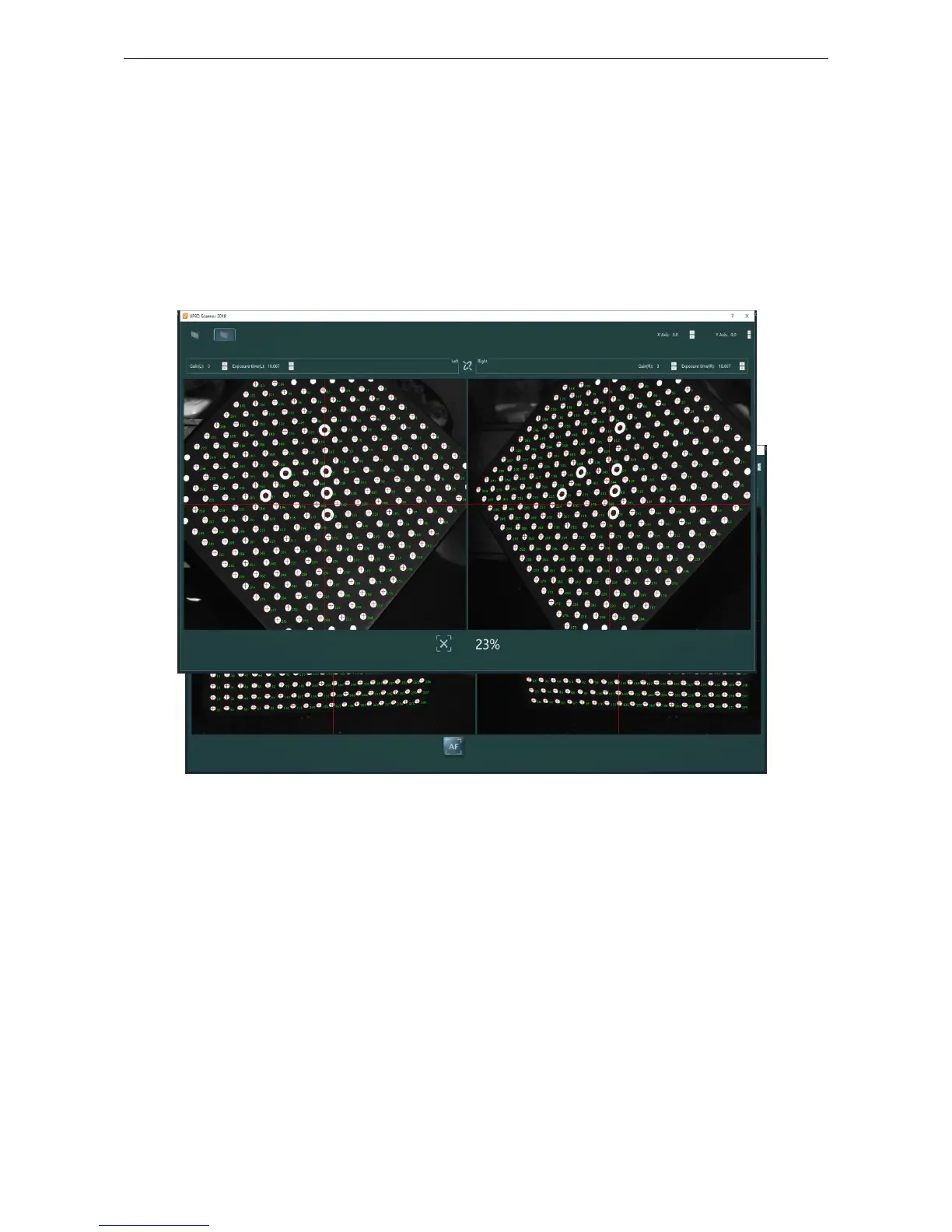
After click AF, the scanner starts to calibrate automatically (figure 1-10). In this process,
the calibration progress bar will be displayed at the bottom of the interface. Please wait for the
camera to automatically complete the 13-step image acquisition and processing, after shows
‘
calibration successful
’
, click
‘
ok
’
(figure 1-11), and exit the calibration
Figure 1-10 AF interface
Figure 1-11 AF interface
(5)Select manual calibration method
Manual calibration is generally used in expert mode, where users could check the image
acquisition status of each step and display the calibration precision after the calibration is completed
【MF】manual calibration:
Click MF to enter the manual calibration interface, and click
【
next
】
button to perform the
acquisition. After 13 steps, the camera image acquisition is completed, the pop-up dialog box shows
the camera calibration and axis calibration results (figure 1-12) and click the OK button to complete
the calibration



 To Next Page