Manual Connect Box
10
E
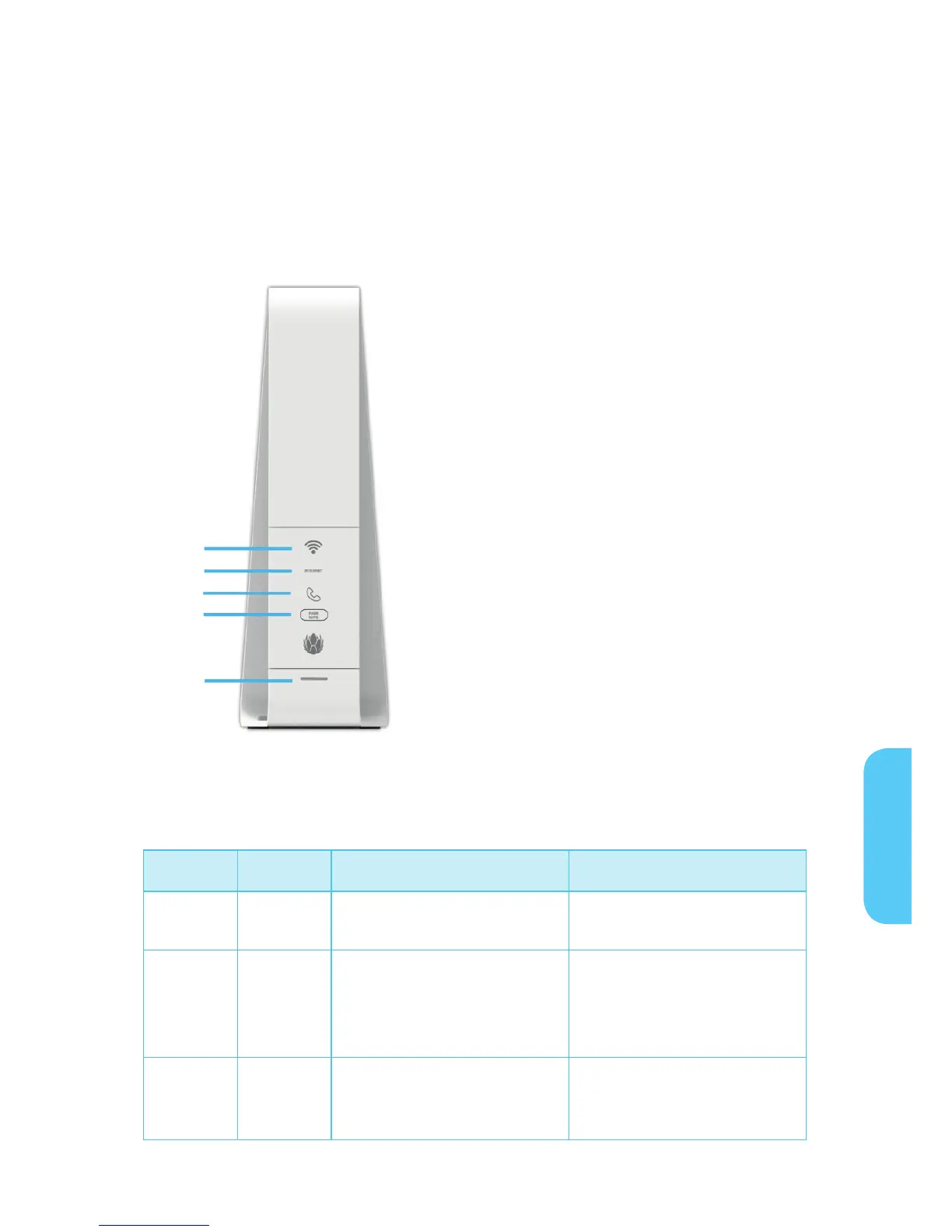
Front Panel
The Connect Box front panel contains indicator lights and the Wi-Fi / WPS button which
is used to configure Wi-Fi Protected Security (WPS) on compatible clients connected to
the Connect Box network.
The Connect Box front panel LED indicators provide the following status information for
power, communications, and errors:
S.no LED Status On
1 WI-FI
Red: Wireless function is fail.
Green: Wireless interface is
active now.
2 Internet Blinking Green :Scanning for
Internet connection, trans-
mitting or receiving data over
the Internet
Green: Connected to Internet
3 TEL LED does not blink Green: Telephone is
connected and activated;
on-hook
E
1
2
3
4
5


 To Next Page