Manual Connect Box
12
E
S.no Item Description
1 TEL Use this port to connect telephone for VOIP function.
2 Ethernet LAN
port
Use these ports to connect local computers.
3 RESET Press and hold the RESET button for five seconds or lon-
ger to restore Connect Box to factory default settings.
After factory default settings are restored, the gateway
will restart and may take 5 to 30 minutes to find and
lock on the appropriate communication channels.
4 COAX Connect your coaxial cable line to this port.
5 POWER Connect the supplied power adapter to this port.
6 POWER
SWITCH
Power on/off button.
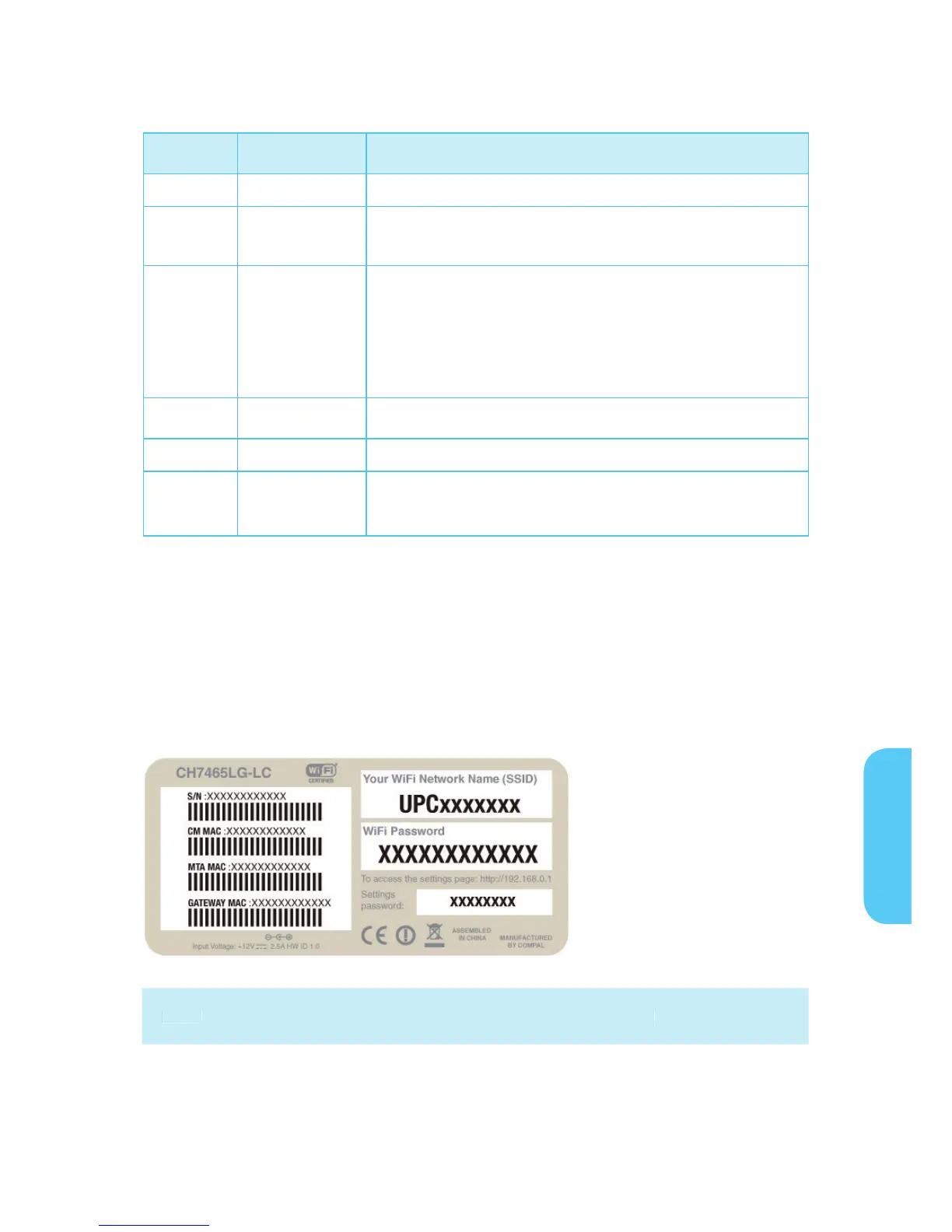
MAC Label
The Connect Box Media Access Control (MAC) label is located on the bottom of the
Connect Box. The label contains the MAC address which is a unique, 48-bit value that
identifies each Ethernet network device.
Note: Label may differ according to local settings or requirements.


 To Next Page