13
Manual Connect Box
2 Getting Started
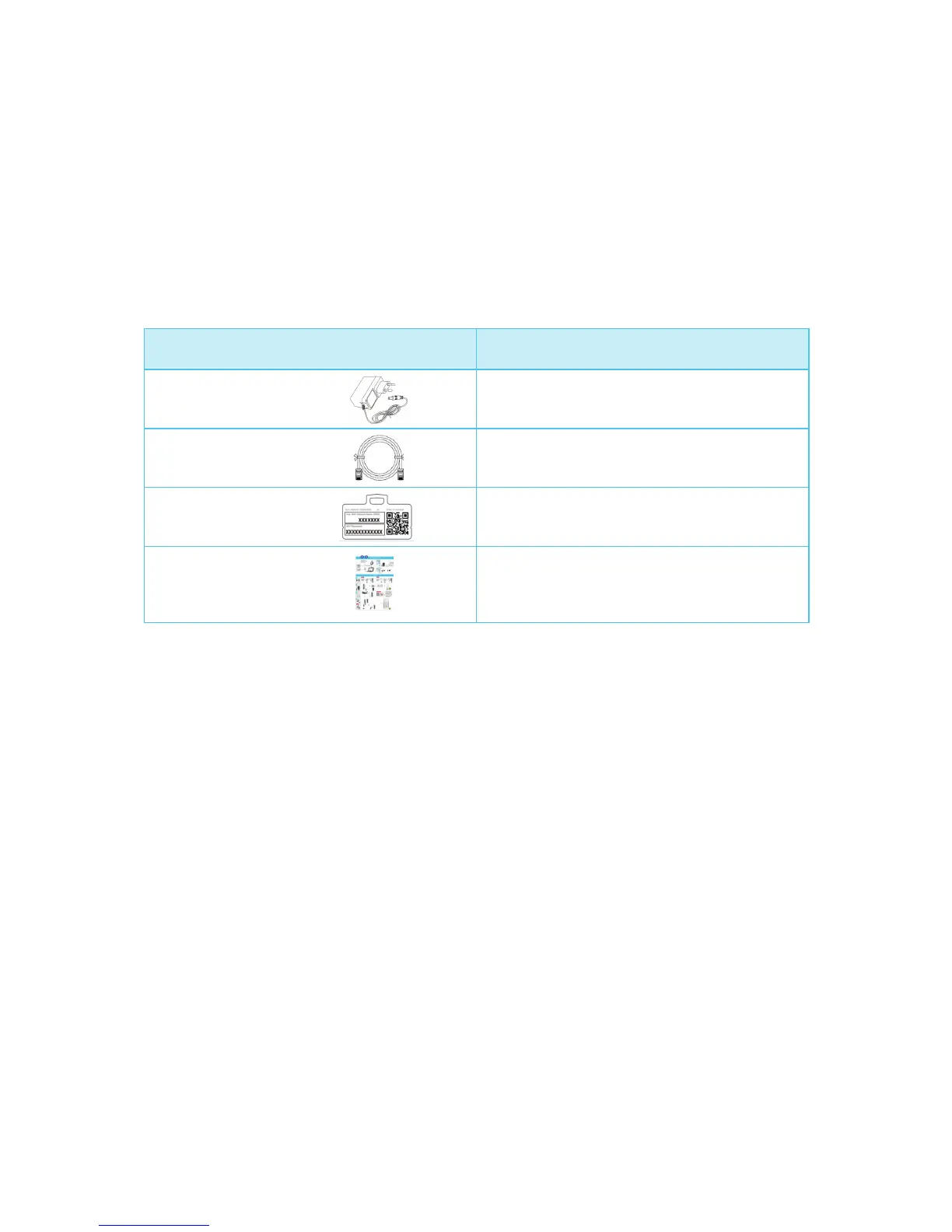
Inside the Box
Before you install the Connect Box, verify that the following items are included in the box
with the Connect Box.
Item Description
Power Adapter
Connect the Connect Box to an AC
electrical outlet
Ethernet Cable Connect the Connect Box to an
Ethernet port
Wi-Fi Card Provides default SSID and password and
QR code for Wi-Fi access
Connect Box Install
Sheet
Provides basic information for setting up
the Connect Box
You must have the latest service packs and patches installed on your computer for your
operating system.
You will need a 75-ohm coaxial cable with F-type connectors to connect the Connect
Box to the nearest cable outlet. If a TV is connected to the cable outlet, you may need a
5 to 900 MHz RF splitter and two additional coaxial cables to use the TV and the Con-
nect Box
Before You Begin
Take the following precautions before installing the Connect Box:
Postpone installation until there is no risk of thunderstorm or lightning activity in the
area.
To avoid potential shock, always unplug the power cord from the wall outlet or other
power source before disconnecting it from the Connect Box rear panel.
To prevent overheating the Connect Box, do not block the ventilation holes on the
sides of the unit. Do not open the unit. Refer all service to your Internet Service pro-
vider.


 To Next Page