9
Manual Connect Box
Wired Ethernet LAN
You can easily connect any PC with an Ethernet cable to the Connect Box Ethernet port.
Because the Connect Box Ethernet port supports auto-MDIX, you can use a straight-
through or cross-over cable to connect a hub, switch, or computer. Use category 5, or
better, cabling for all Ethernet connections.
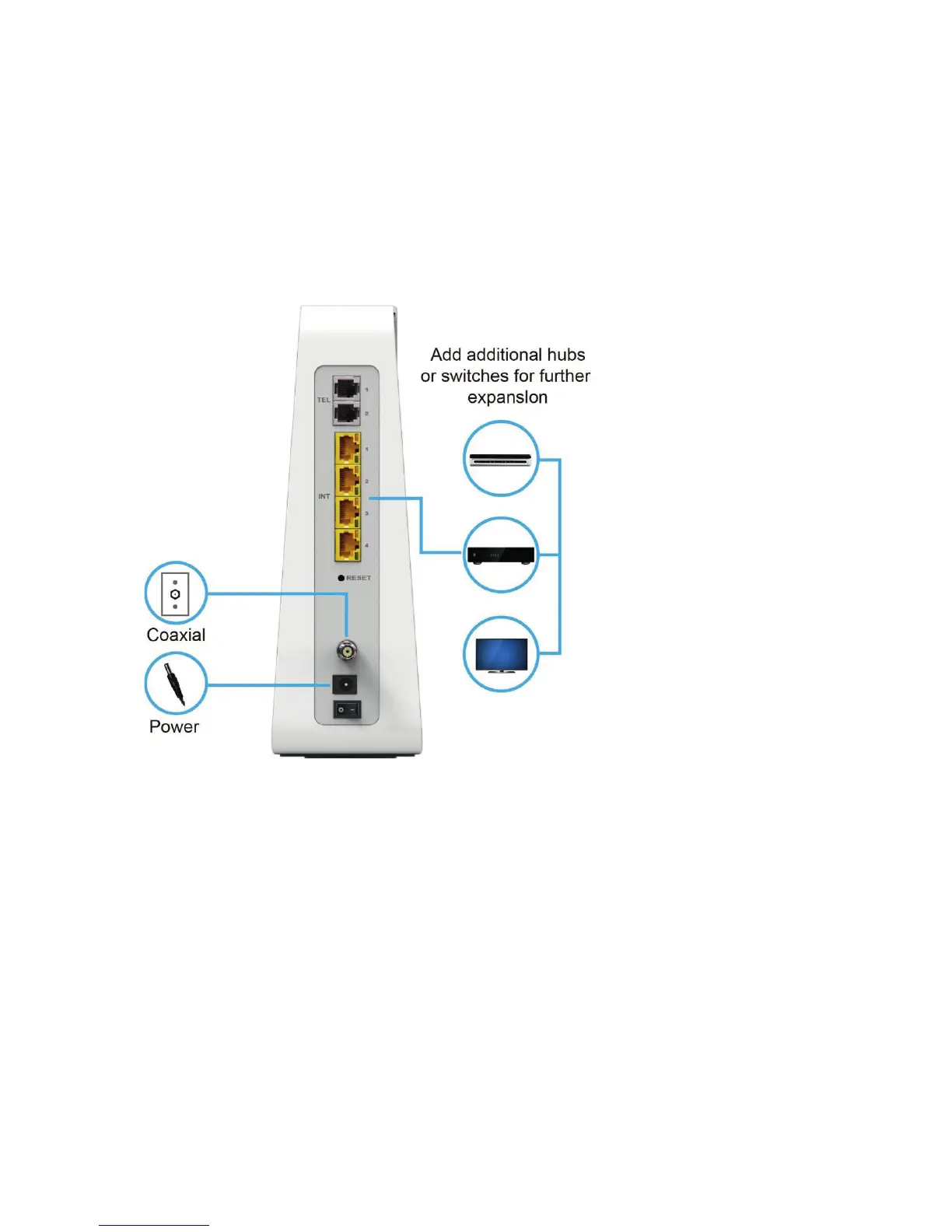
Sample Ethernet to Computer Connection (Connect Box model shown)
A wired Ethernet LAN with more than four computers requires one or more hubs, swit-
ches, or routers. You can:
Connect a hub or switch to any Ethernet port on the Connect Box.
Use Ethernet hubs, switches, or routers to connect up to any combination of 253
computers and wireless clients to the Connect Box.
More detailed information on Ethernet cabling is beyond the scope of this document.


 To Next Page