Manual Connect Box
30
E
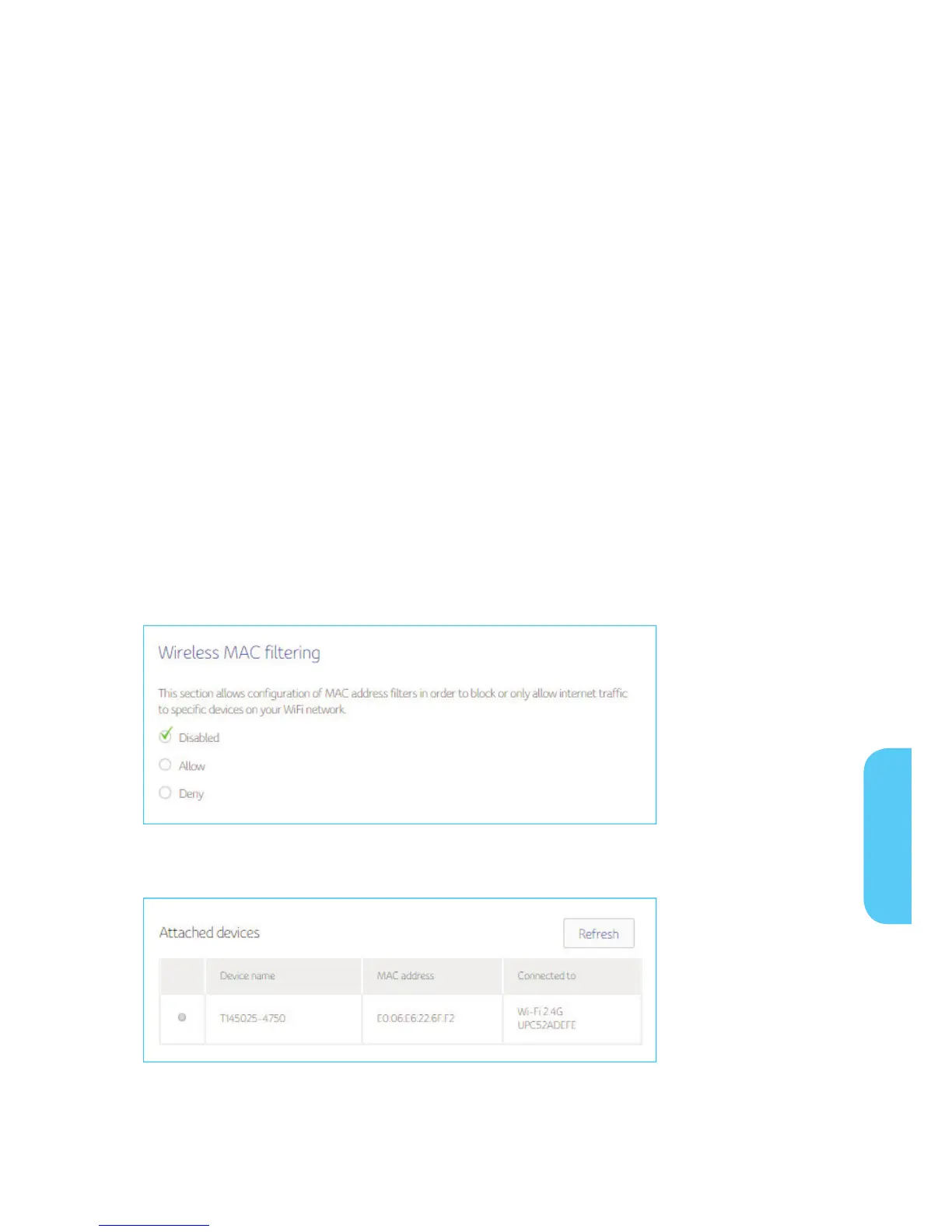
Wireless MAC Filtering
The wireless MAC filter is a layer of security that allows only specific MAC addresses to
connect to your router via Wi-Fi. This section allows you to specify a list of MAC addres-
ses that are authorized. When a device tries to connect to your Wi-Fi network, if its MAC
address does not match one on the authorized list, it will not be able to establish a con-
nection. Alternatively, you can ban a certain list of MAC addresses and every other MAC
address that is not on the list will be able to connect.
When you enable MAC address filtering on the Connect Box, you can set up a list of
MAC addresses, and then specify whether you want to:
Disabled – The default setting is MAC Filtering disabled
Allow the devices on the list to access the network (in which case no other devices
can access the network)
Deny the devices on the list access to the Connect Box and the network (in which
case all other devices can access the network)
Displays the device which is attached through Wi-Fi
E


 To Next Page