7
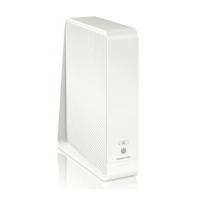
Manual Connect Box
Connect Box wireless function supports Wi-Fi 2.4G/5G dual-band mode.
A secure Wireless Fidelity (Wi-Fi) broadband connection for Wi-Fi enabled devices
on your network, such as your mobile, laptops, tablet, printers, PDAs, and desktops.
Routing for a wireless LAN (WLAN) or a wired Ethernet LAN; you can connect more
than four computers using hubs and/or switches
A built-in DHCP server to easily configure a combined wired and/or wireless Class C
private LAN.
Virtual private network (VPN) pass-through operation supporting IPSec, PPTP, or
L2TP to securely connect remote computers over the Internet.
Connect Box Configuration Manager (CMGR) which provides a graphical user inter-
face (GUI) for easy configuration of necessary wireless, Ethernet, router, DHCP, and
security settings.
Connect Box LAN Choices
You can connect up to 253 client computers to the Connect Box using one or any com-
bination of the following network connections:
Wi-Fi wireless LAN (WLAN)
Ethernet local area network (LAN)
Wireless LAN
Wireless communication occurs over radio waves rather than a wire. Like a cordless tele-
phone, a WLAN uses radio signals instead of wires to exchange data. A wireless network
eliminates the need for expensive and intrusive wiring to connect computers throughout
the home or office. Mobile users can remain connected to the network even when car-
rying their laptop to different locations in the home or office.
Each computer or other device on a WLAN must be Wi-Fi enabled with either a built-in
or external wireless adapter.
Laptops — Use a built-in wireless notebook adapter, a wireless PCMCIA slot adapter, or a
wireless USB adapter.
Desktops — Use a wireless PCI adapter, wireless USB adapter, or compatible product in
the PCI slot or USB port, respectively.


 To Next Page