9
Complete Control
MX-490
Owner’s Manual
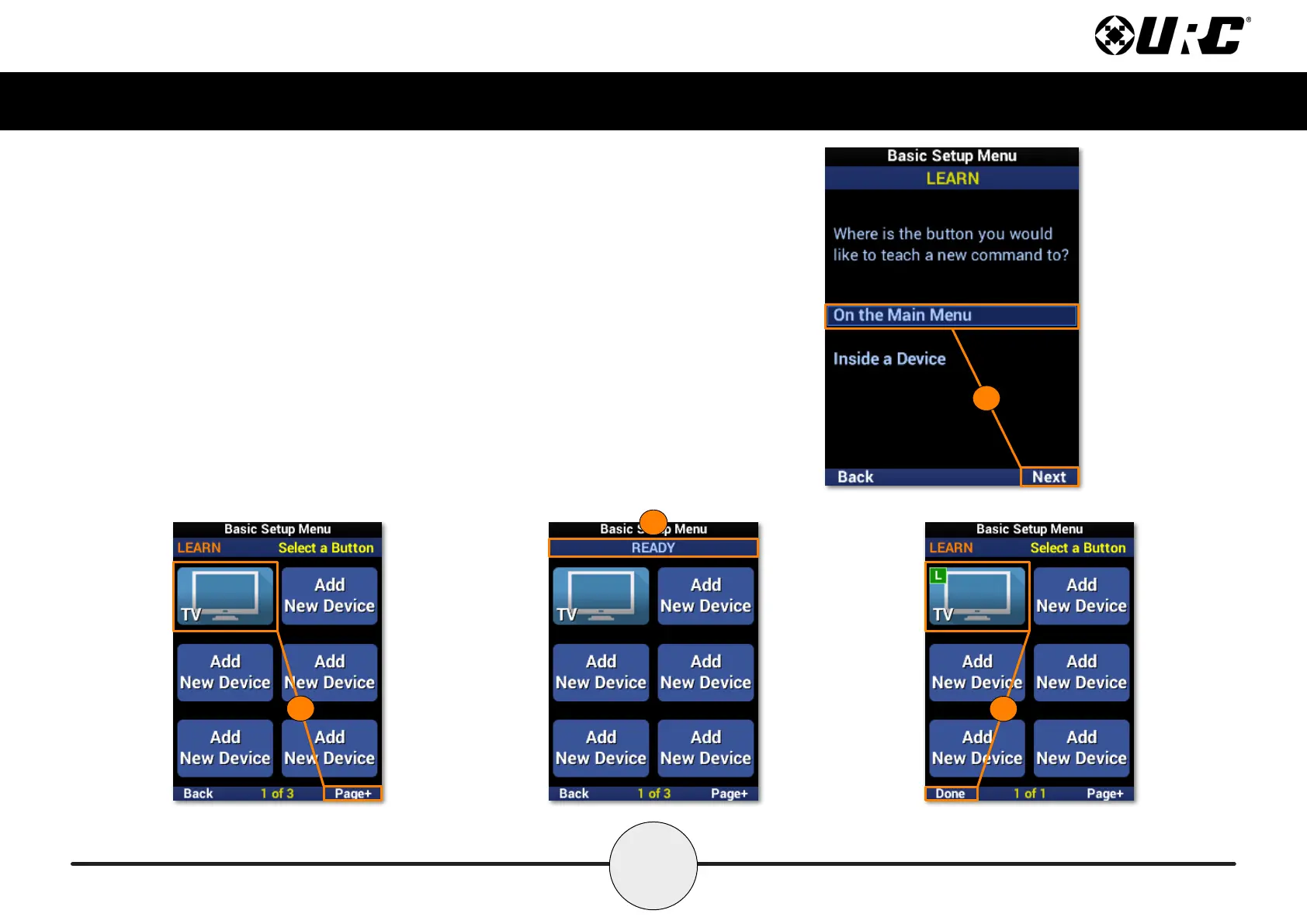
Learn: On the Main Menu
This learn method is for adding IR commands to a device on the main menu.
1. Highlight On the Main Menu and select Next.
2. Select the device from the menu. Use Page+ to move between pages.
3. Once selected, the banner will ash “READY” to indicate it is ready to
learn IR commands. Point the other remote directly at the MX-490 and
press a button to learn the IR command.
4. The banner will ash “SAVED” and return to the device menu. A
device with a learned IR command displays an L in a green box.
Repeat this process for each command to be learned. Select Done
to return to the menu.
4
3
1
2



 To Next Page