24
Complete Control
MX-490
Owner’s Manual
On the Main Menu: Hide or Display Pages
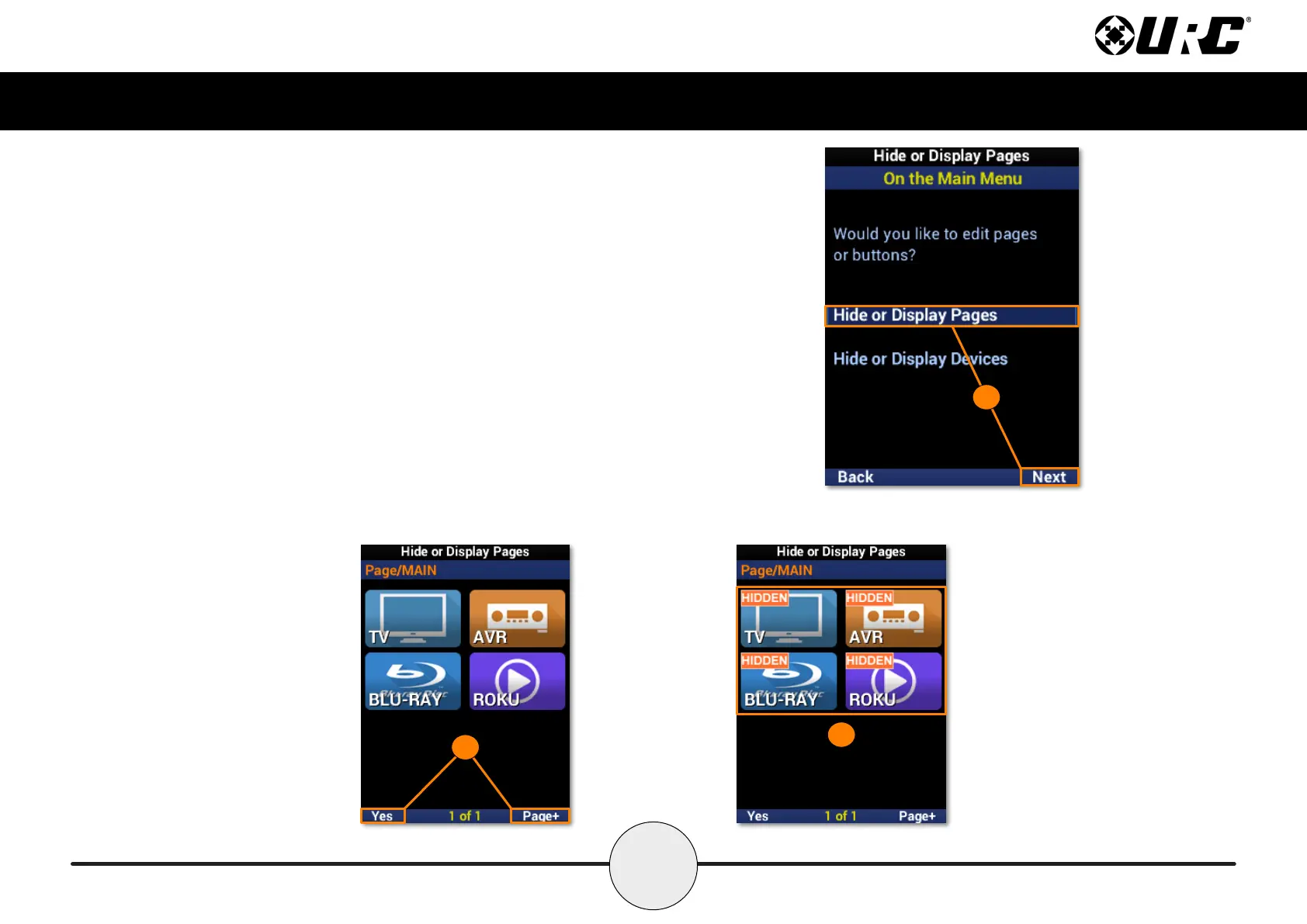
This option allows for Main Menu pages to be visible to or hidden from the user.
1. Highlight Hide or Display Pages and select Next.
2. Select a page to hide and select Yes to conrm. Use Page+ to move
between device pages.
3. The page is now hidden. Conrm by selecting Hide or Display Pages
again. A “HIDDEN” label will appear on all devices of the hidden page.
Select Main to exit.
1
3
2



 To Next Page