11
Complete Control
MX-490
Owner’s Manual
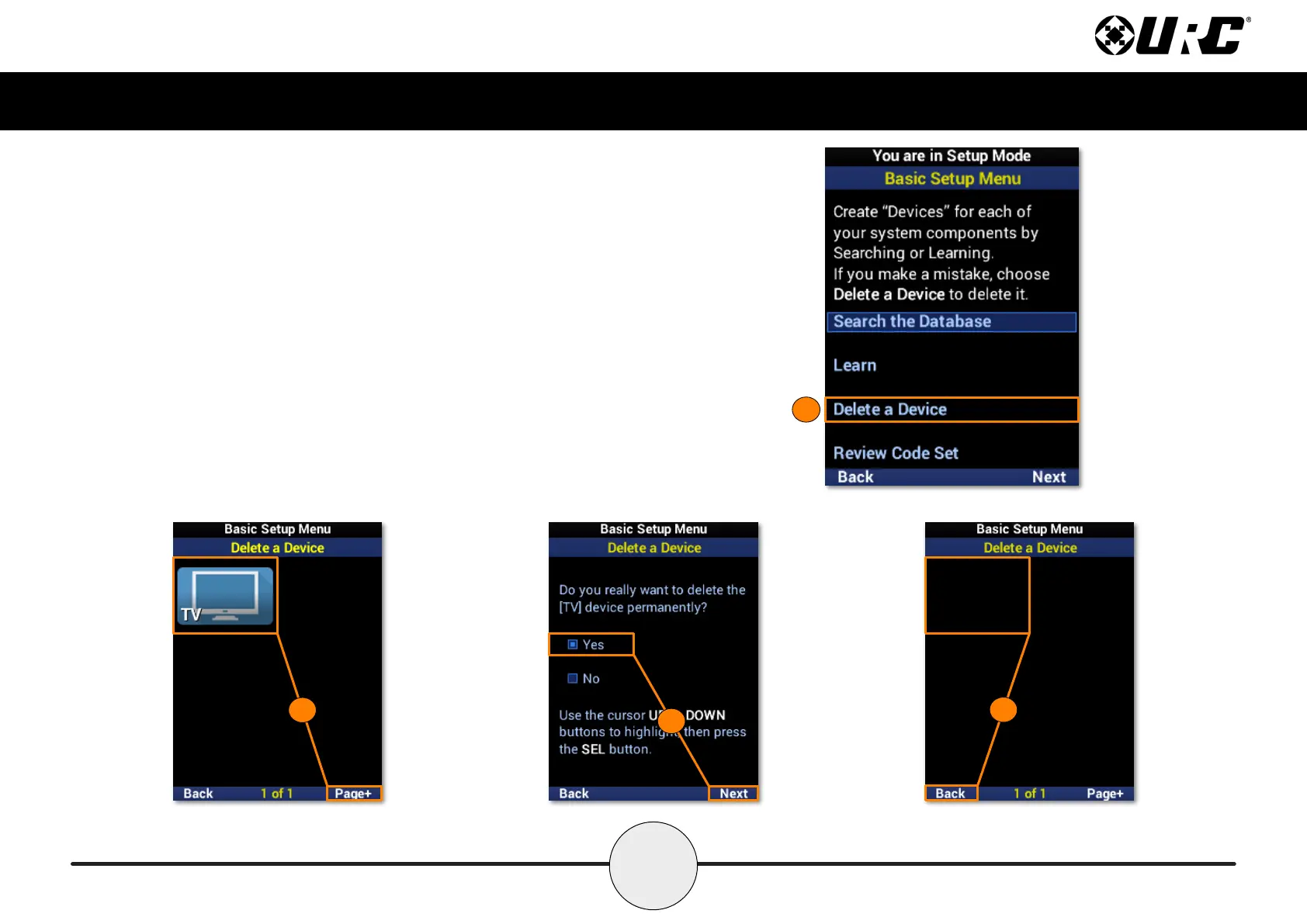
Delete a Device
To remove a device from the remote, perform the following:
1. Highlight Delete a Device and select Next.
2. Select the device to be deleted. Use Page+ to move between pages.
3. Highlight Yes and select Next.
4. The device list is displayed to conrm the removal of the device. Repeat this
process for each device to be removed. Select Back to return to the menu.
1
2
3
4



 To Next Page