22
Complete Control
MX-490
Owner’s Manual
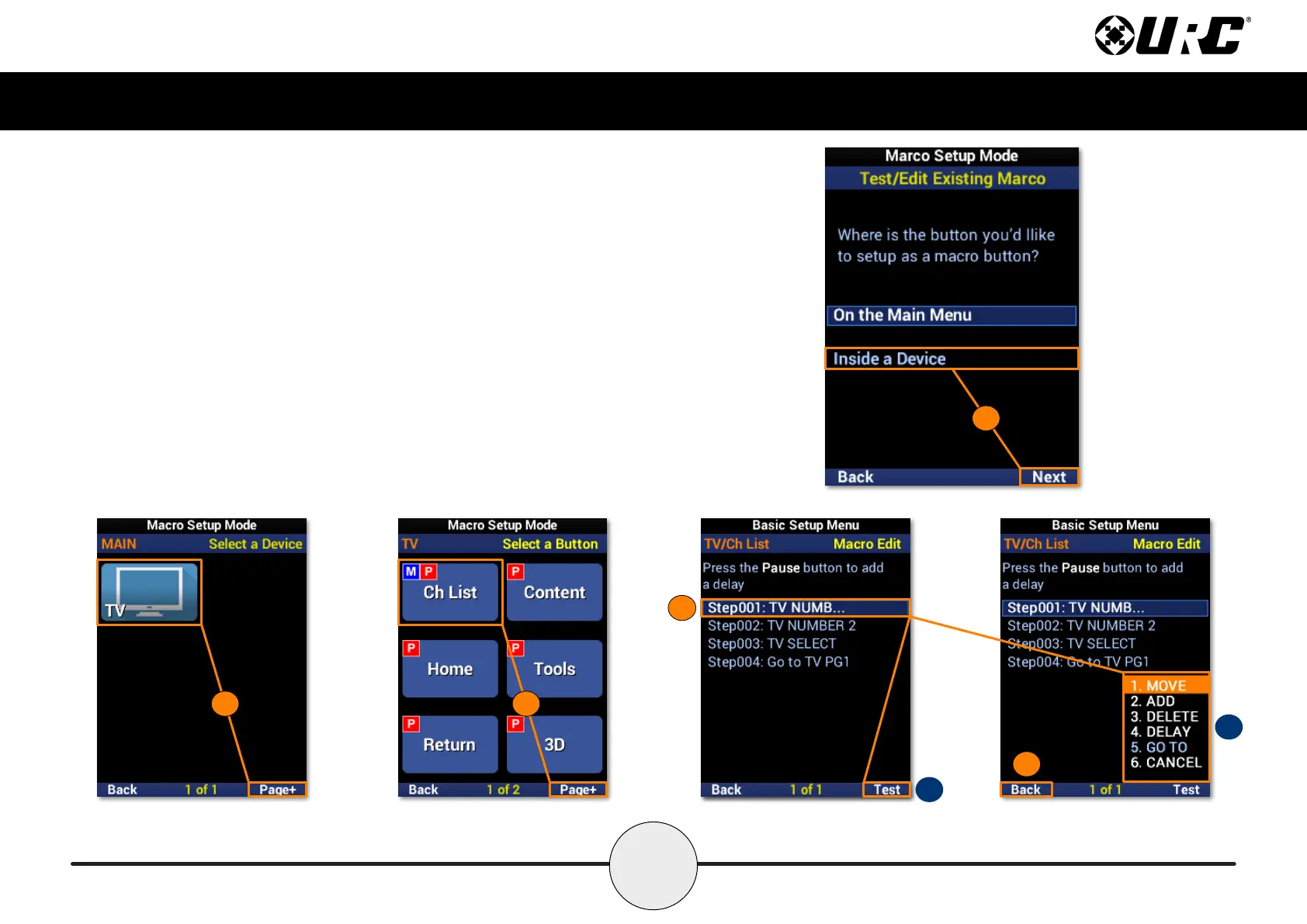
Test/Edit Existing Macro: Inside a Device
1. Highlight Inside a Device and select Next.
2. Select a device. Use Page+ to move between menu pages.
3. Select a function button. Use Page+ to move between device pages.
4. Highlight a macro from the list.
A. Test: Use this option to test commands and ensure they function correctly.
B. Edit Menu: Provides several edit options, including moving a macro,
adding to it, and including delays.
5. Select Save to conrm any changes
1
2
3
B
5
A
4



 To Next Page