44
Complete Control
MX-490
Owner’s Manual
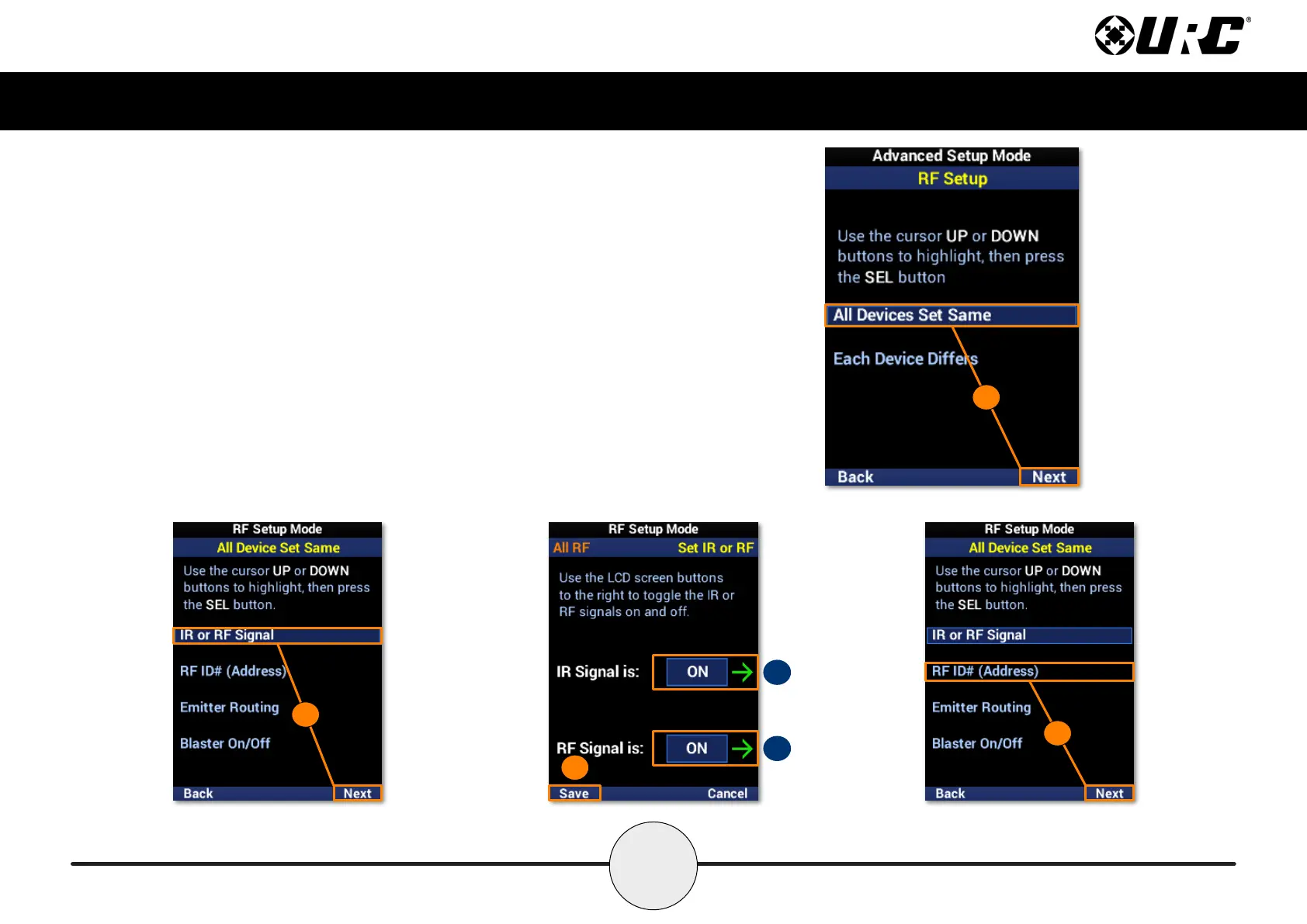
All Devices Set Same
1. Highlight All Devices Set Same and select Next.
2. Highlight IR or RF Signal and select Next.
A. IR Signal is: Use the LCD button to enable or disable IR.
B. RF Signal is: Use the LCD button to enable or disable RF.
3. Select Save to conrm any changes.
4. Highlight ID# (Address) and select Next.
1
A
B
3
2
4



 To Next Page