20
Complete Control
MX-490
Owner’s Manual
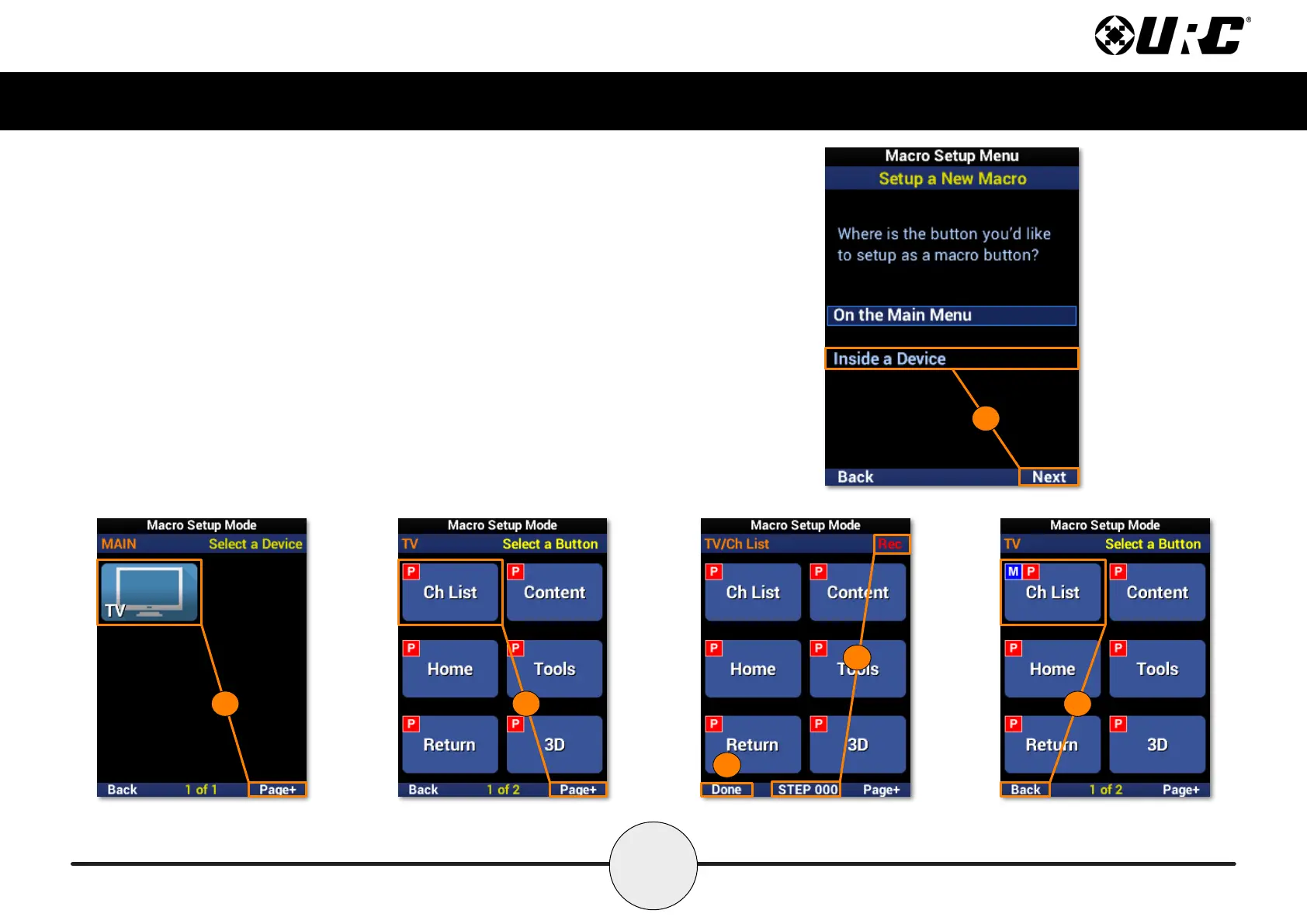
Setup a New Macro: Inside a Device
1. Highlight Inside a Device and select Next.
2. Select a device. Use Page+ to move between menu pages.
3. Select a device button to add a macro to it. Use Page+ to move between device pages.
4. Once selected, a “Rec” label appears in the top right corner and a “Step” counter at the
bottom middle of the screen. Enter the macro by pressing the associated buttons.
5. Select Done to nish recording and save the new macro.
6. The device button displays an “M” to show a macro is assigned to it. Select Back to
return to the menu.
1
2
3
4
5
6



 To Next Page