67
Complete Control
MX-490
Owner’s Manual
Factory Default
Only use this feature when instructed to do so by URC Technical Support.
It resets the memory of the MX-490 to the factory default. All of your
programming will be lost!
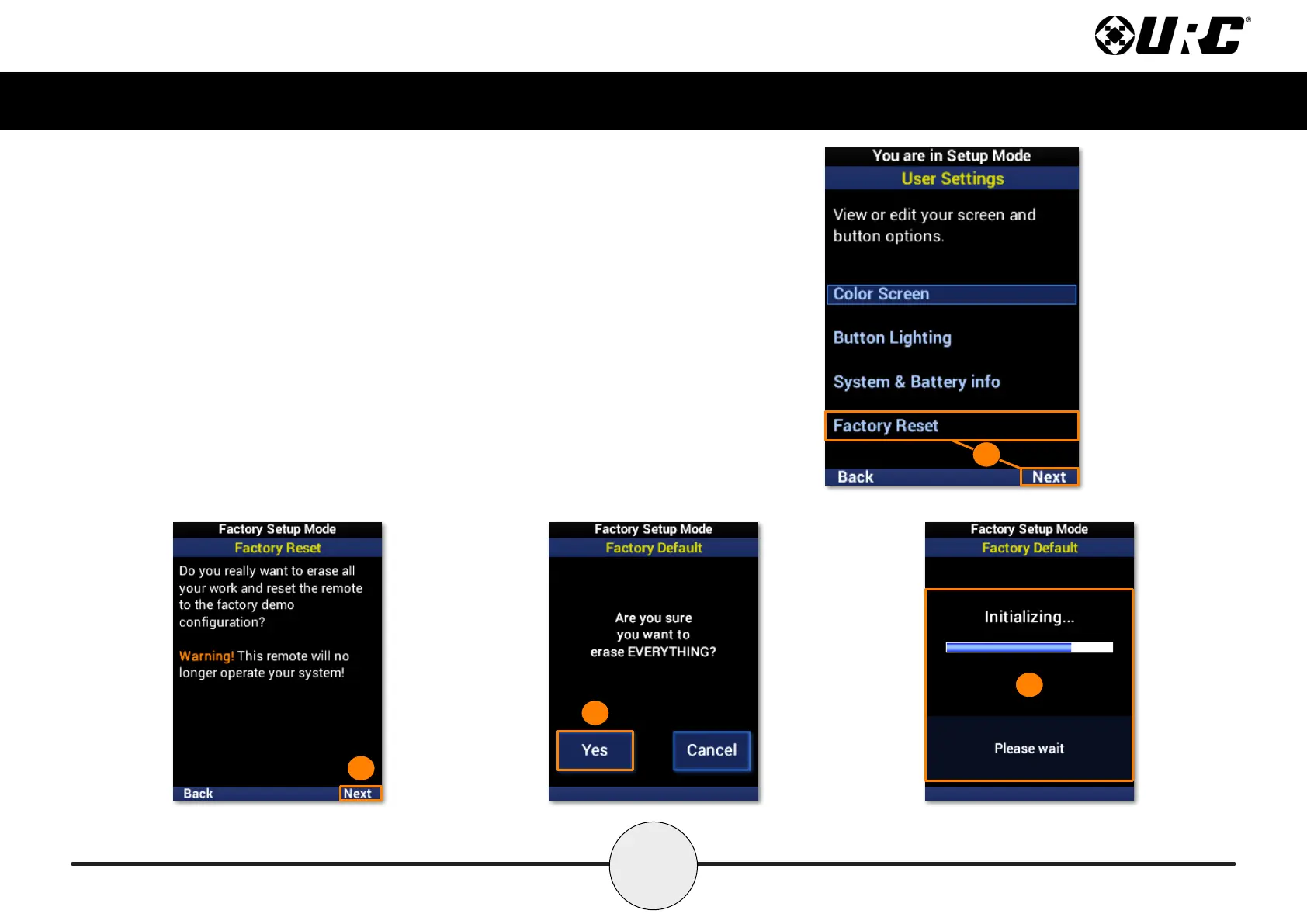
To erase your MX-490 program, perform the following:
1. Highlight Factory Reset and select Next.
2. Select Next to conrm the reset.
3. Select Yes to once again conrm the reset.
4. Please wait as the remote is reset to factory settings. The process
automatically returns to the Main screen.
2
3
4
1



 To Next Page