51
Complete Control
MX-490
Owner’s Manual
Add & Edit Favs
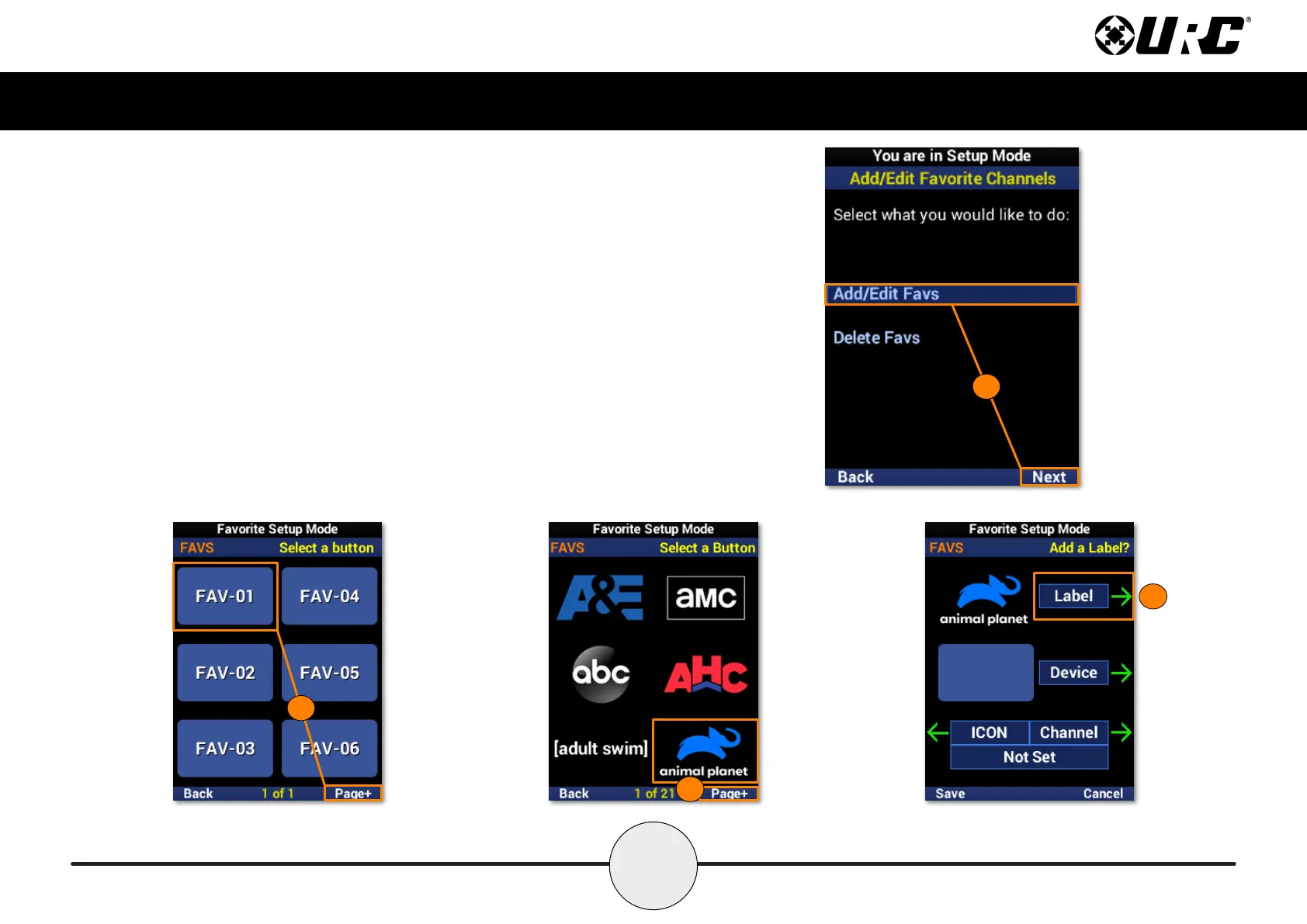
To add new favorite channels, or edit existing ones, perform the following:
1. Highlight Add/Edit Favs and select Next.
2. Select a location on the UI for the new favorite channel. Use the Page+
option to add another six locations to the menu. When editing, select the
favorite channel from the UI.
3. Browse the collection of channel logos using the navigation buttons and
Page+. Animal Planet is used in this example.
4. Select Label to add a custom label to the button.
1
4
2
3



 To Next Page