29
Complete Control
MX-490
Owner’s Manual
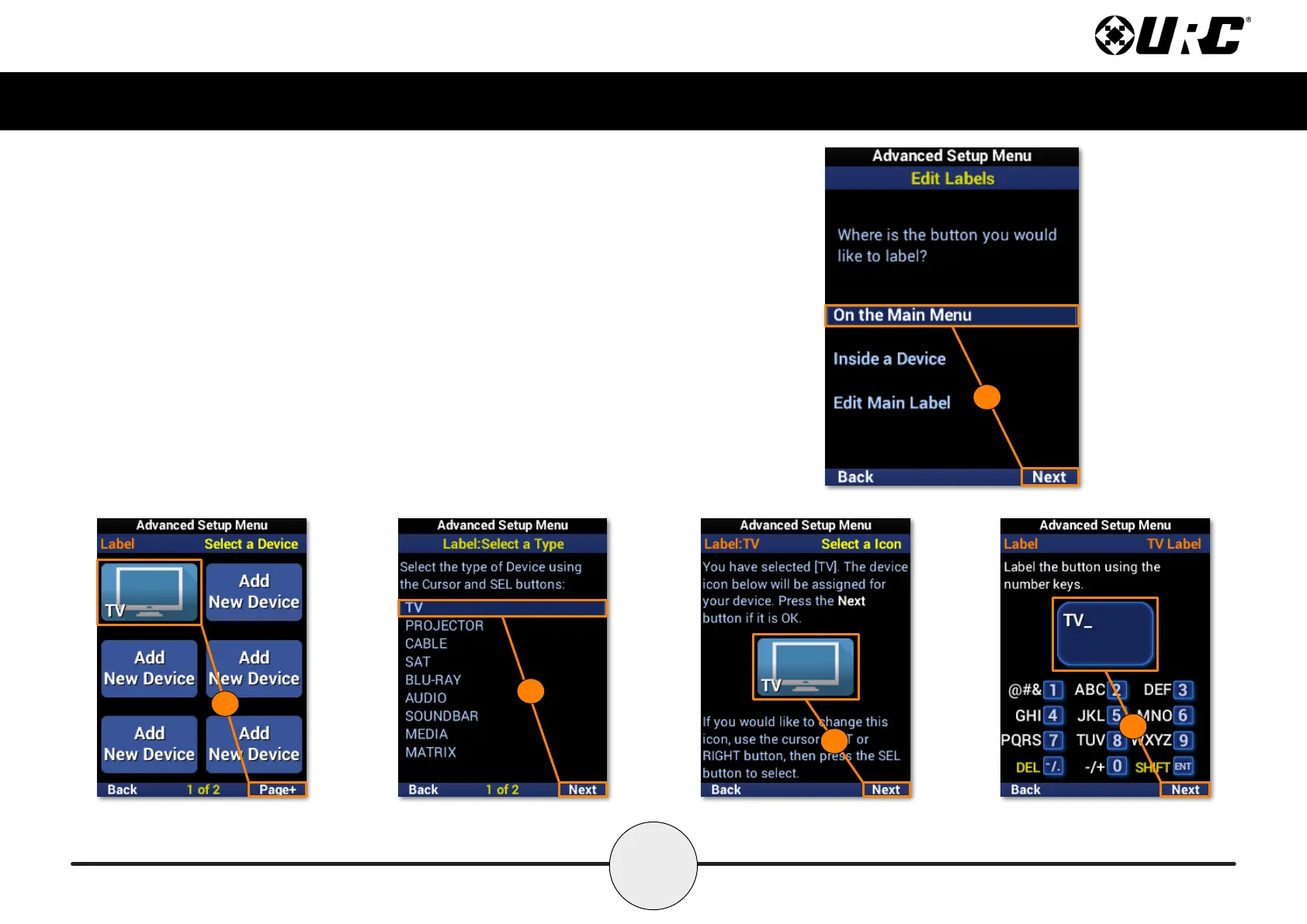
On the Main Menu
1. Highlight Inside a Device and select Next.
2. Select a device from the list. Use Page+ to move between menu pages.
3. Select the device type.
4. Select an icon for the device.
5. Enter a label using the number pad and select Next to conrm the new label.
6. The device reects the label change. Select Done to conrm.
1
2
3
4
5



 To Next Page