5
Complete Control
MX-490
Owner’s Manual
Search the Database
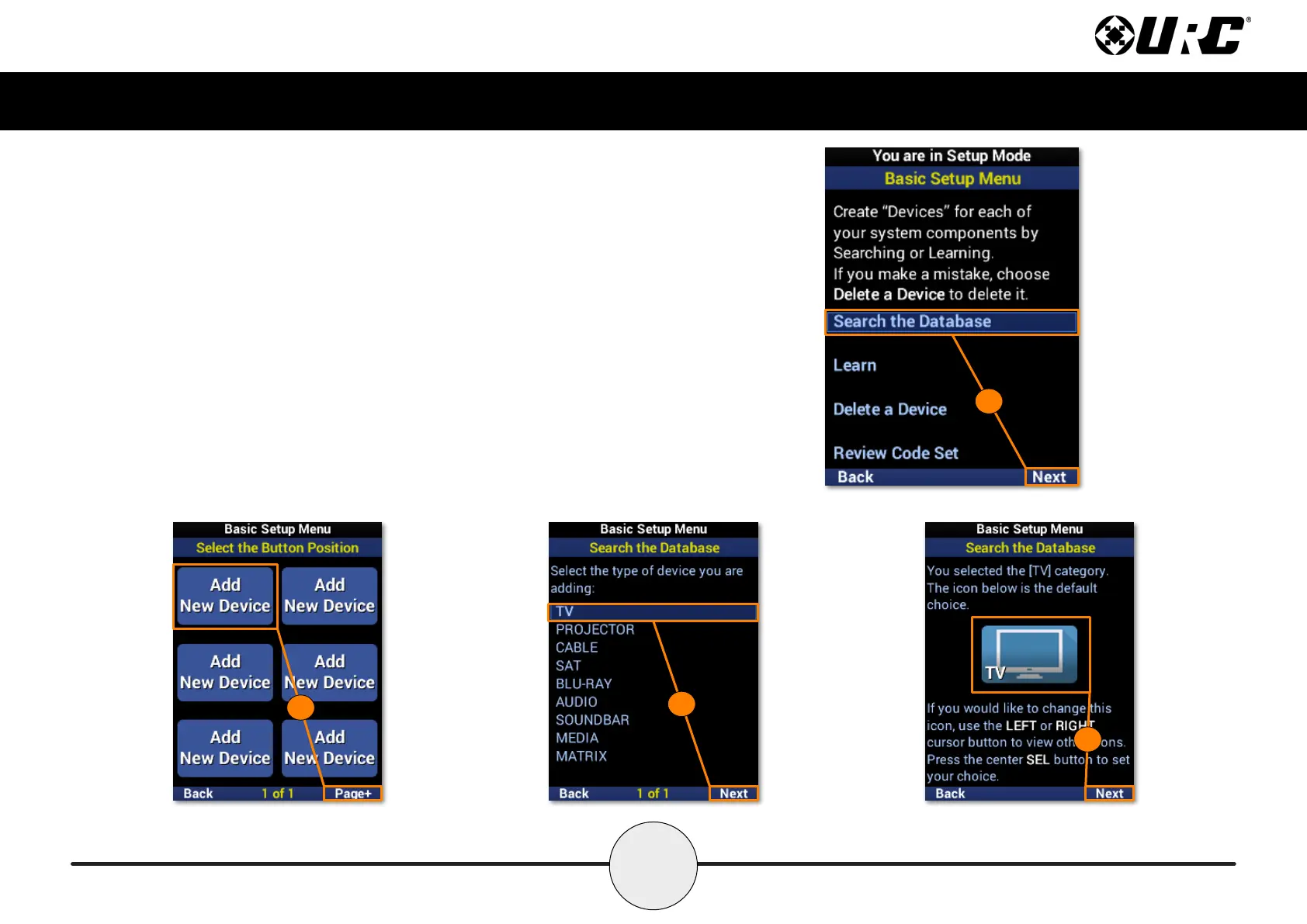
To add a new device to the remote, perform the following:
1. Highlight Search the Database and select Next.
2. Select a location on the UI for the new device. Use the Page+ option to
add another six device locations to the menu.
3. Select the type of device to be added and select Next. A TV is used in
this example.
4. If desired, use the left and right navigation buttons to select a new icon
and select Next.
1
3
4
2



 To Next Page