19
Complete Control
MX-490
Owner’s Manual
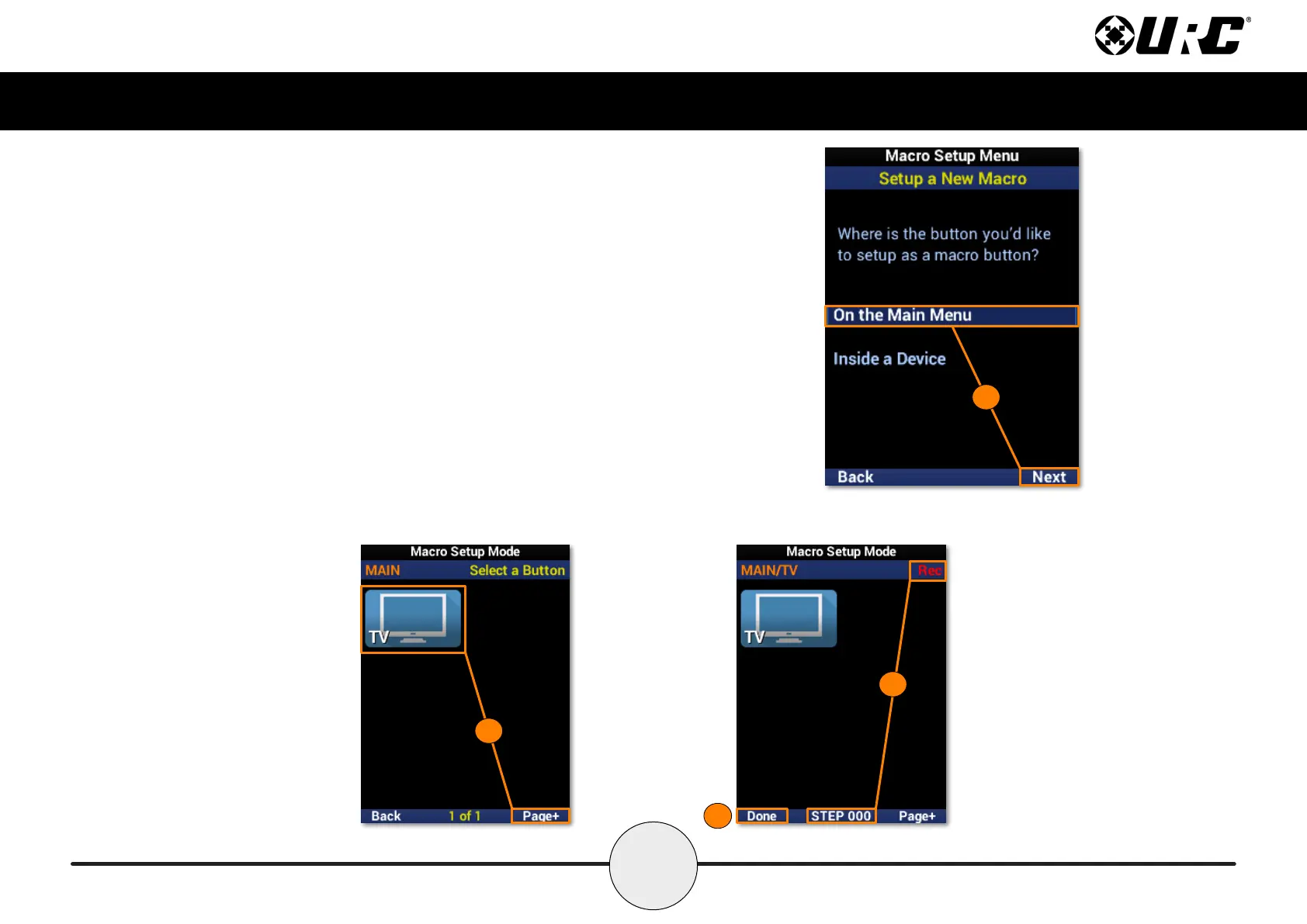
Setup a New Macro: On the Main Menu
1. Highlight On the Main Menu and select Next.
2. Select a device to begin recording a macro to it. Use Page+ to move
between menu pages.
3. Once selected, a “Rec” label appears in the top right corner and a
“Step” counter at the bottom middle of the screen. Enter the macro by
pressing the associated buttons.
4. Select Done to nish recording and save the new macro.
1
4
3
2



 To Next Page