27
Complete Control
MX-490
Owner’s Manual
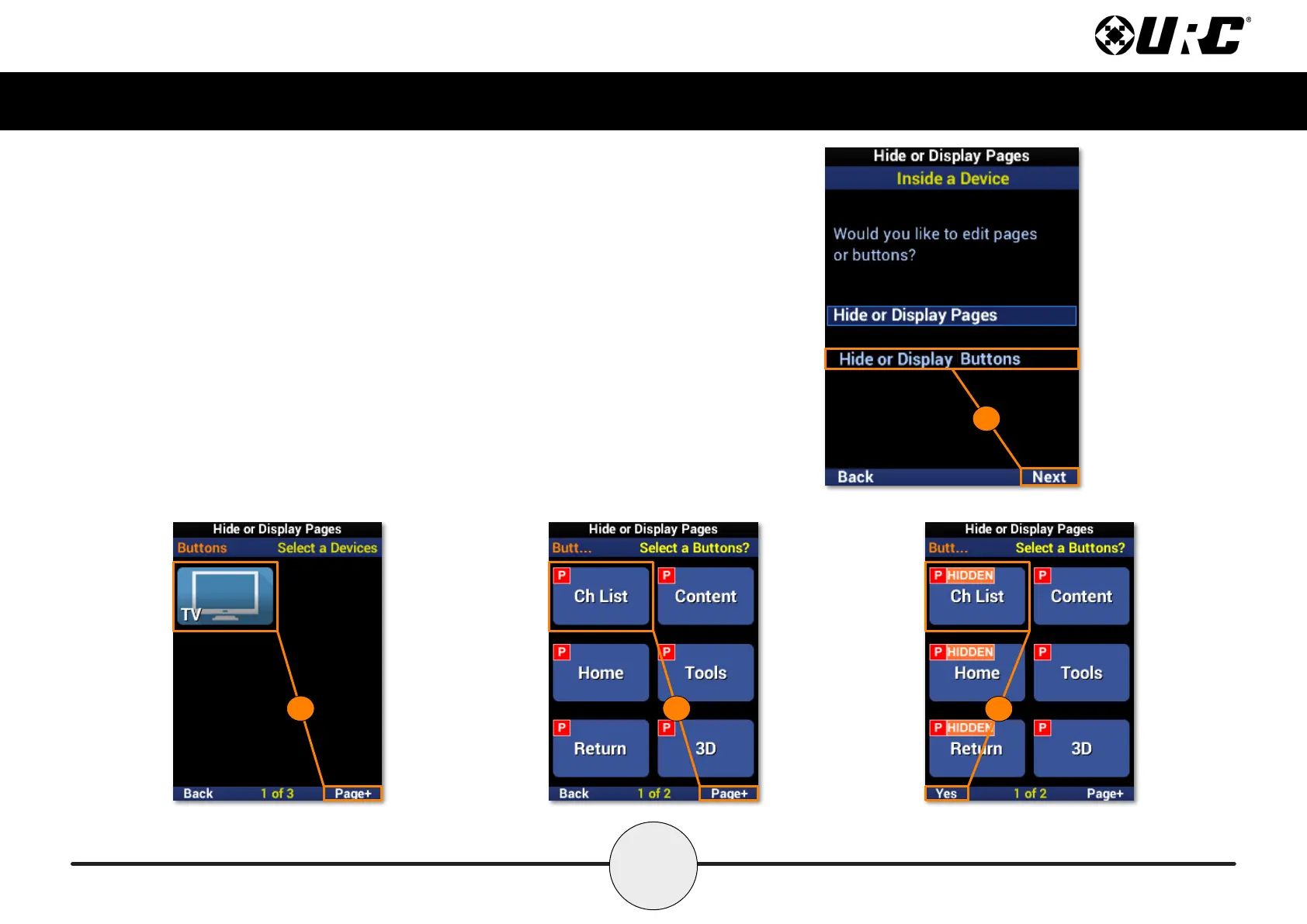
Inside a Device: Hide or Display Buttons
This option allows for device buttons to be visible or hidden from the user.
1. Highlight Hide or Display Buttons and select Next.
2. Select a device. Use Page+ to move between device pages.
3. Select which button(s) to hide from view. Use Page+ to move between
device pages.
4. A “HIDDEN” label will appear on any buttons that are hidden from view.
Select Yes to conrm.
1
2 3
4



 To Next Page