User's Manual _ 15
Firmware Update
08
[Automatic Update]
1.
#
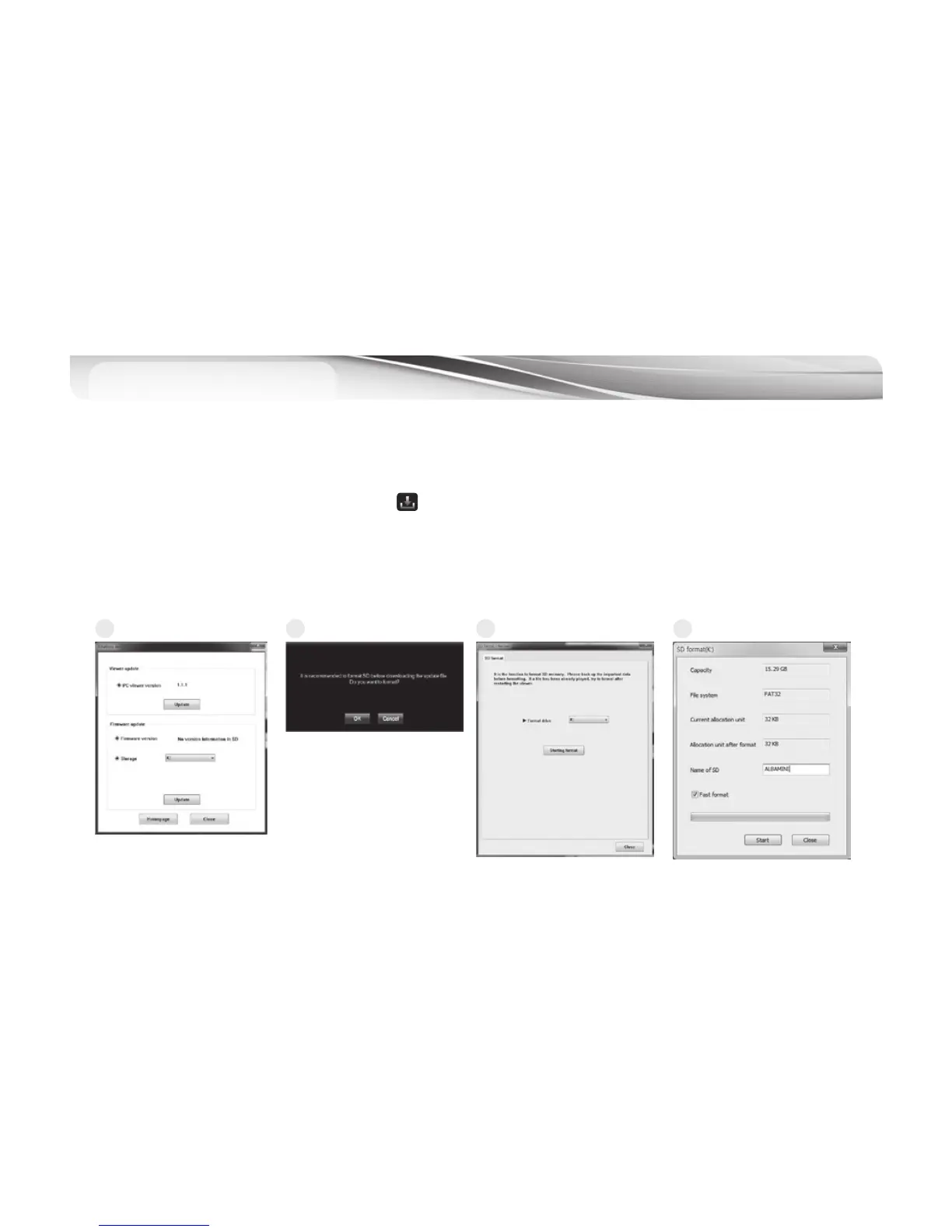
The system can be updated in Urive Albatross Mini PC viewer. Insert MicroSD memory card to the reader and connect to
PC. Execute the PC viewer. Press the button at the top left corner of the viewer window.
2.
#
Check the firmware version at the Urive Albatross program information window. And then formatting the memory card
in the PC or Viewer. (But after formatting, users cannot check the firmware version.)
3.
#
Check the driver’s location which is connected with memory card at the Urive Albatross Mini program information
window.
Afterpushingtheupdatebutton,theupgradefiles(MD7200E.bin)saveautomaticallyatthememorycard.
1 2 3 4



 To Next Page