BY UROVO PRODUCT
⚫ 在不使用时关闭所有无线电通信。触摸飞行模式。飞机图标将显示在状态栏中,
表明所有无线通信功能都已关闭
Turn off all the wireless connections not used for the moment. Touch the
airplane mode. The airplane icon will be shown in the status bar, indicating that
all the wireless connections are off.
⚫ 关闭电子邮件、日历、联系人和其他应用程序的自动同步。
Turn off automatic updates of e-mail, calendar, contacts and other apps.
设置日期和时间
Date and Time Settings
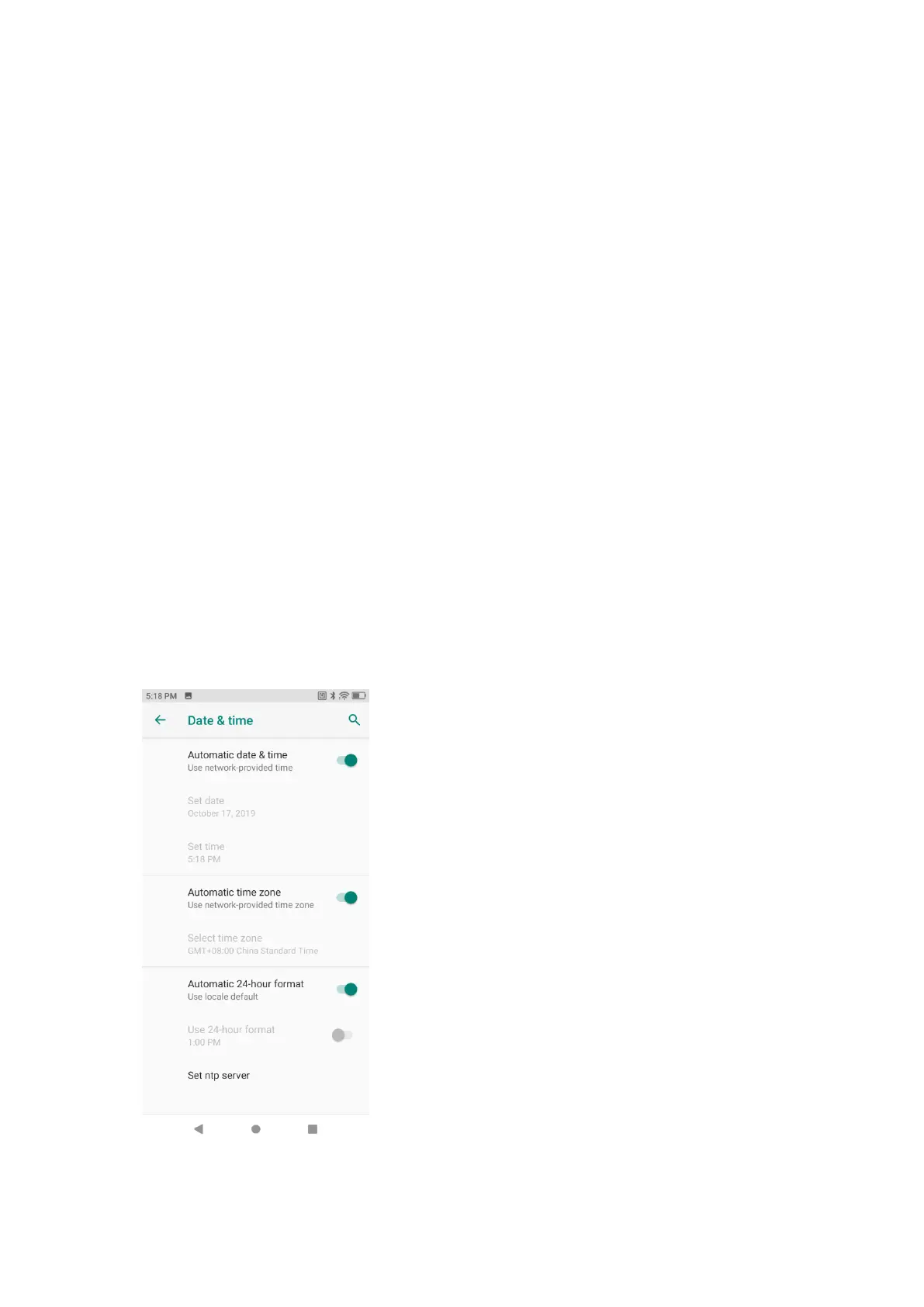
当 DT50 连接到网络时,系统时间和日期会自动同步,用户只需要设置时区即可,若
时间不会同步,请检查是否连接到网络,或当前无线局域网是否支持网络时间协议
(NTP)。如需手动设置请遵循以下步骤:
As DT50 is networked, the system will automatically update the time and date. Users
need set the time zone only. If time is not updated, please check whether the device
is networked or whether the current WLAN supports the network time protocol (NTP).
Where manual settings are needed, please take the following steps:
1. 下拉状态栏,打开快速访问面板,然后触摸设置图标;
Pull down the status bar, open the quick access panel and touch the settings icon;
2. 时间和日期;
Time and date;
3. 禁用自动确认日期和时间;
Disable "Automatic Set Date and Time";
4. 修改时间并返回。
Modify time and back.
l
Figure 1-30 系统时间设置页
Figure 1-30 System Time Settings



 To Next Page