BY UROVO PRODUCT
第四章无线
Chapter IV Wireless
无线局域网
WLAN
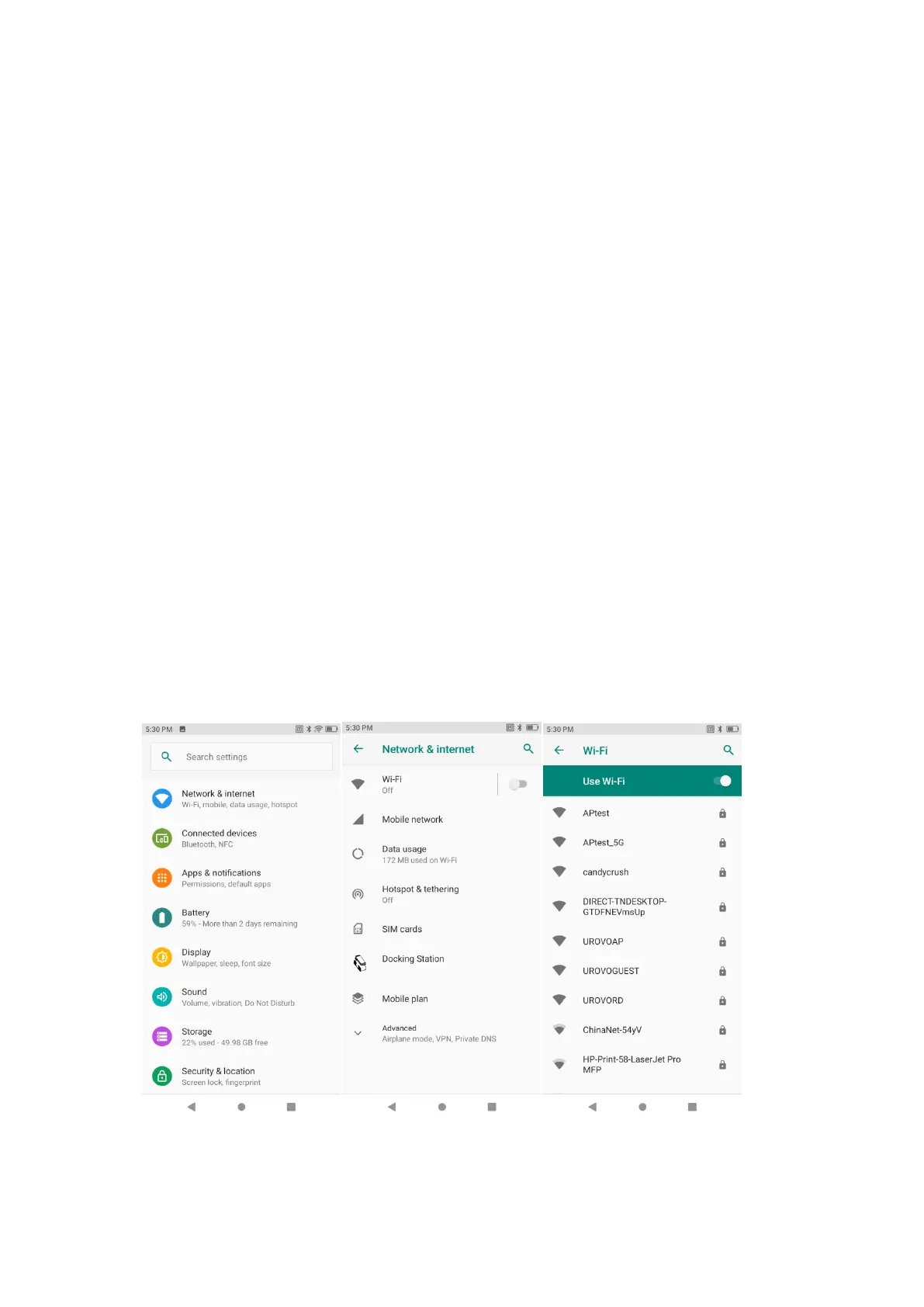
若要启用无线局域网功能,请执行以下操作:
To enable the WLAN function, please operate as follows:
连接至无线局域网
Connect to WLAN
启用无线功能后,Smart PDA 将自动附近可用的无线网络,并将其显示在无线网
络列表中。若要连接某个无线网络,请在列表中点击其网络 SSID,然后点击连接。
After the wireless function is enabled, Smart PDA will automatically display all the
available wireless networks nearby in the wireless network list. To connect to a
certain wireless network, please click the network's SSID in the list and click
"Connect".
注释:部分网络需要输入网络安全密钥或密码后才能连接,若要连接至此网络,请联
系网络管理员提供网络安全密钥或密码。
Note: For some networks, network security key or password needs to be entered for
connecting. To connect to such networks, please contact the network admin for
corresponding network security keys or passwords.
1. 打开设置-无线 WLAN 或下拉状态栏进入快捷访问面板操作;
Open Settings-WLAN or pull down the status bar to enter the quick access panel
for operation;
Figure 4-1 WIFI 选项栏
Figure 4-1 WIFI Option Bar



 To Next Page