如何访问应用程序
How to access apps
已安装的应用程序会显示再应用中心界面,后台应用除外,
Installed apps will be shown in the app center interface, except for ones in the
background,
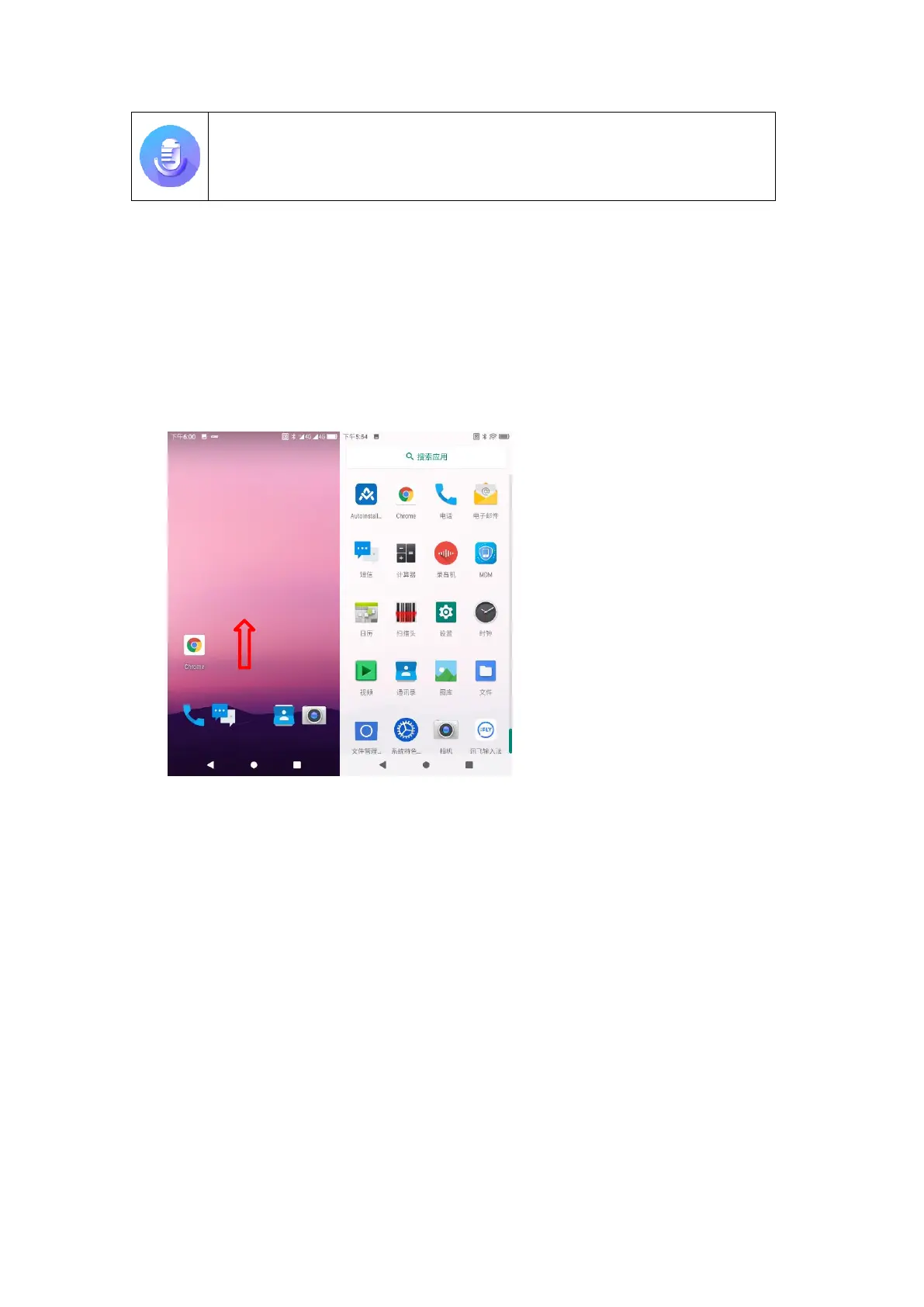
1. 在主屏幕上,上拉屏幕,会进入应用中心界面;
In the homescreen, pull up the screen to enter the app center interface;
Figure 2-5 主界面进入应用中心
Figure 2-5 Enter App Center from Main Interface
2. 向左或向右滑动可查看更多应用图标,触摸将要访问的应用图标打开应用程序。
Slide left or right to view more app icons and touch any app icon to be accessed
to open the app.
任务管理器
Task Manager
1. 点击右侧菜单键键,出现如图所示列表;
Click the menu key on the right and a list in the following figure will be shown;



 To Next Page