In this page, you can set up the gateway's connection to the Internet. The most important
settings are the connection protocol, VPI/VCI values, and various parameters specific to the
connection protocol, such as a login user name and password. Your Internet Service Provider
should be able to supply you with most of this information.
When you are done entering data in this page, click on Next.
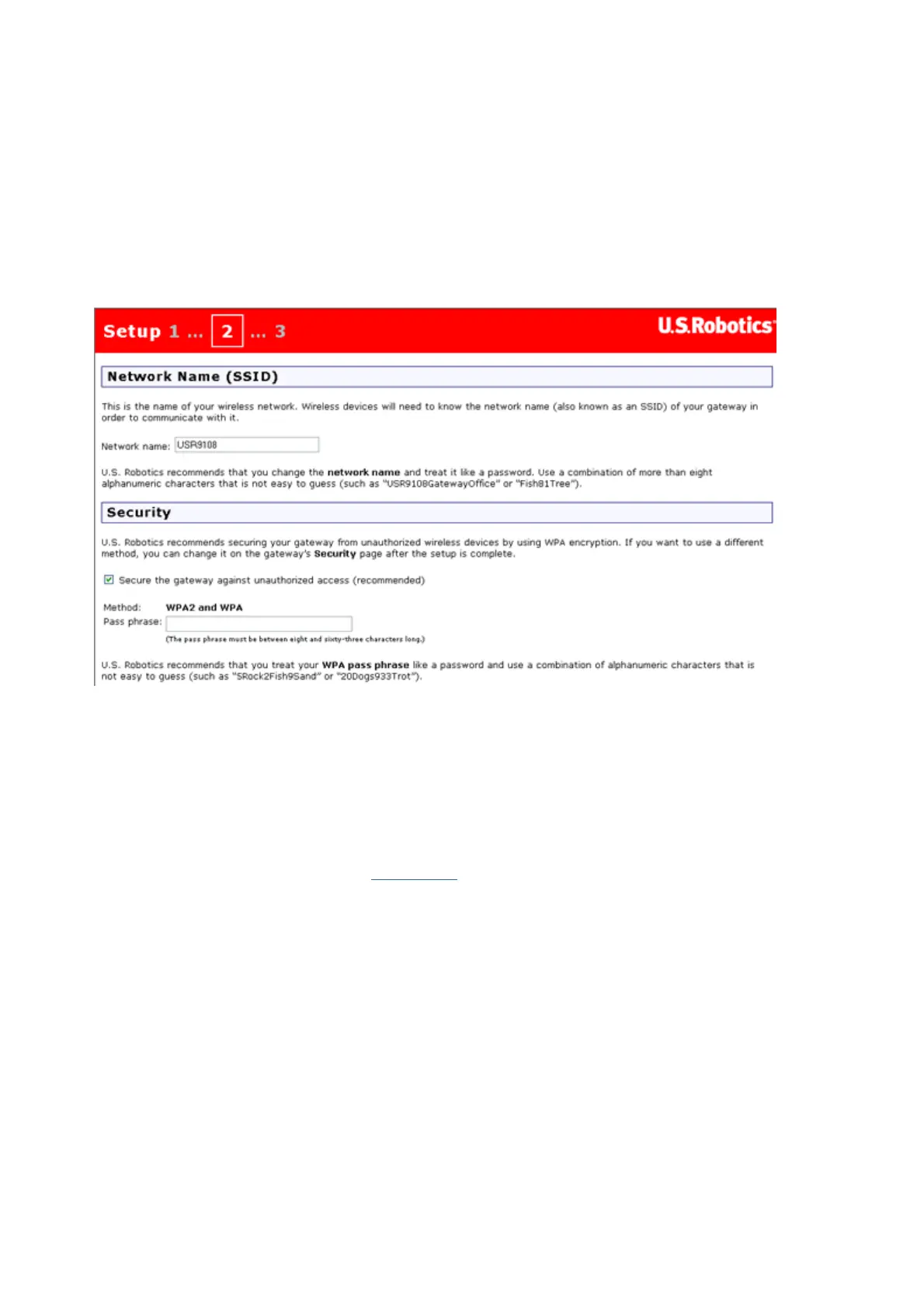
Step 2. Wireless Network Name and Security Settings
This is the second quick setup page:
The gateway can be configured to continuously transmit the network name, so setting a
meaningful name will helps you configure wireless communications with your computers. You
will probably want to replace the default network name that appears in the top half of this
page.
U.S. Robotics strongly urges you to select the Secure the gateway... checkbox. The Pass
phrase is text you will need to enter if you wish to further configure your gateway's security.
It's similar to a password, and you should enter a phrase that would not be easy to guess but
that you will be able to remember. Click here
for more information about wireless security.
Click Next to continue.
Step 3. Gateway Login
When you open the gateway's Web User Interface to work with the gateway settings, you will
need to log in with a user name of admin. In this page, enter the password you want to use
with this admin account.
第 2 頁,共 3 頁U.S. Robotics Wireless MAXg ADSL Gateway User Guide
2005/7/4file://C:\Documents%20and%20Settings\ivonne\Local%20Settings\Temp\Rar$EX38.265\quic...



 To Next Page