Wireless MAXg ADSL Gateway
User Guide
Home Installation Configuration Help
Installation Connections QuickSetup LEDs Advanced Uninstall
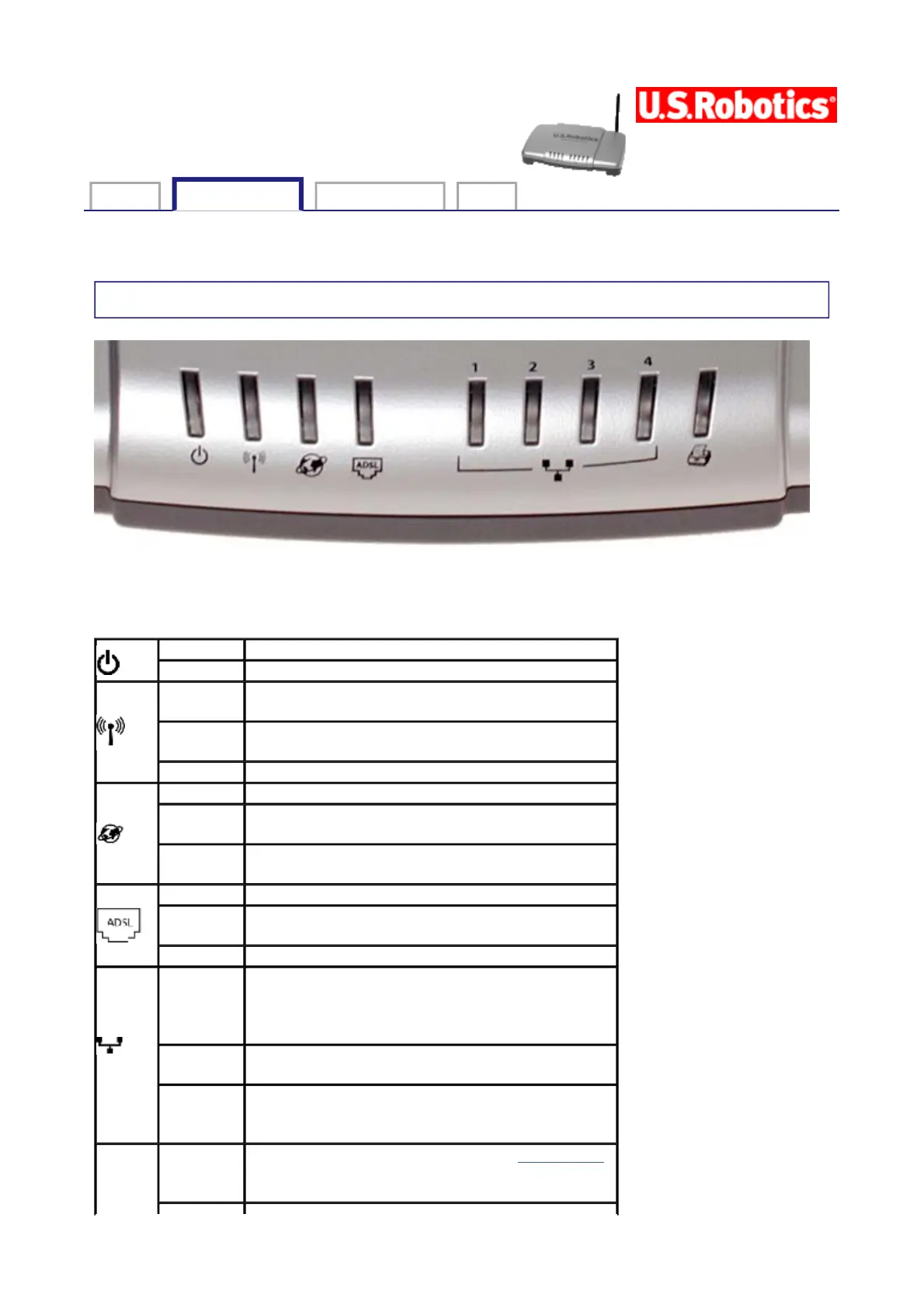
Status LEDs
The gateway has several LEDs on its front. The LED conditions listed below indicate the
operational status of the gateway.
Solid The gateway is powered on.
Off The gateway is powered off.
Solid
The gateway's wireless functionality is
enabled.
Flashing
The gateway and computer are exchanging
data over a wireless connection.
Off The gateway's wireless function is disabled.
Solid The gateway is connected to the Internet.
Flashing
The gateway is exchanging data with the
Internet.
Off
There is no active IP connection or the device
is in ADSL bridge mode.
Solid An ADSL link is established.
Flashing
The gateway is attempting to create an ADSL
link.
Off There is no current ADSL connection.
1-4
Solid
There is a physical connection between the
gateway and the computer through the
corresponding Ethernet port (note the port
numbers above the LEDs).
Flashing
The gateway and computer are exchanging
data through an Ethernet port.
Off
There is no physical connection between the
gateway and the computer through the
Ethernet port.
Solid
A printer is linked to the gateway. Click here
for information on using a printer with the
gateway.
第 1 頁,共 2 頁U.S. Robotics Wireless MAXg ADSL Gateway User Guide
2005/7/4file://C:\Documents%20and%20Settings\ivonne\Local%20Settings\Temp\Rar$EX45.968\leds....



 To Next Page