Wireless MAXg ADSL Gateway
User Guide
Home Installation Configuration Help
Login Status Internet LAN Wireless Security Device Appendix
Internet settings
These are the options available in the Internet menu:
WAN Setup
ADSL Settings
Default Gateway
DNS Server
Access Control - IP Addresses
Access Control - Services
Dynamic DNS
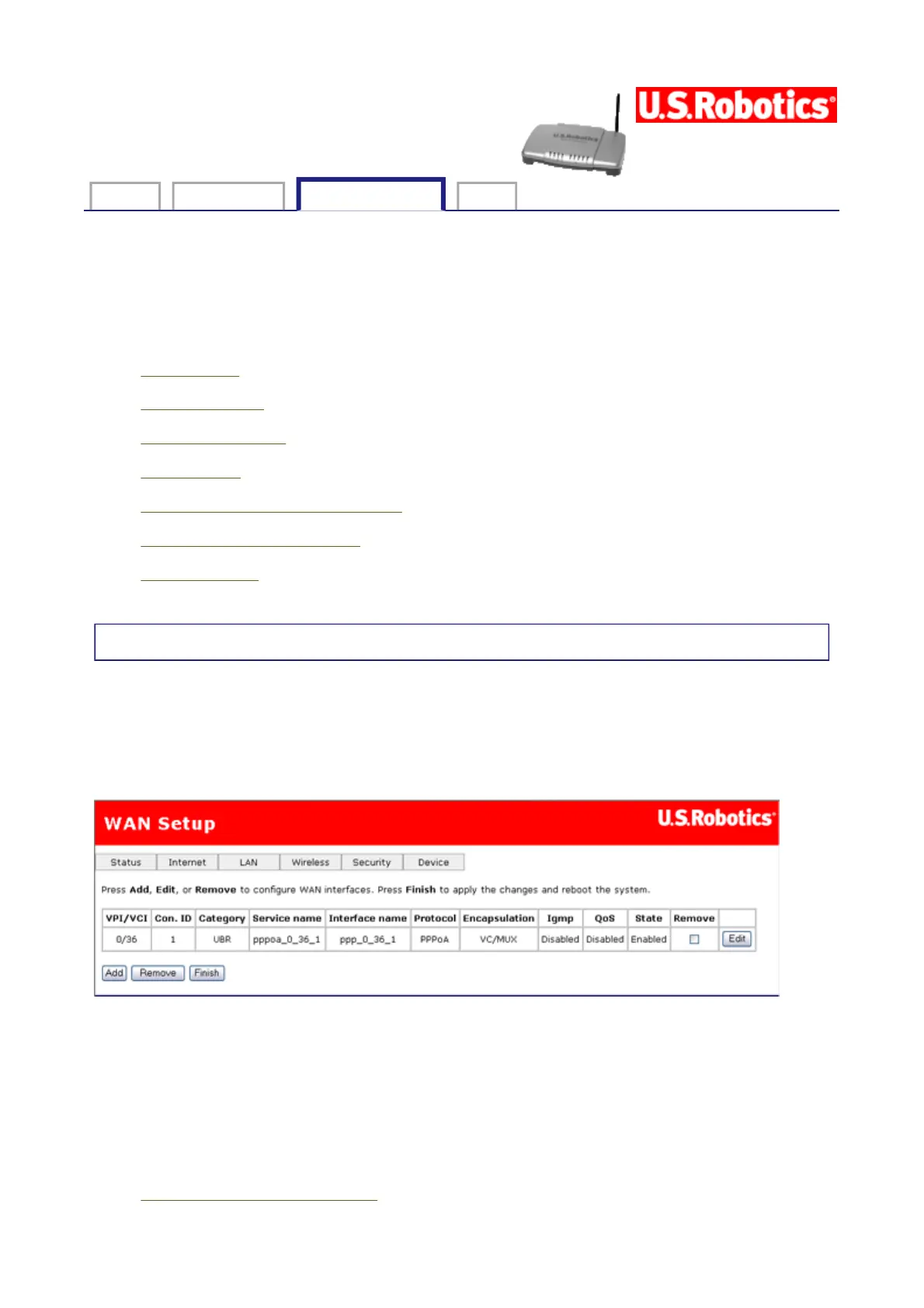
WAN Setup
The WAN setup page allows you to edit or remove your ISP configuration that you set up
either in EasyConfigurator or the quick setup wizard. Click Edit to modify the existing
Internet connection, or Add to define a new one. You will then see a series of pages for
entering networking parameters. The last page will have an Apply button to store the
changes in your gateway. Click Finish to save.
To remove a Private Virtual Channel (PVC) from this table, click the Remove checkbox for
the particular VPI/VCI to delete, then click the Remove button.
Configuring a Private Virtual Circuit (PVC)
The Wireless MAXg ADSL Gateway supports the following five ISP network operating modes
over gateway ADSL interface:
PPP over Ethernet (PPPoE)
第 1 頁,共 15 頁U.S. Robotics Wireless MAXg ADSL Gateway User Guide
2005/7/4file://C:\Documents%20and%20Settings\ivonne\Local%20Settings\Temp\Rar$EX05.609\wui_...



 To Next Page