Note: If the IP Address field is blank, confirm that your DSL settings are correct. If you are
not sure, restore the gateway to factory defaults by using a thin tool such as a paper clip to
press the Reset button on the back of the gateway for at least five seconds. Then run
EasyConfigurator again, paying close attention to the user name and password of the PPP
account, supplied by your Internet Service Provider.
System Log
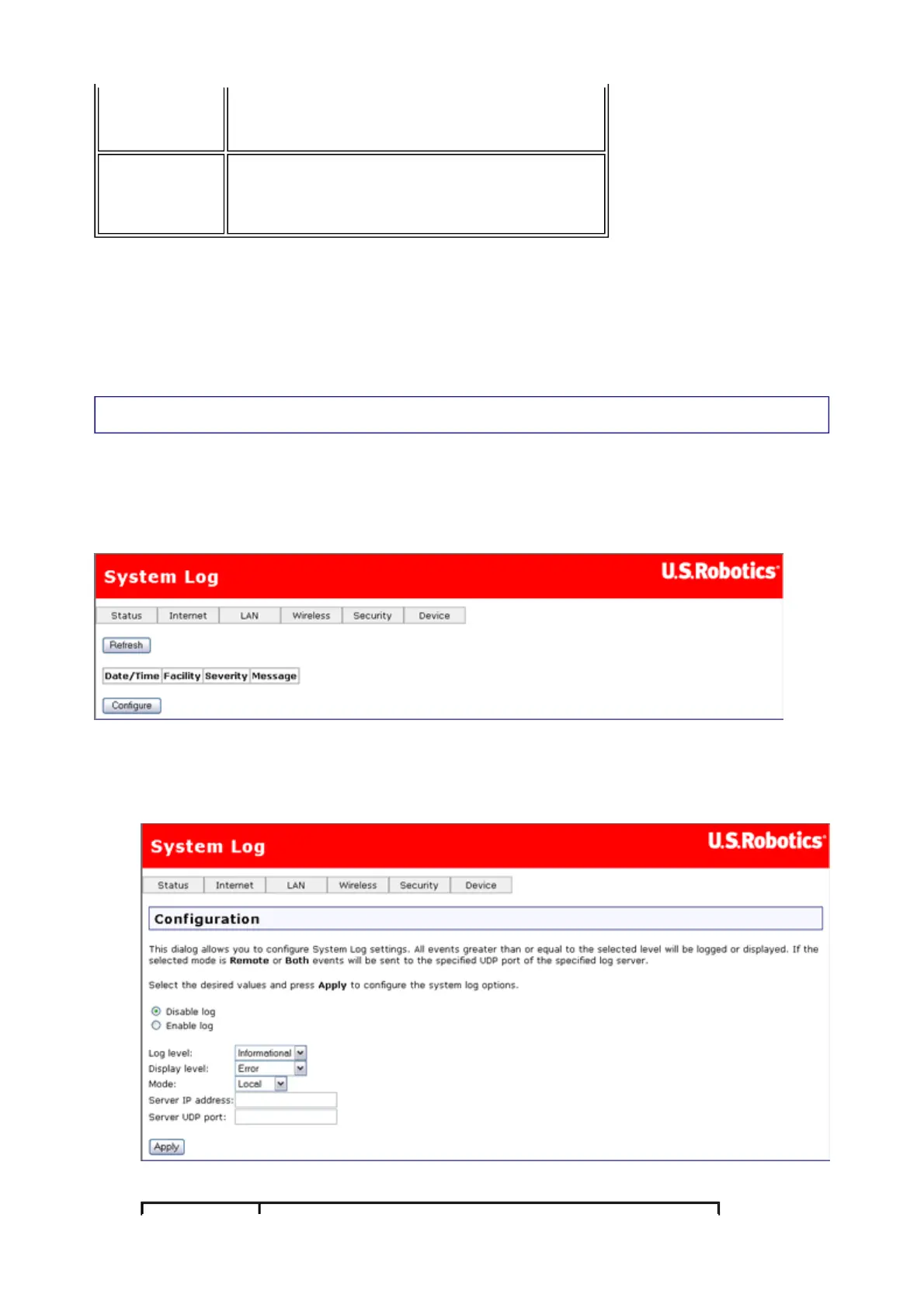
The system log screen shows you the system events log, where the gateway saves data
about the various events and problems that occur. You can customize the types of
information stored in the log as well as what parts of that information appear when the log is
displayed. The page might look like this when you first open it:
The Configure button is for specifying what type of data you want to display in the log:
1. Click Configure to display the following page:
2. Select your options for logging and displaying the log:
Status
The status of the connection — Up means PPP
service is running, Down means PPP service it
has stopped.
IP Address
The gateway's address obtained from or
assigned by your ISP. The gateway uses this
address to communicate with the network
outside your local area network.
第 3 頁,共 10 頁U.S. Robotics Wireless MAXg ADSL Gateway User Guide
2005/7/4file://C:\Documents%20and%20Settings\ivonne\Local%20Settings\Temp\Rar$EX13.907\wui_...



 To Next Page