Service Provider.
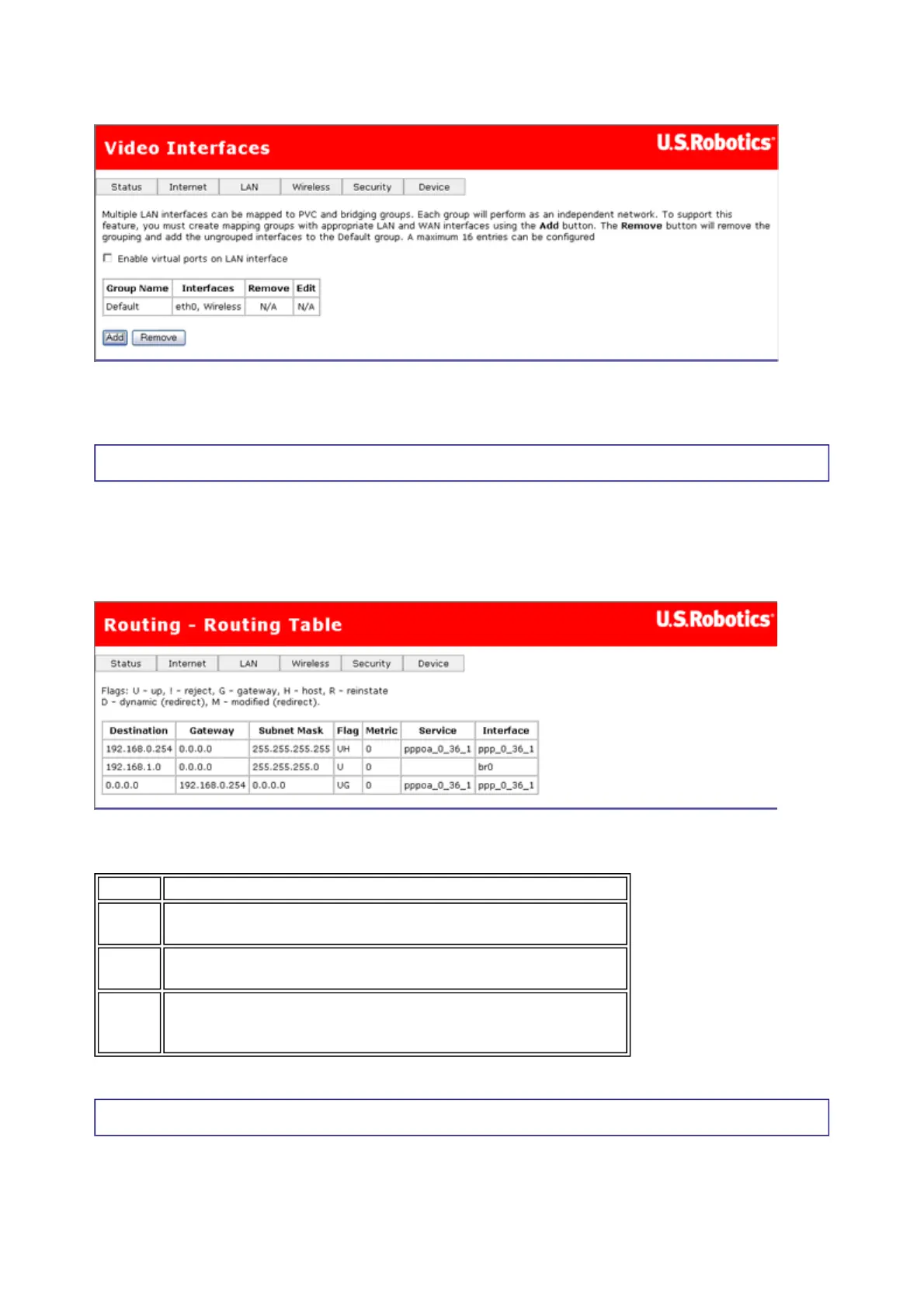
Click on Add to create a new bridge group.
Routing - Routing Table
The routing table shows the IP addresses or address routes for the computers connected to
the gateway to reach different destinations, such as the local network, the gateway, or the
outside world beyond the gateway (i.e., the Internet). Here is an example of how it might
look:
This table describes each row in the above example.
Routing - Static Route
This page lets you set up static routes to connect machines not on the gateway's local
network. A system is not on this local network if the third number in its IP address does not
match the third number in the gateway's IP address (for example, if you haven't changed the
Row Description
1
This row shows how the gateway gets to the ISP's
gateway, using the pppoa_0_36_1 interface.
2
This shows how the gateway communicates with the LAN
interface, using the br0 interface.
3
This data shows how the gateway accesses the Internet,
using the pppoa_0_36_1 interface and the ISP's
gateway at address 192.168.0.254.
第 3 頁,共 8 頁U.S. Robotics Wireless MAXg ADSL Gateway User Guide
2005/7/4file://C:\Documents%20and%20Settings\ivonne\Local%20Settings\Temp\Rar$EX03.015\wui_...



 To Next Page