Wireless MAXg ADSL Gateway
User Guide
Home Installation Configuration Help
Installation Connections QuickSetup LEDs Advanced Uninstall
EasyConfigurator Advanced Features
Firmware Upgrade
You can download new firmware for your gateway periodically from the U.S. Robotics Web
site at www.usr.com/support
To upgrade the firmware, first find the latest version on the Web site and save it to your
computer's hard drive. Then open EasyConfigurator:
Windows users: To access EasyConfigurator, click Start, Programs, and select U.S.
Robotics EasyConfigurator.
Macintosh and Linux users: Double-click EasyConfigurator from your desktop.
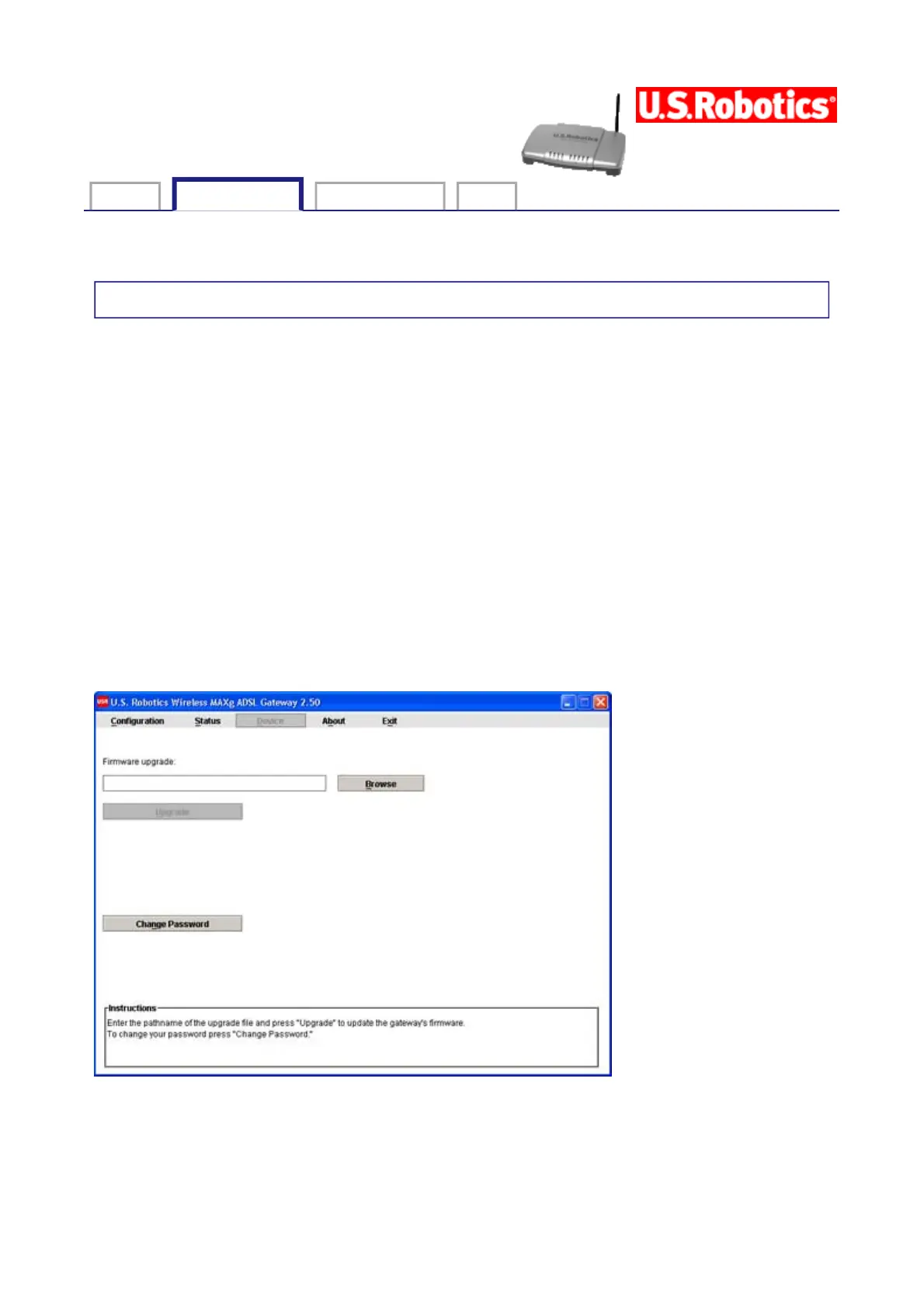
In EasyConfigurator, log in and click on Device to open the Device page:
Click Browse, browse to the location of the firmware file on your hard drive and select it.
Click Open and press Upgrade. It will take approximately two minutes to upgrade your
gateway with the new firmware. When the process is complete, you can close
EasyConfigurator. You may need to reconfigure the gateway.
第 1 頁,共 2 頁U.S. Robotics Wireless MAXg ADSL Gateway User Guide
2005/7/4file://C:\Documents%20and%20Settings\ivonne\Local%20Settings\Temp\Rar$EX62.906\easy...



 To Next Page