Wireless MAXg ADSL Gateway
User Guide
Home Installation Configuration Help
Installation Connections QuickSetup LEDs Advanced Uninstall
Quick Setup
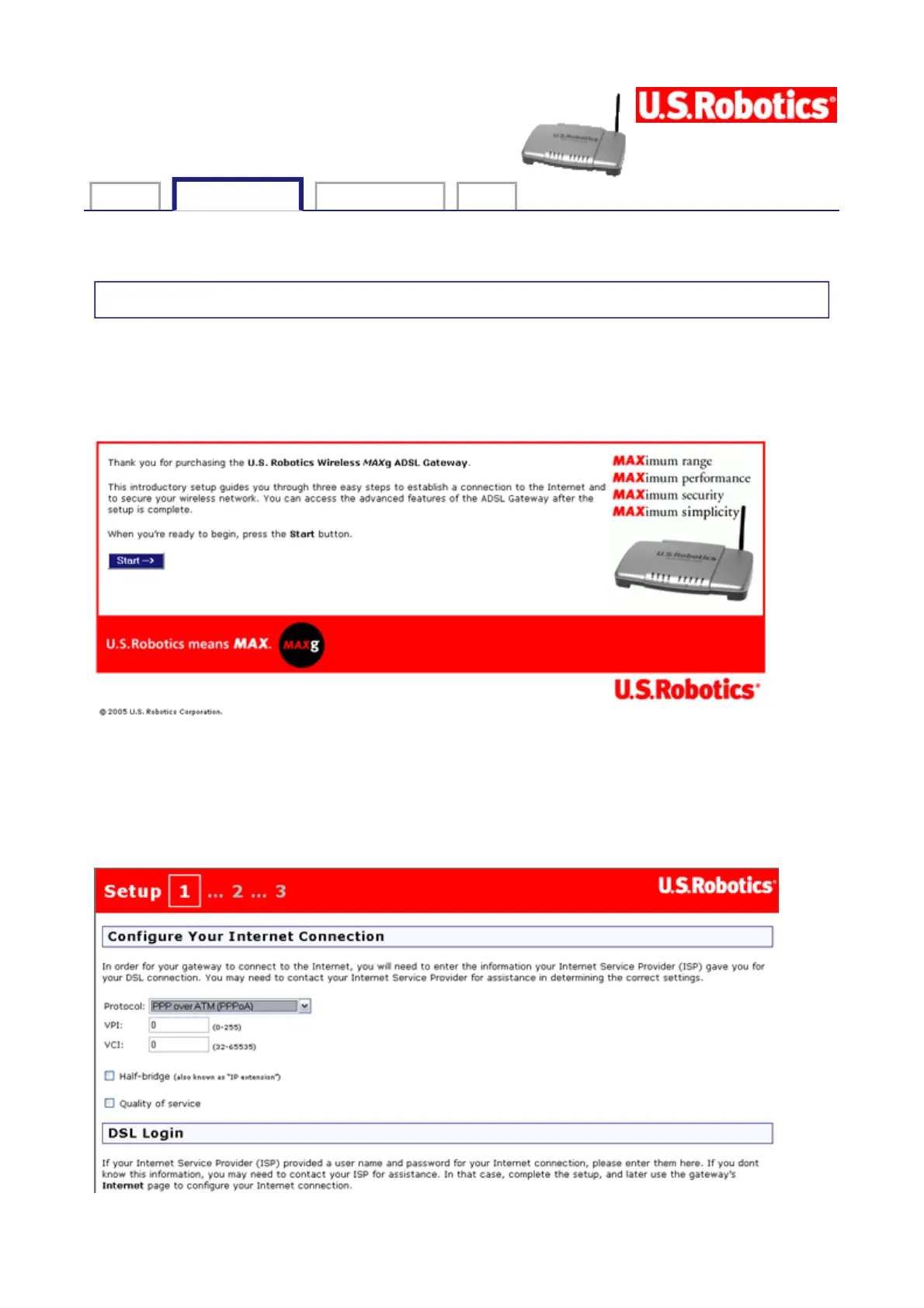
The quick setup feature is a simple way to configure the gateway with the most important
settings. If you did not configure the gateway in EasyConfigurator, the following window
appears automatically the first time you open the gateway's Web user interface (by opening
the address 192.168.1.1). It also appears if you reset the gateway to its factory defaults:
To begin the quick setup, click Start.
Step 1. Configuring the Internet Connection
This is the first quick setup page:
第 1 頁,共 3 頁U.S. Robotics Wireless MAXg ADSL Gateway User Guide
2005/7/4file://C:\Documents%20and%20Settings\ivonne\Local%20Settings\Temp\Rar$EX38.265\quic...



 To Next Page