Wireless MAXg ADSL Gateway
User Guide
Home Installation Configuration Help
Login Status Internet LAN Wireless Security Device Appendix
LAN information
These are the options available in the LAN menu:
DHCP Server
Video Interfaces
Routing - Routing Table
Routing - Static Route
Routing - RIP
Routing - ARP Table
DHCP Clients
Quality of Service
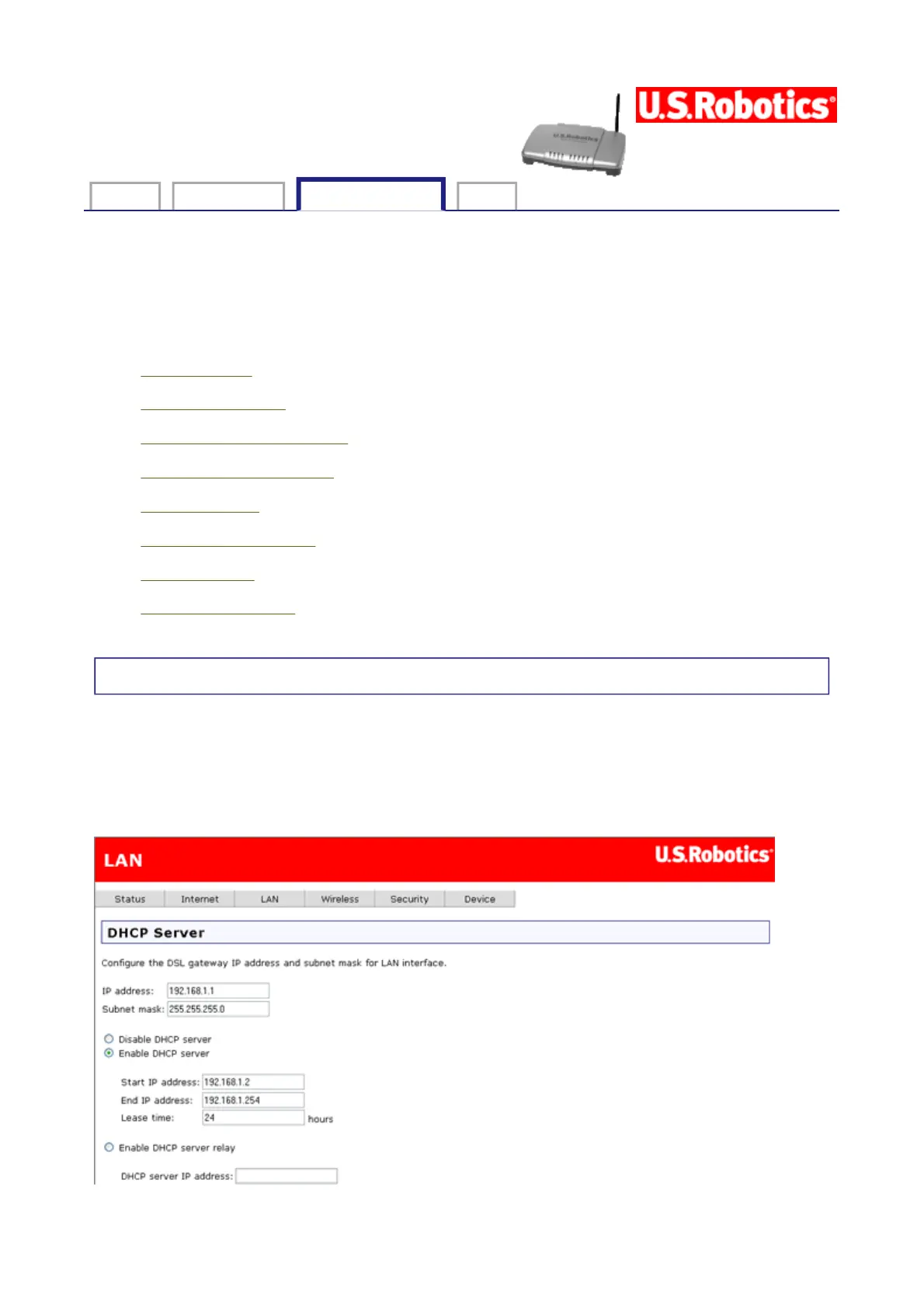
DHCP Server
In this page, you can use DHCP (Dynamic Host Configuration Protocol) to control the
assignment of IP addresses on your local network (LAN only).
If you make any changes, click Apply to save them. They do not take effect, though, until
you restart the device, which you can do by clicking Reboot Gateway.
第 1 頁,共 8 頁U.S. Robotics Wireless MAXg ADSL Gateway User Guide
2005/7/4file://C:\Documents%20and%20Settings\ivonne\Local%20Settings\Temp\Rar$EX03.015\wui_...



 To Next Page