Authentication method is default to Automatic. It is recommended that you leave
the Authentication method in Automatic, however, you may select PAP or CHAP if
necessary. The default value for MTU (Maximum Transmission Unit) is 1500 for PPPoA
and 1492 for PPPoE. Do not change these values unless your ISP asks you to.
The gateway can be configured to disconnect if there is no activity for a specific period
of time by selecting the Dial on demand check box and entering the Inactivity
timeout. The entered value must be between 1 minute to 4320 minutes.
The PPP IP Extension is a special feature deployed by some service providers. Unless
your service provider specifically requires this setup, do not select it. If you need to
select it, the PPP IP Extension supports the following conditions:
It allows only one computer on the LAN.
The public IP address assigned by the remote using the PPP/IPCP protocol is
actually not used on the WAN PPP interface. Instead, it is forwarded to the
computer's LAN interface through DHCP. Only one system on the LAN can be
connected to the remote, since the DHCP server within the ADSL gateway has
only a single IP address to assign to a LAN device.
NAPT and firewall are disabled when this option is selected.
The gateway becomes the default gateway and DNS server to the computer
through DHCP using the LAN interface IP address.
The gateway extends the IP subnet at the remote service provider to the LAN
computer. That is, the PC becomes a host belonging to the same IP subnet.
The ADSL gateway bridges the IP packets between WAN and LAN ports, unless
the packet is addressed to the gateway's LAN IP address.
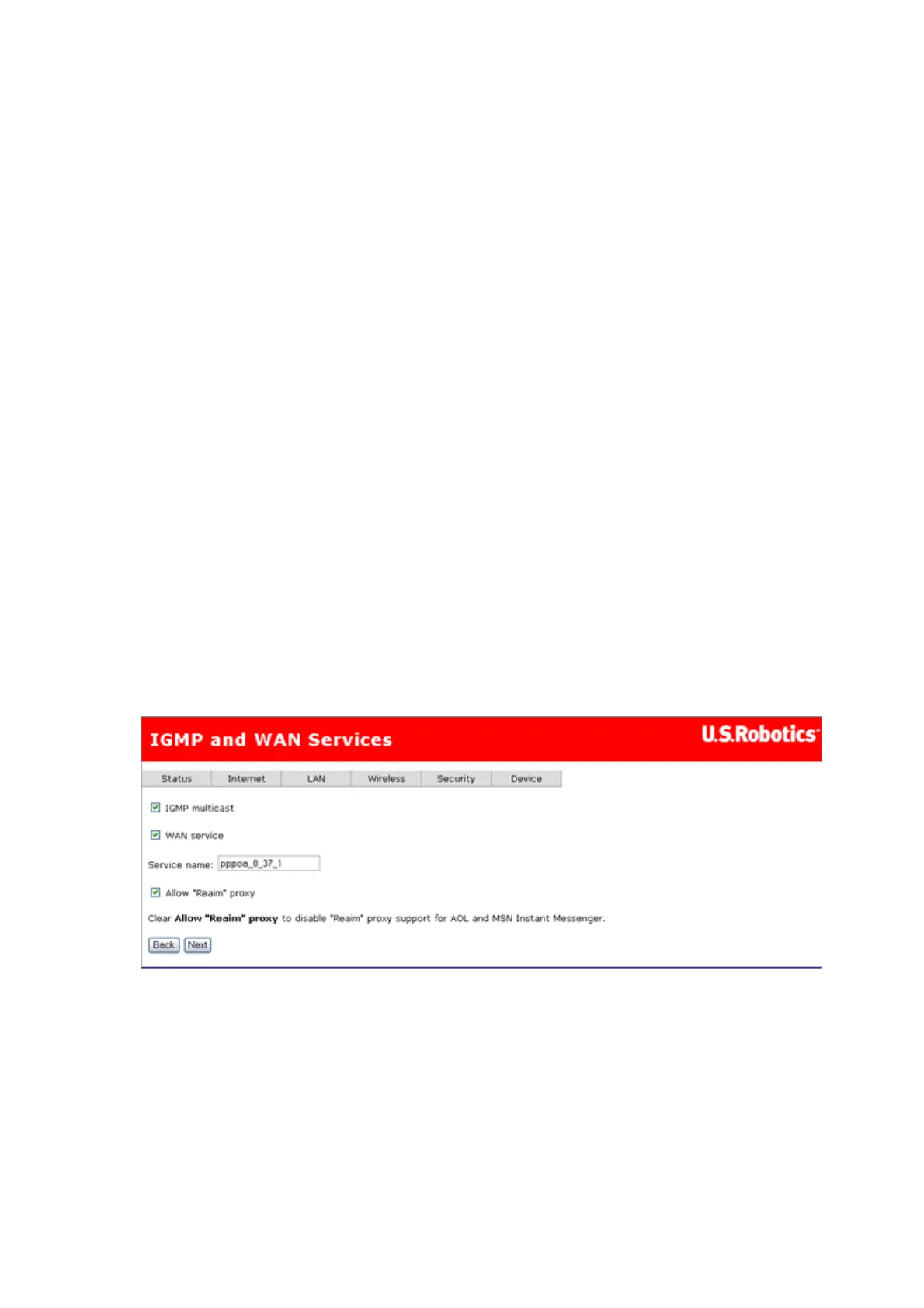
3. After entering your settings, click Next. The following page appears:
4. This page allows you to enable IGMP multicast, enable WAN service, specify a
service name, and enable a "Reaim" proxy. After verifying and entering your settings,
click Next.
5. The summary page presents the entire configuration summary. Click Apply if the
settings are correct.
第 4 頁,共 15 頁U.S. Robotics Wireless MAXg ADSL Gateway User Guide
2005/7/4file://C:\Documents%20and%20Settings\ivonne\Local%20Settings\Temp\Rar$EX05.609\wui_...



 To Next Page