3-31
Preparation before Use > Preparation for Sending a Document to a Shared Folder in a PC
Configuring Windows Firewall
Permit sharing of files and printers and set the port used for SMB transmission.
1
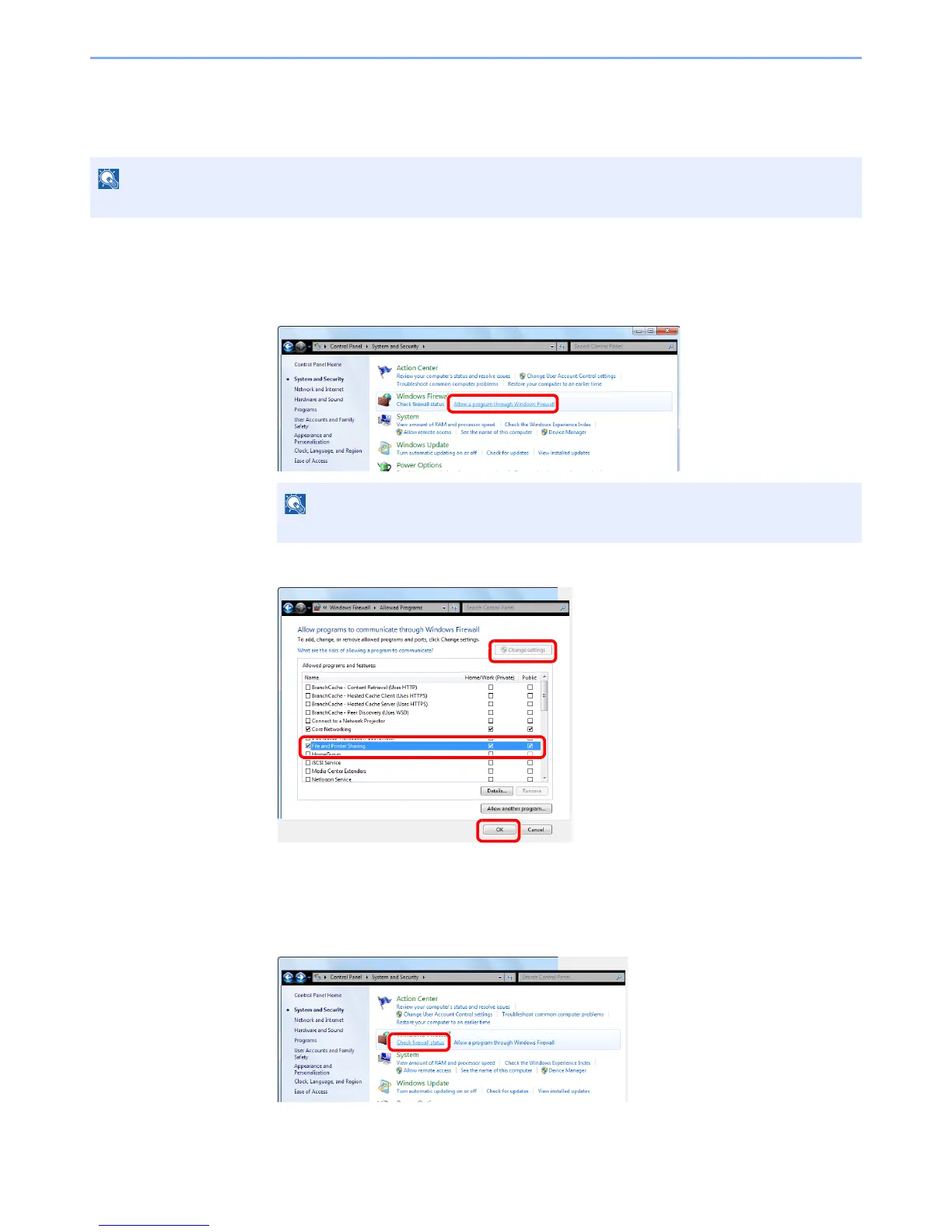
Check file and printer sharing.
1 From [Start] button on the Windows, select [Control Panel], [System and Security], and
[Allow a program through Windows Firewall].
2 Select the [File and Printer Sharing] checkbox.
2
Add a port.
1 From [Start] button on the Windows, select [Control Panel], [System and Security],
and [Check firewall status].


 To Next Page
 Loading...







