The Message feature is on your in-home display so we can
send you updates and notications. Any price changes or
alterations to your tariff or smart meters, will be sent to your
inbox and the message icon with appear in the right-hand
corner of your in-home display screens.
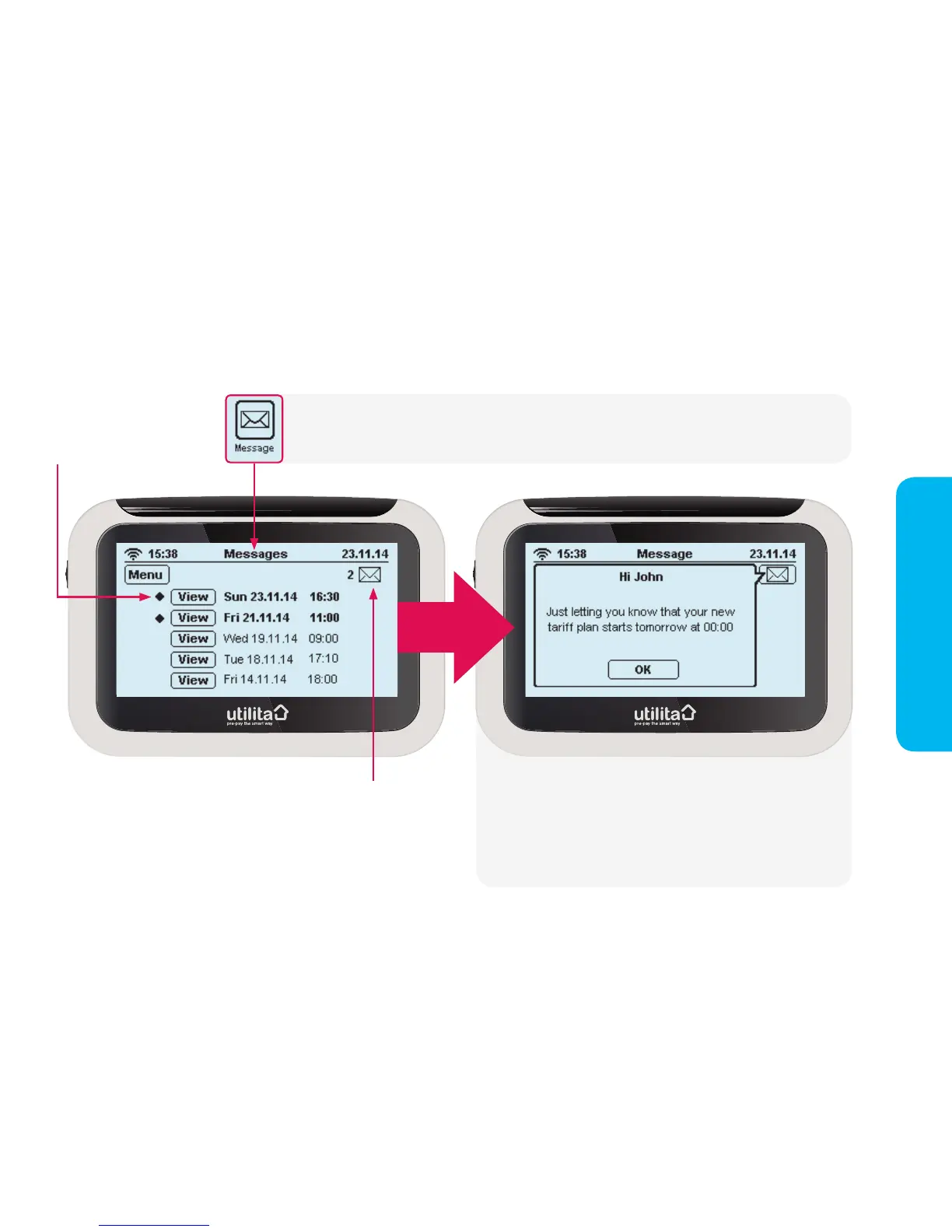
Press the 'Message' button on the 'Main Menu'. The message screen will list your read and unread
messages, as shown below.
Unread messages
will appear in bold
Important notications will pop-up as shown above. In order
to close an important message, you need to press 'OK' to
acknowledge that you have read it. Less important notications
will also pop-up, but will disappear if ignored and show as an
unread envelope icon in the top right-hand corner of your
in-home display screens.


 To Next Page