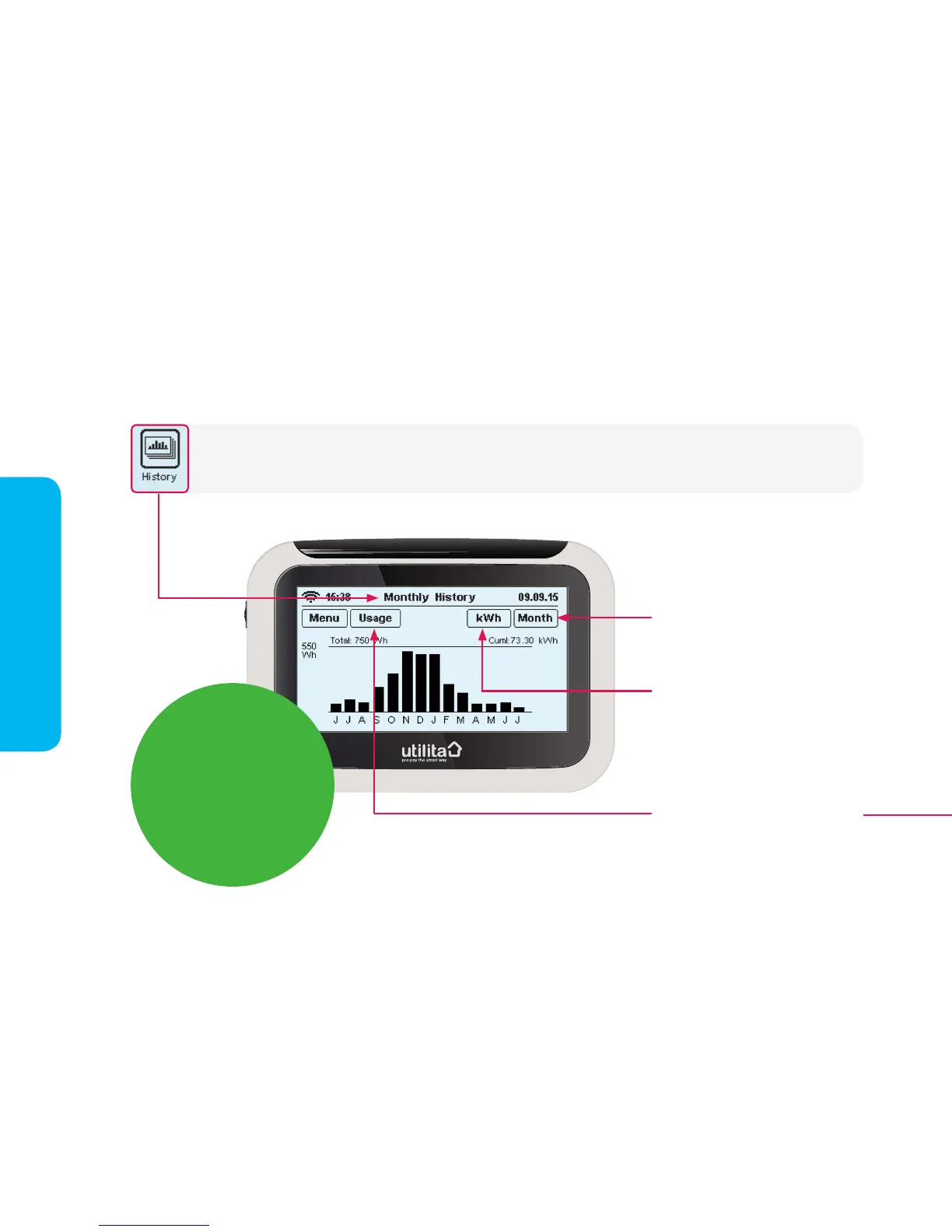
Pressing the 'History' button on the 'Main Menu' will display the below screen, allowing you to view your energy
'History' over the last hour, day, week or month. You can choose to view your electricity usage in kWh, £/h (£ per hour)
or CO2Kg (Carbon Emissions).
Press this button to view your usage
in kWh, Cost (£ per hour) or CO2Kg
(Carbon Emissions)
Press this button to view your usage
hourly, daily, weekly, or monthly
Main Menu
Press this button to view the 'Usage'
screen. This button will only be seen
when kWh is showing in the top
right-hand side of the screen.
Usage Targets
To set usage targets,
go to 'Targets' via the
'Settings' screen and
select kWh, £/h or CO2.
See pages 12-13 for
details.


 To Next Page