Restoring your electricity supply
If your meter runs out of credit and your supply turns off, you will need to top-up your electricity balance so it is
in positive credit of at least £1.00. For safety reasons, it will require someone to be at your property to switch the
electricity back on.
Electricity
Tariff
Menu
~20.05 for first 10 kWh
~0.10 thereafter
~0.05 for first 15kWh
~0.10 thereafter
~0.15 for the first 10kWh
Smart Energy - NORWEB
- - - - - - - - - - - - - - - - - - - - - - - - - - - - 17:00
- - - - - - - - - - - - - - - - - - - - - - - - - - - - 18:00
Type in your vend
code. Press ‘delete’
to correct. Press
‘Enter’ to send.
E-Credit
Debt Payments
Debt Type: Payment Based
Outstanding owed: £54.00
Repayment Rate: 40% per top-up
Debt
Debt Type: Payment Based
Outstanding Owed:
~54.00
Repayment Rate: 40
%
per top-up
Week
Month
Day
Menu
Updt On: 29.09.12 10:59
press a connect
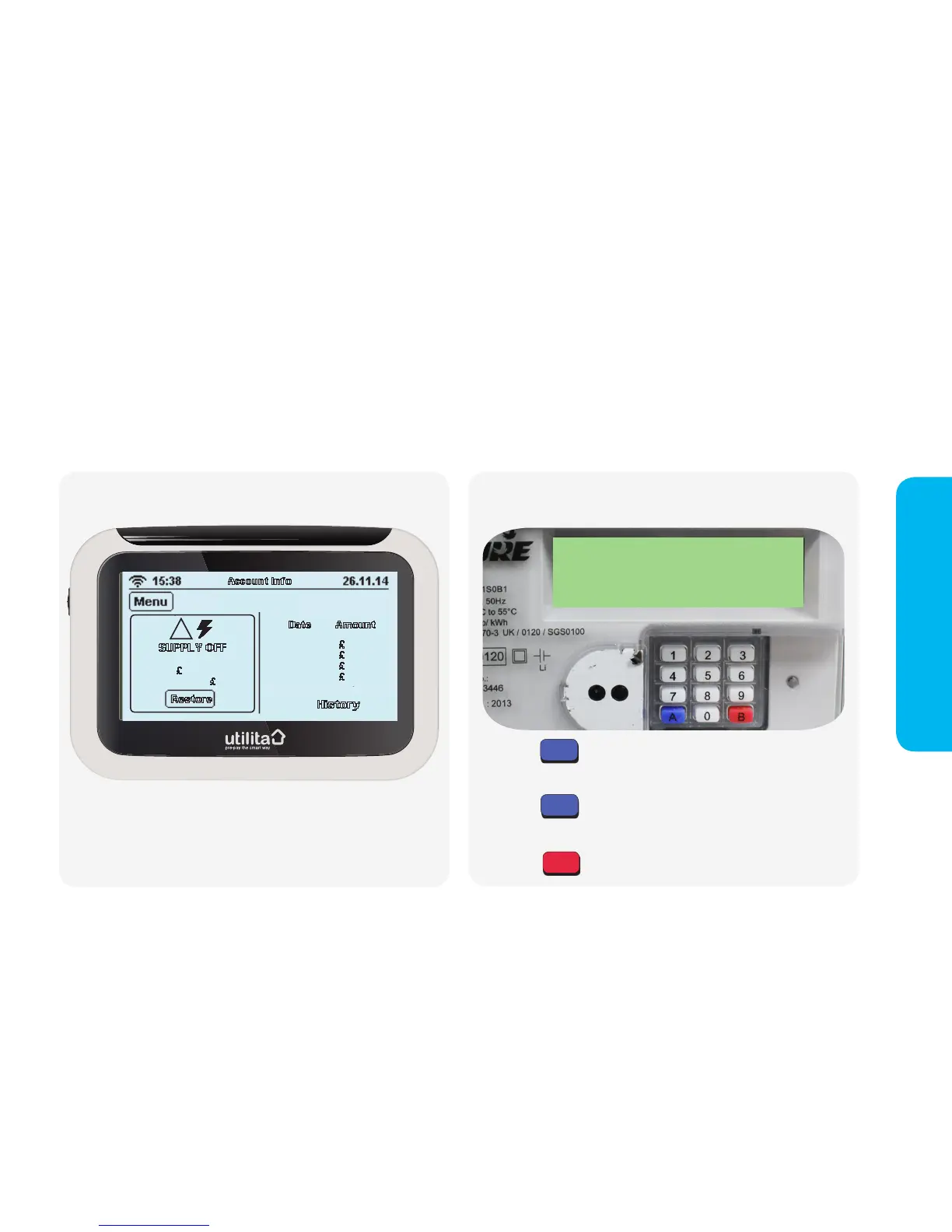
Press the button and the message: PRESS B will display,
followed by the message: CONFIRM
Press the button and the message: PRESS A will display,
followed by the message: CONNECT
Press the button and your electricity will be restored.
A
A
B
In-Home Display
Once you have topped-up, if your in-home display is working on
2 x AAA batteries, press the 'Power On' button and you will see
the above screen. Press 'Restore' to turn your supply back on. If
you do not have any working batteries, you will need to switch the
electricity back on via your electricity meter directly.


 To Next Page