BATTERY REMOVAL
1.
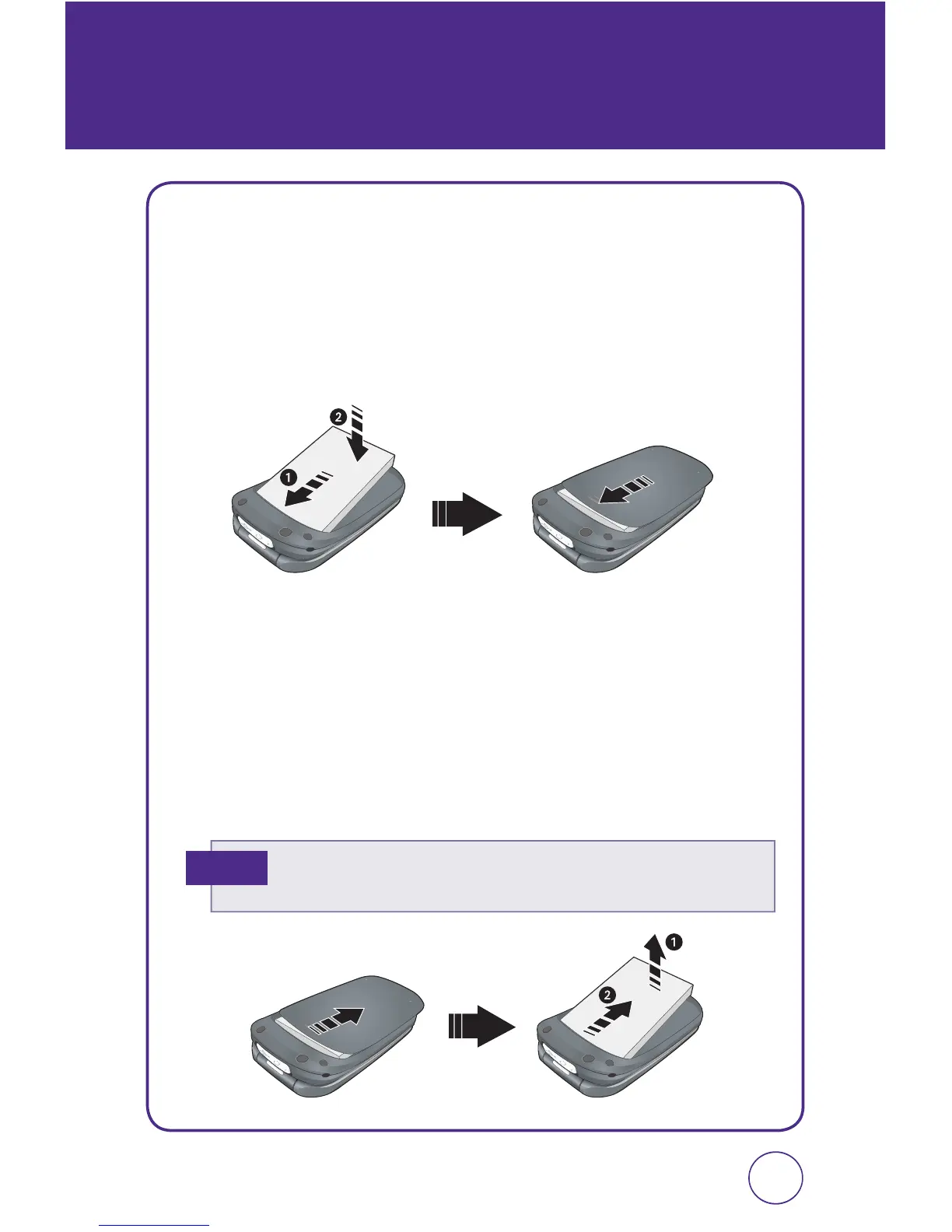
Push down the release latch button, then slide the battery cover off
the phone.
2.
Lift the battery up and out of the battery cavity from the top of the
battery.
1312
BATTERY USAGE
If the battery is not correctly placed in the compartment, the handset
will not turn on and/or the battery may detach during use.
Note
BATTERY INSTALLATION
1.
Place the battery (label side up) on the back of the phone so the
metal contacts match up on the battery and in the battery cavity.
2.
Slide the battery down into the battery cavity until it locks into
place.



 To Next Page