5756
SETTINGS
APPLICATIONS
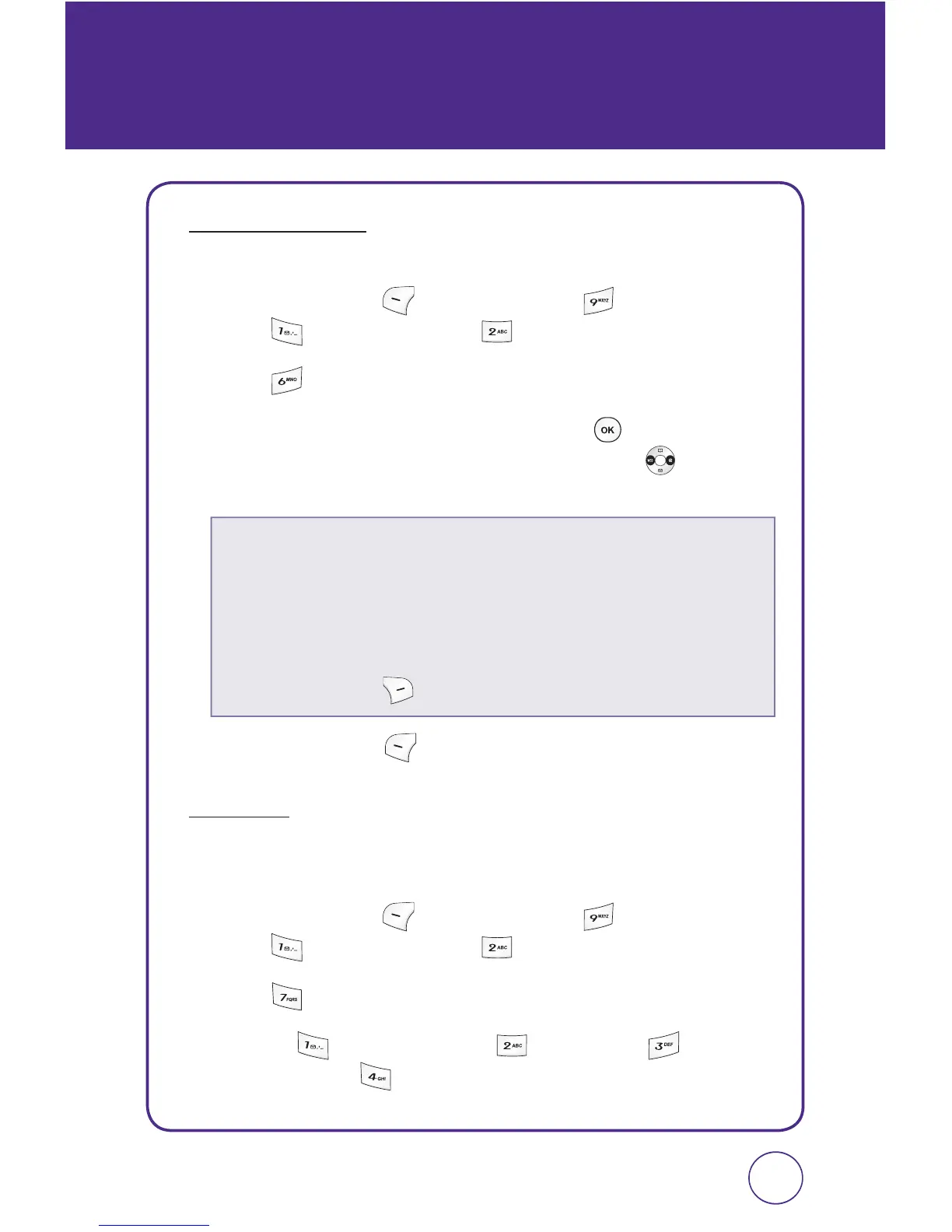
To adjust the Applications volume:
1.
Press Left Soft Key [Menu], then press “Settings”.
Press “Sound”, then press “Volume”.
2.
Press “Applications”.
3.
Select “Use ringer” or “Separate” and press to select.
If “Separate” is selected, press the Navigation Key
left or
right to adjust the volume level.
4.
Press Left Soft Key [Save] to save the setting.
OTHERS
To adjust the Text message, Voicemail, Alarm & Scheduler, and Power
on alert volume:
1.
Press Left Soft Key [Menu], then press “Settings”.
Press “Sound”, then press “Volume”.
2.
Press “Others”.
3.
Selelct “ Text messaging”, “ Voicemail”, “ Alarm &
scheduler”, or “
Power on”.
This setting controls the volume of the applications.
•
Use ringer:
Plays the application at the same volume as the voice ringtone
and allows the side volume keys to change the application
volume at the same time as the voice ringtone.
•
Separate:
Plays the application at the selected volume level.
Select ringtone mode: Level 0 ~ Level 5.
•
Press Right Soft Key [Help] to display volume information.



 To Next Page