UTT Technologies Application
http://www.uttglobal.com Page 28
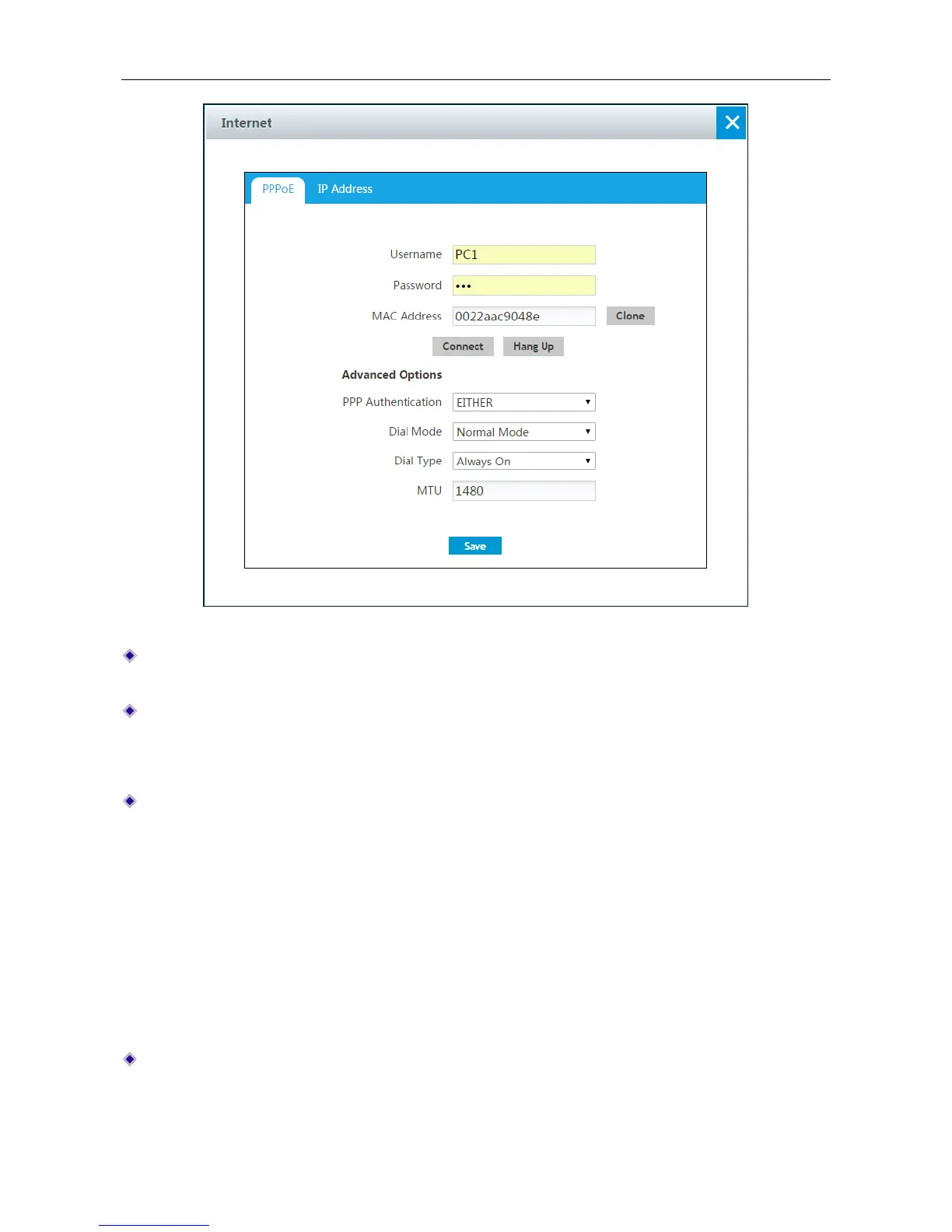
Figure 4-9 PPPoE Connection setting
User Name and Password: Enter the PPPoE login user name and password provided by your
ISP.
MAC Address: Displays the Device’s physical address. We recommend keeping it as default.
Advanced Options: Click to configure advanced parameters. In most case, you don’t need to
configure them.
PPP Authentication: Specify the PPP authentication mode, available options are NONE, PAP,
CHAP and Either.
None: If selected, no protocol will be used.
PAP: If selected, PAP(Password Authentication Protocol) protocol will be used for PPP
authentication.
CHAP: If selected, CHAP (Challenge Handshake Authentication Protocol) protocol will be
used for PPP authentication.
Either: If selected, the Device will automatically negotiate with the peer device to use PAP
or CHAP protocol.
Dial Mode: If the PPPoE connection isn’t established successfully even using correct user
name and password, you may try other modes.



 To Next Page