UTT Technologies Application
http://www.uttglobal.com Page 32
4.6.1 2.4GHz Wireless
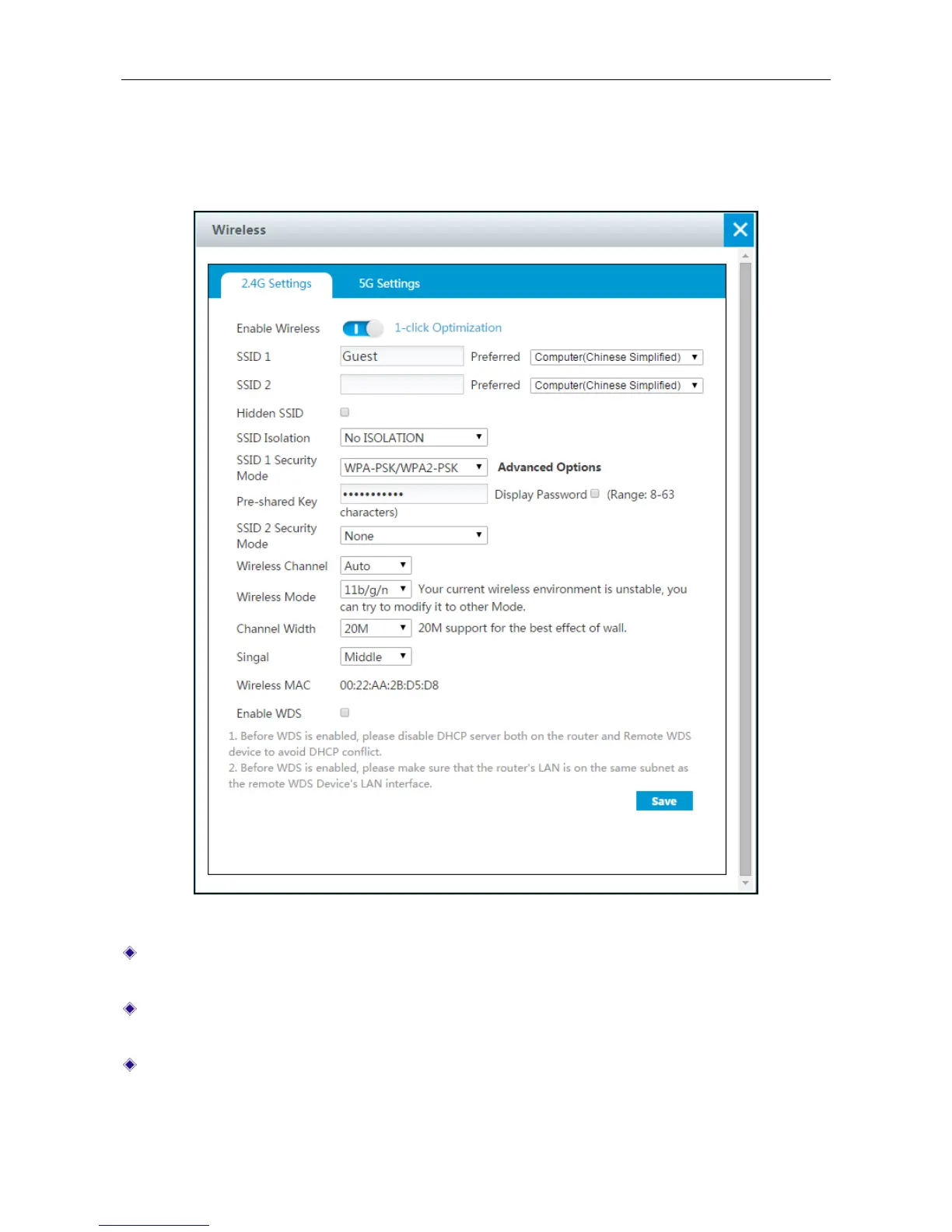
On Application > Wireless > 2.4G Settings page, we can set 2.4GHz wireless parameters ,
including SSID, Security mode, wireless channel, wireless mode, channel width and so on.
Figure 4-12 2.4GHz wireless setting
Enable Wireless: Click to open 2.4GHz Wireless network. When the wireless network is bad,
you can click 1-click Optimization to optimize the network.
SSID 1 or SSID 2: The SSID (Service Set Identification) is also known as the wireless network
name, which is used to uniquely identify a wireless network.
Hidden SSID: Select to hide SSID. In this case, if users want to access this network, they
need to search for SSID by entering it manually.



 To Next Page