UTT Technologies Application
http://www.uttglobal.com Page 33
SSID ISOLATION: Select the SSID you want to isolate from the drop-down box, available
options are No ISOLATION, ISOLATE SSID1 and ISOLATE SSID2.
No ISOLATION: if selected, all users connected to the Device can access to the Device.
ISOLATE SSID1: if selected, the users connected to SSID 1 couldn’t access to the Device.
ISOLATE SSID2: if selected, the users connected to SSID 2 couldn’t access to the Device.
SSID1 Security: Select the security mode you want to use for SSID 1 from the drop-down box,
available security mode options are None, WEP, and WPA-PSK/WPA2-PSK.
1) None: If you want an open network without wireless security, keep the default value of
None.
2) WEP: WEP is the basic encryption mode which is not as secure as WPA.
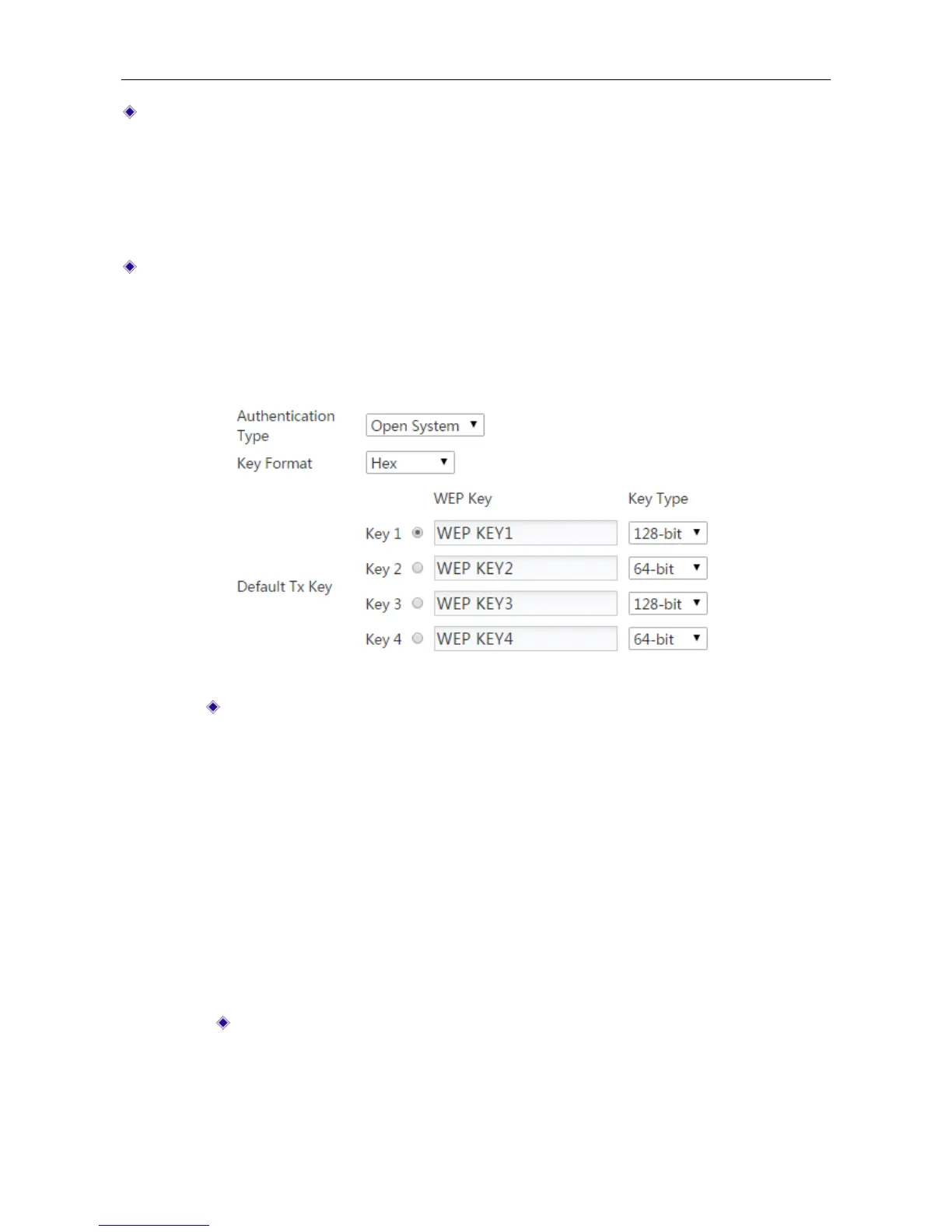
Figure 4-13 Security mode_WEP
Authentication Type: Select the authentication type under WEP security mode.
The Device must authenticate a wireless client before the client can join the
wireless network. There are three options: Auto, Open System and Shared Key.
Auto: Select to allow the Device automatically choose Open System or
Shared key mode according to the requests of wireless clients.
Open System: At this point, the wireless client host can pass the
authentication and be associate with the wireless devices on the premise of
providing no authentication key; but a correct key must be provided if data
transmission is to be made.
Shared Key: At this point, the wireless client host must provide the correct
key to pass the authentication; otherwise, it cannot be associated with the
wireless devices, and cannot perform data transmission.
Key Format: Select the format for entering the WEP keys. The options are Hex
and ASCII.
Hex: Select it to enter the WEP keys in hexadecimal format. Hexadecimal
digits are a set of characters that includes numbers 0 through 9 and letters A
through F (or a through f). Hex WEP keys are case insensitive.



 To Next Page