UTT Technologies Application
http://www.uttglobal.com Page 70
4.29.2 VPN Settings
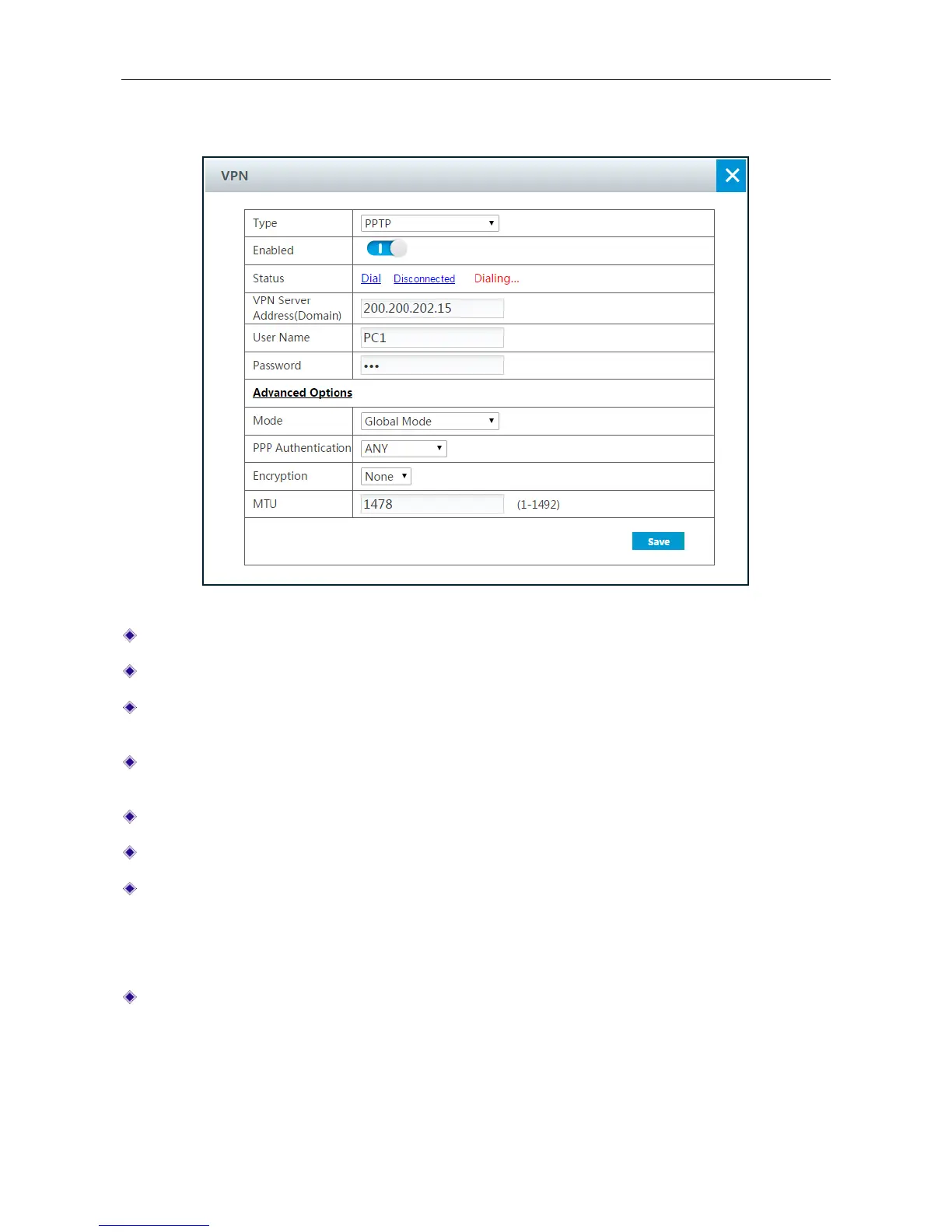
Figure 4-46 PPTP Client Settings
Type: Select the VPN tunneling protocols.
Enabled: Click to enable the connection.
Status: There are two buttons: Dial and Disconnected. Click Dial to dialing the connection.
Click Disconnected to disconnect the connection.
VPN Server Address (Domain): Specify the IP address or the domain name of the VPN
server.
User Name: Enter the user name of the client which has been set on the VPN server.
Password: Enter the password.
Mode: There are two VPN modes.
Global Mode: All the packets will pass through the VPN tunnel.
Specific Subnet Mode: The packets of specified subnet will pass through the VPN tunnel.
PPP Authentication: Select the PPP authentication mode of the tunnel. It should be the same
value as that on the server. The available options are PAP, CHAP, MS-CHAPV2 and ANY.
PAP: Password Authentication Protocol.
CHAP: Challenge Handshake Authentication Protocol.



 To Next Page