UTT Technologies Application
http://www.uttglobal.com Page 43
4.7 LAN
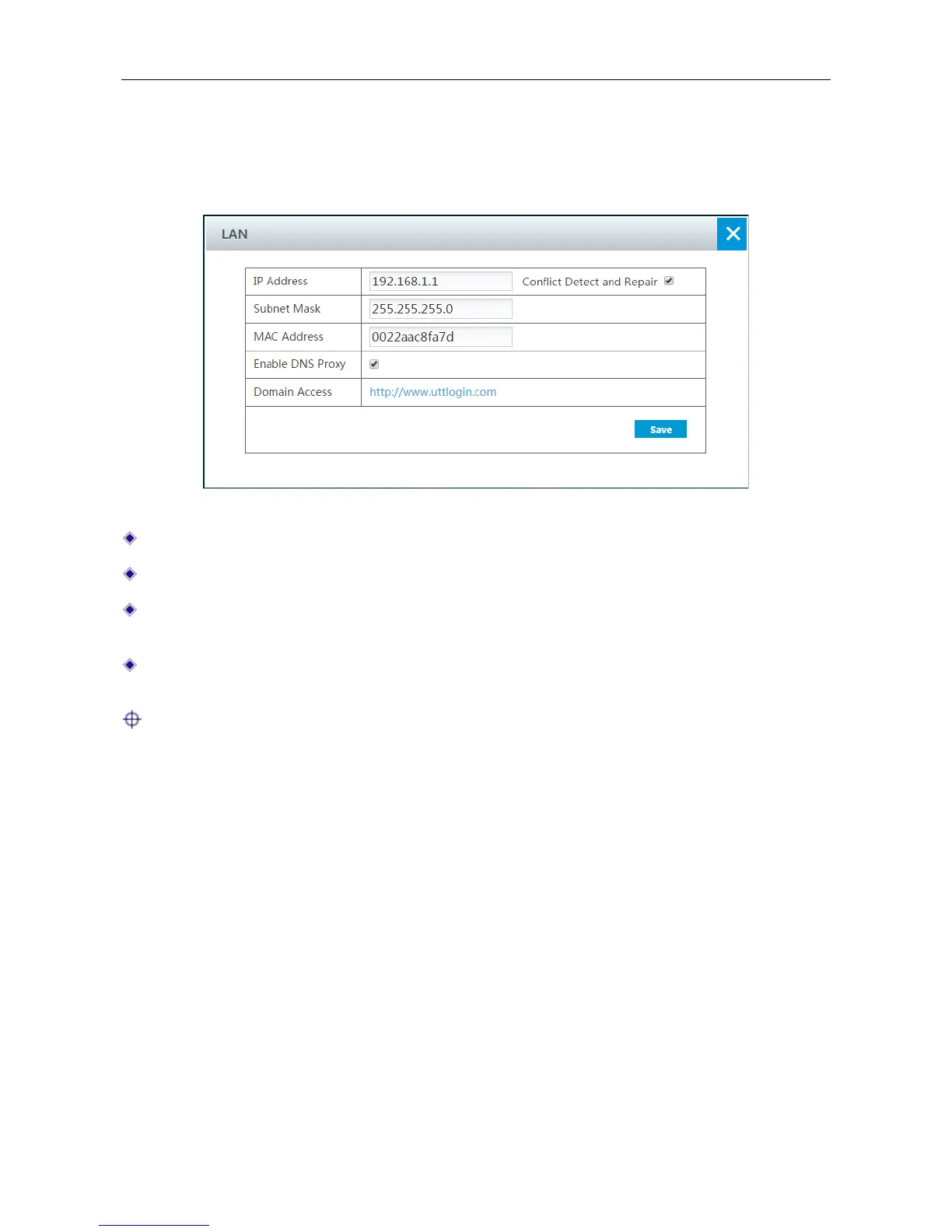
This section describes Application > LAN page. You can set the IP address of the LAN interface
and enable DNS proxy.
Figure 4-21 LAN IP setting
IP Address: Specify the IP address of the LAN interface.
Subnet Mask: Specify the subnet mask that defines the range of the LAN.
MAC Address: The MAC address of the LAN interface. We recommend that you do not
change the default value unless absolutely necessary.
Enable DNS Proxy: If enabled, the Device acts as a proxy for all DNS requests from the LAN
hosts and communicate with the ISP DNS servers.
Note: After modifying the IP address of LAN port, you must use the new IP address to log into
the Device, and the default gateway of each LAN users should use this new address to access
Internet.
4.8 Static Route
A static route is manually configured by the network administrator, which is stored in a routing table.
By using routing table, the Device can select an optimal transmission path for each received packet,
and forward the packet to the destination site effectively. The proper usage of static routes will not
only improve the network performance, but also achieve other benefits, such as traffic control,
provide a secure network environment.
The disadvantage of using static routes is that they cannot dynamically adapt to the current
operational state of the network. When there is a change in the network or a failure occurs, some
static routes will be unreachable. In this case, the network administrator should update the static
routes manually.



 To Next Page