UTT Technologies Application
http://www.uttglobal.com Page 31
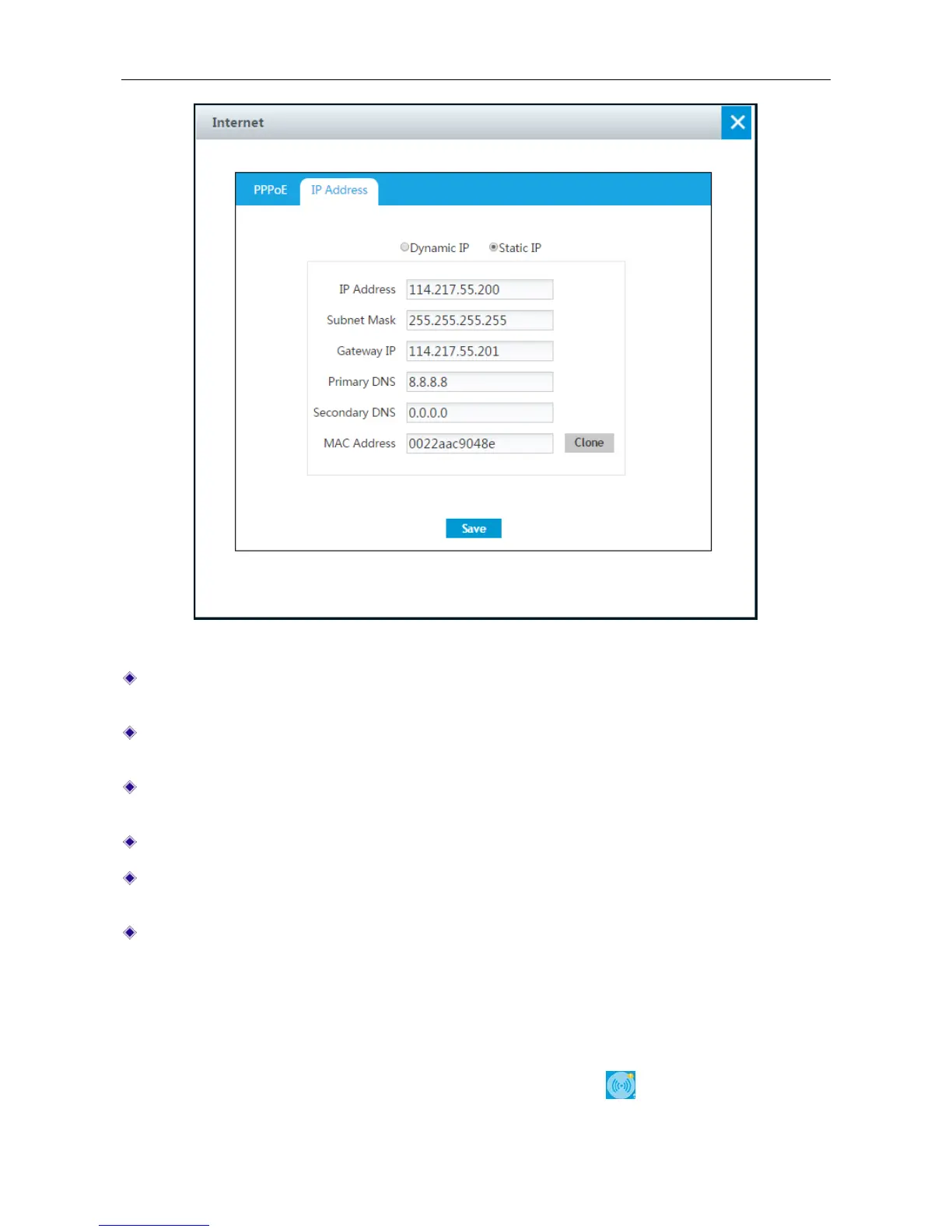
Figure 4-11 Static IP Connection setting
IP Address: Enter the IP address for the Device’s WAN interface, which is provided by your
ISP.
Subnet Mask: Enter the subnet mask for the Device’s WAN interface, which is provided by
your ISP.
Gateway IP Address: Enter the IP address for the default gateway, which is provided by your
ISP.
Primary DNS Server: Enter the IP address of your ISP’s primary DNS server.
Secondary DNS Server: Enter the IP address of your ISP’s secondary DNS server if it is
available.
MAC Address: Displays the device’s physical address. We always keep it as the default value.
4.6 Wireless
This chapter describes how to configure and use the wireless features of the Device. The Device
supports 2.4GHz wireless and 5GHz wireless (only for dual-band wireless router). We can access
Wireless application by clicking Application > Wireless or clicking
at homepage.



 To Next Page