UTT Technologies Application
http://www.uttglobal.com Page 34
ASCII: Select it to enter the WEP keys in ASCII format. ASCII WEP keys are
case sensitive.
Default Tx Key: Select one of the WEP keys as the default transmit key to
transmit data. All keys can be used to receive data.
WEP Key: Enter a key in one of the WEP Key boxes. You can enter up to four
WEP keys. You should enter a key according to the Key Format and Key Type
selected.
For 64-bit encryption, enter 10 hex characters or 5 ASCII characters.
For 128-bit encryption, enter 26 hex characters or 13 ASCII characters.
Key Type: Select the size of each key, and it also allows you to disable or enable
each key. The options are Disabled, 64-bit and 128-bit. By default, Disabled is
selected, which means the key is of no effect.
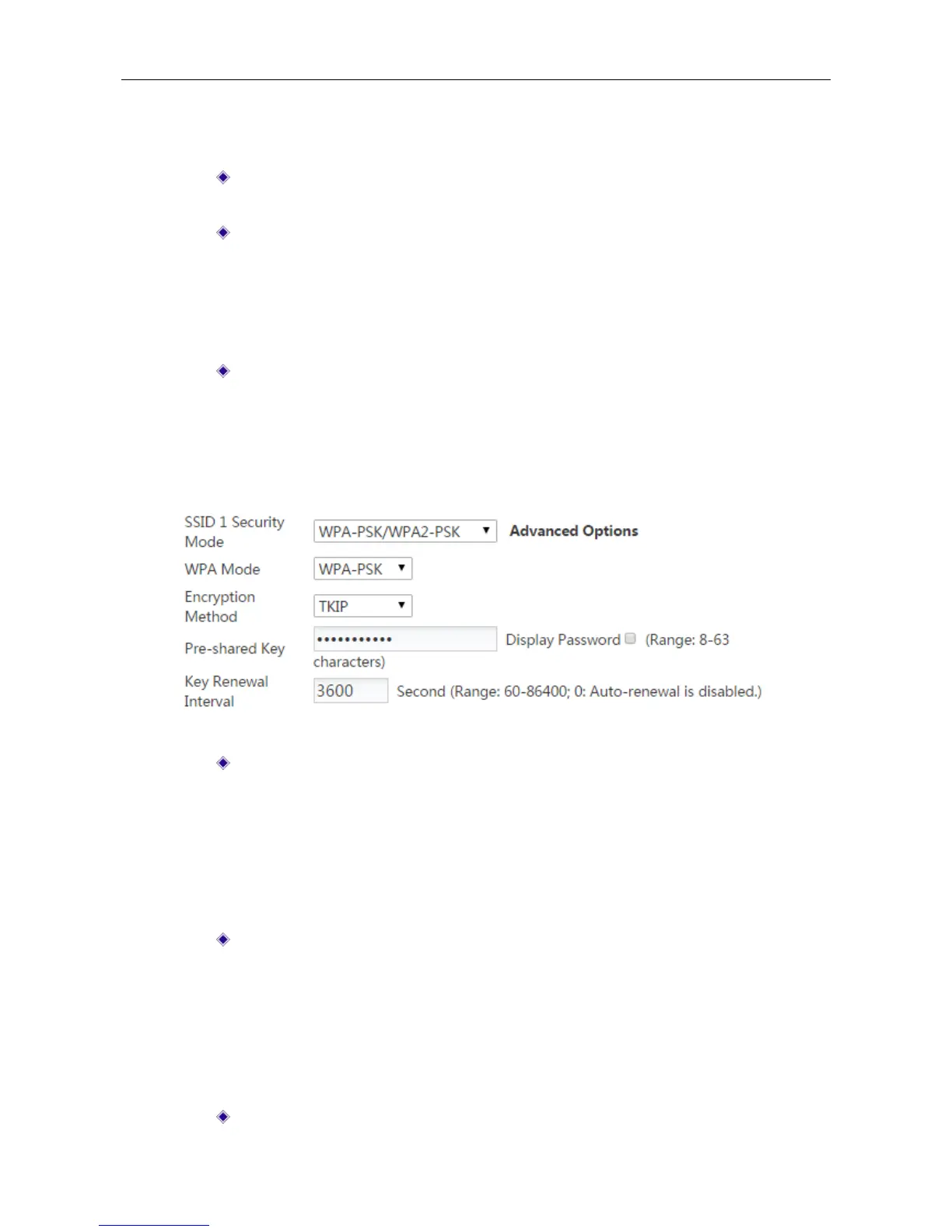
3) WPA-PSK/WPA2-PSK: This mode intends for the wireless network that doesn’t have a
RADIUS server. In this mode, the Device uses the pre-shared key that is manually entered
to generate encryption keys.
Figure 4-14 Security mode_ WPA-PSK/WPA2-PSK
WPA Mode: Select the WPA mode you want to use. The options are Auto,
WPA-PSK and WPA2-PSK.
Auto: If selected, the Device can automatically choose WPA or WPA2
security mode according to the requests of wireless clients.
WPA-PSK: If selected, the Device will use the security mode of WPA-PSK.
WPA2-PSK: If selected, the Device will use the security mode of WPA2-PSK.
Encrption Method: Select the encrytion method you want to use. The options are
Auto, TKIP and AES.
Auto: If selected, the Device automatically choose encryption method for
each wireless client.
TKIP: If selected, the Device will use TKIP for data encryption.
AES: If selected, the Device will use AES for data encryption.
Pre-shared Key: The preset initialization key, with the value of 8 ~ 63 characters.



 To Next Page